

TUTORIALS1. How to model standard SCREW in soldworks

The screw design should be noted that these points
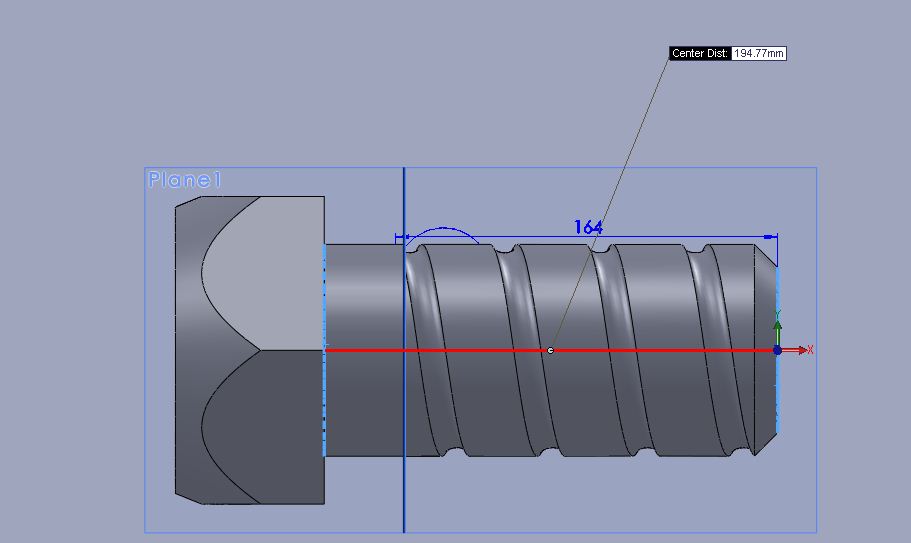 1.JPG
1.JPG
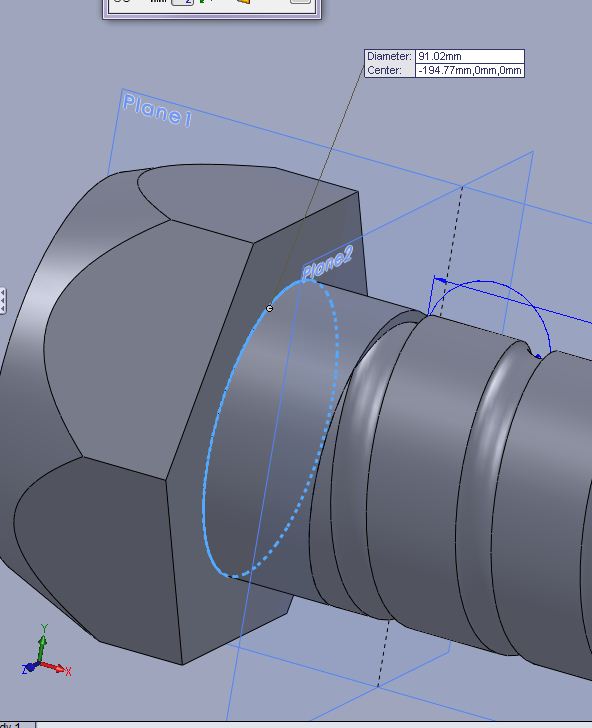 2.JPG
2.JPG
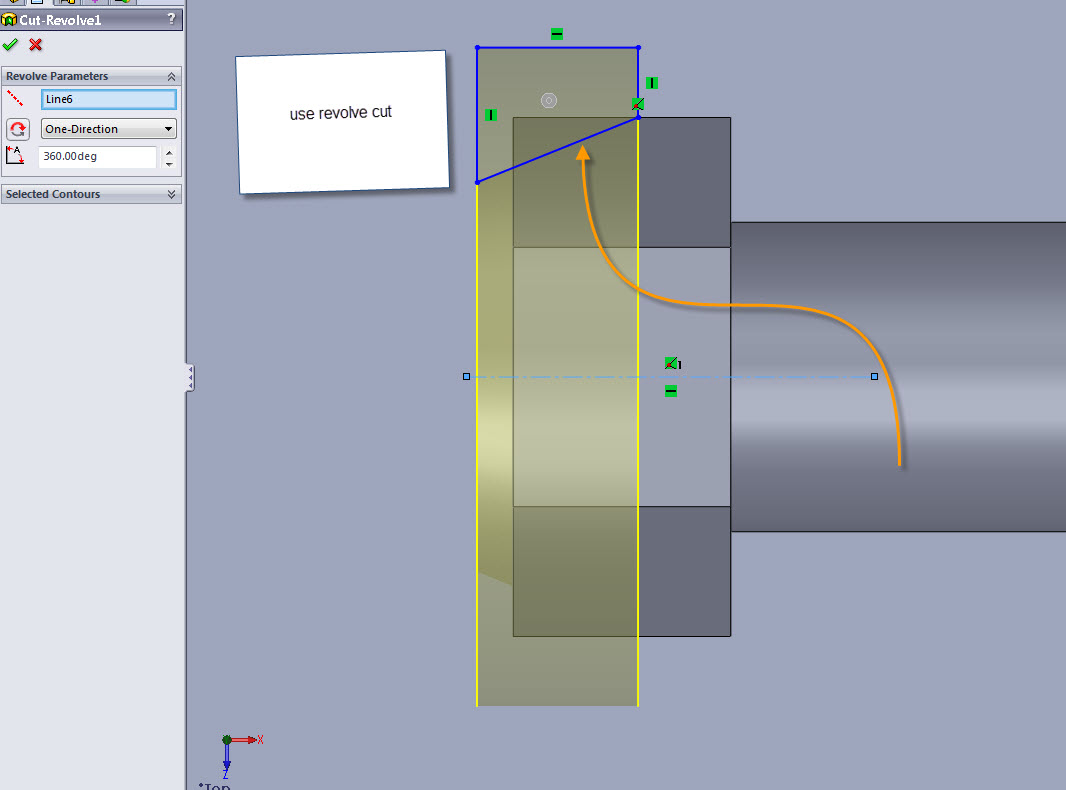 7-31-2012_10-32-14_PM.jpg
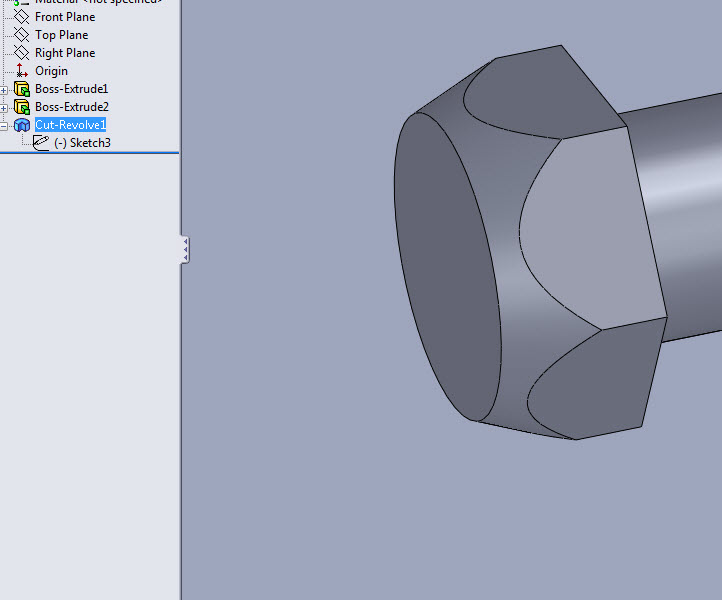 7-31-2012_10-36-14_PM.jpg
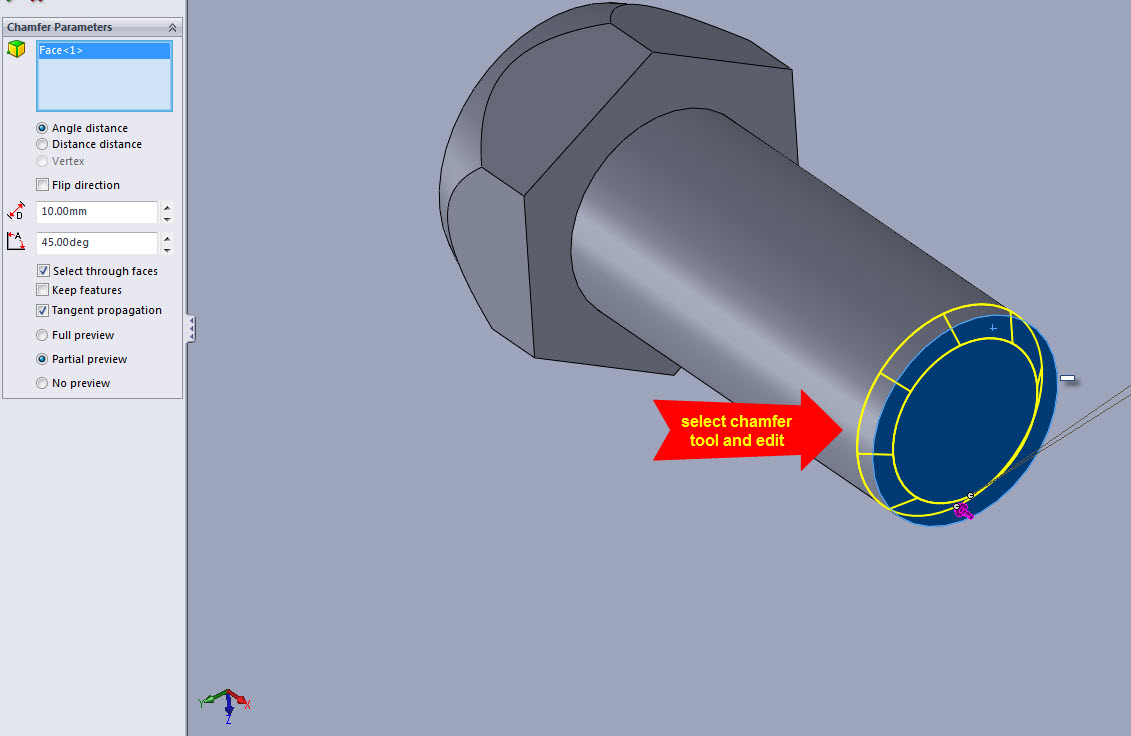 7-31-2012_10-37-51_PM.jpg
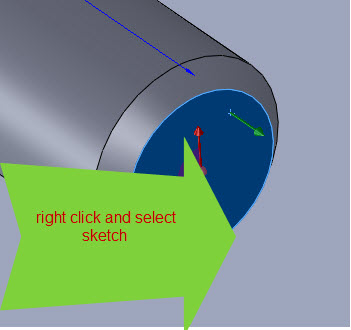 7-31-2012_10-41-27_PM.jpg
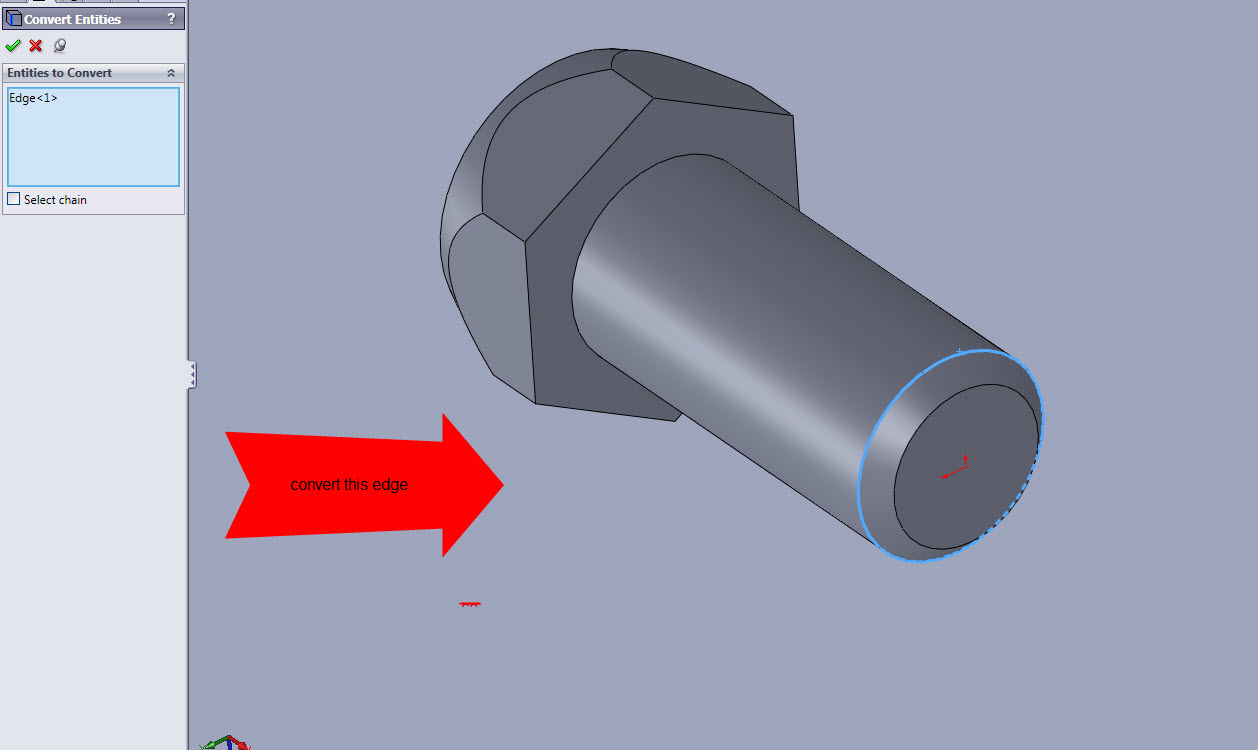 7-31-2012_10-48-22_PM.jpg
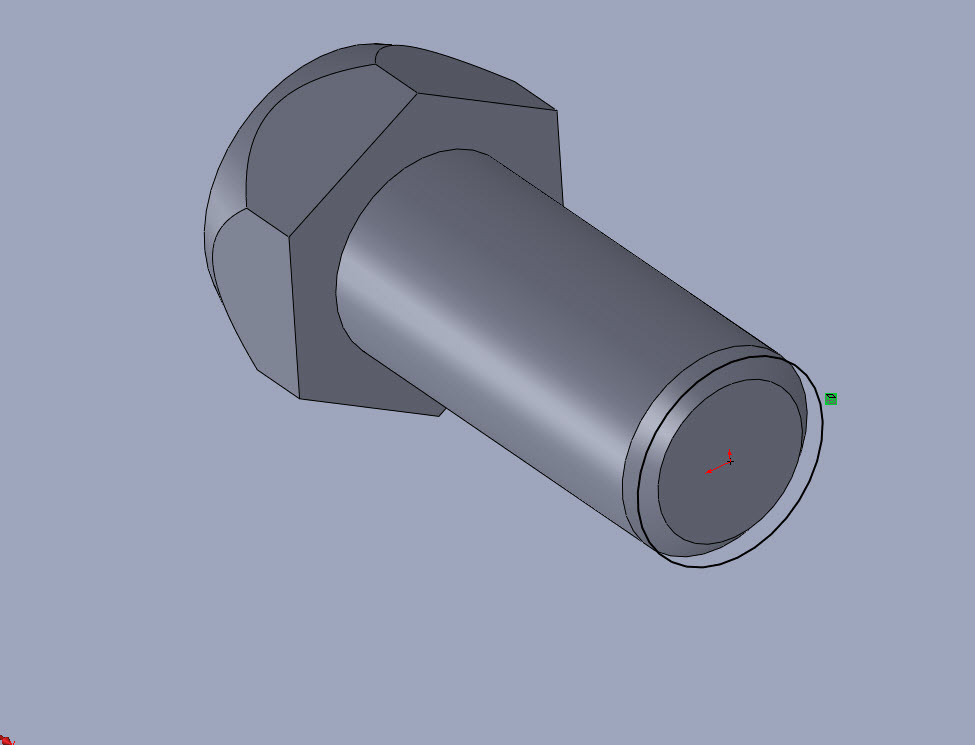 7-31-2012_10-51-24_PM.jpg
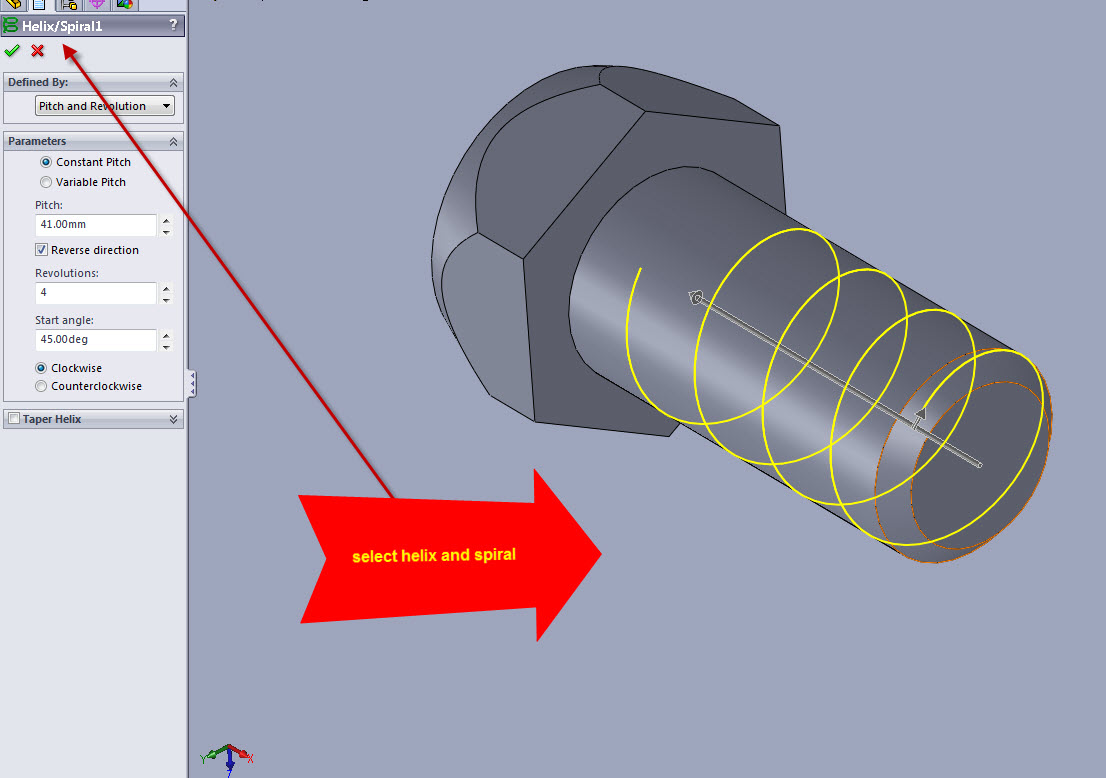 7-31-2012_10-55-42_PM.jpg
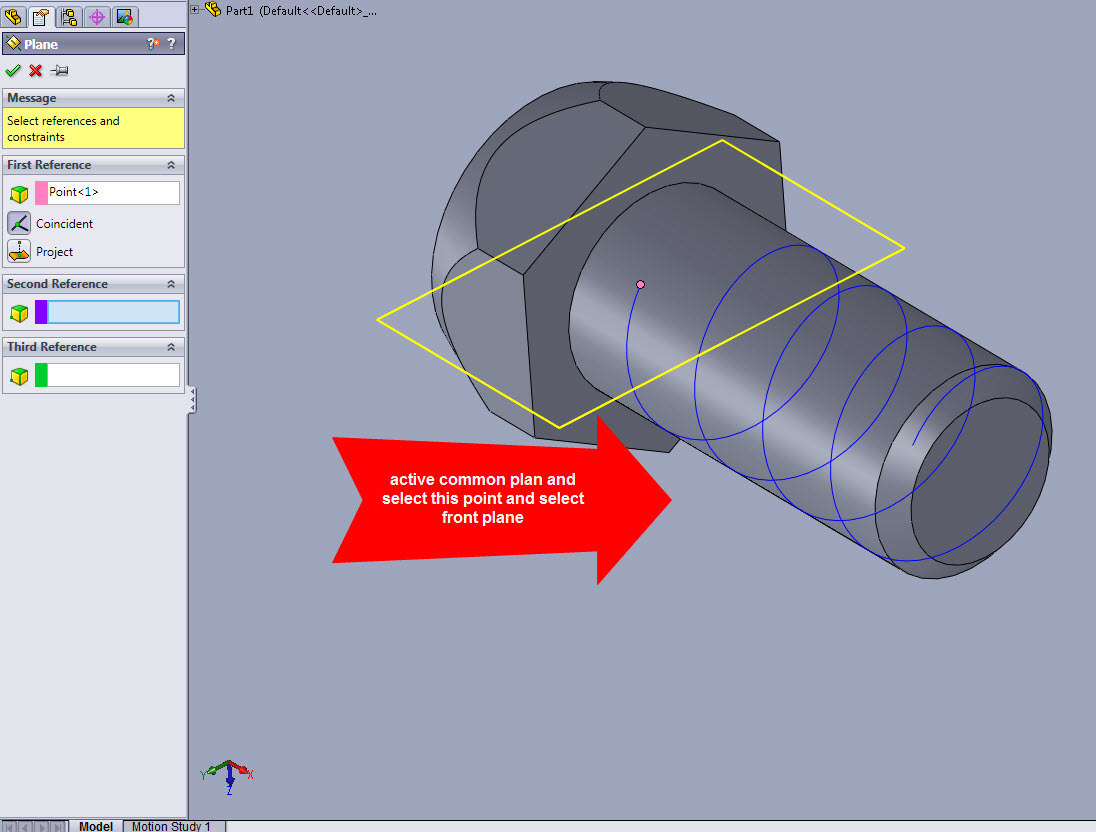 7-31-2012_10-59-55_PM.jpg
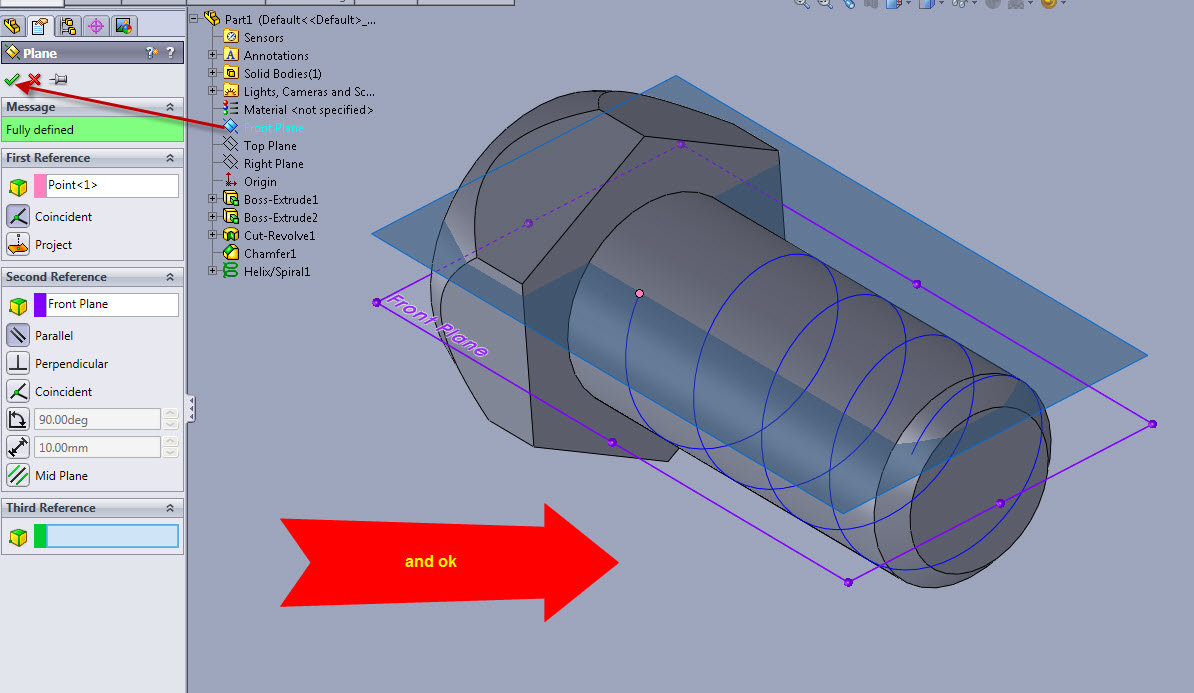 7-31-2012_11-03-31_PM.jpg
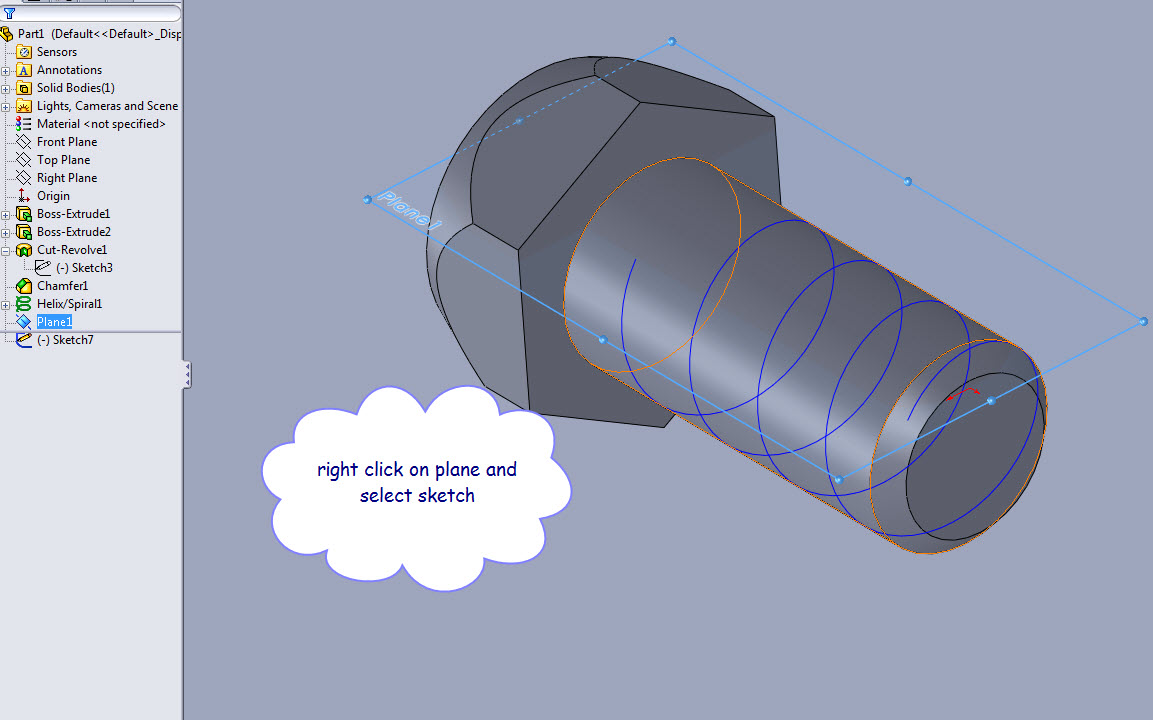 7-31-2012_11-04-59_PM.jpg
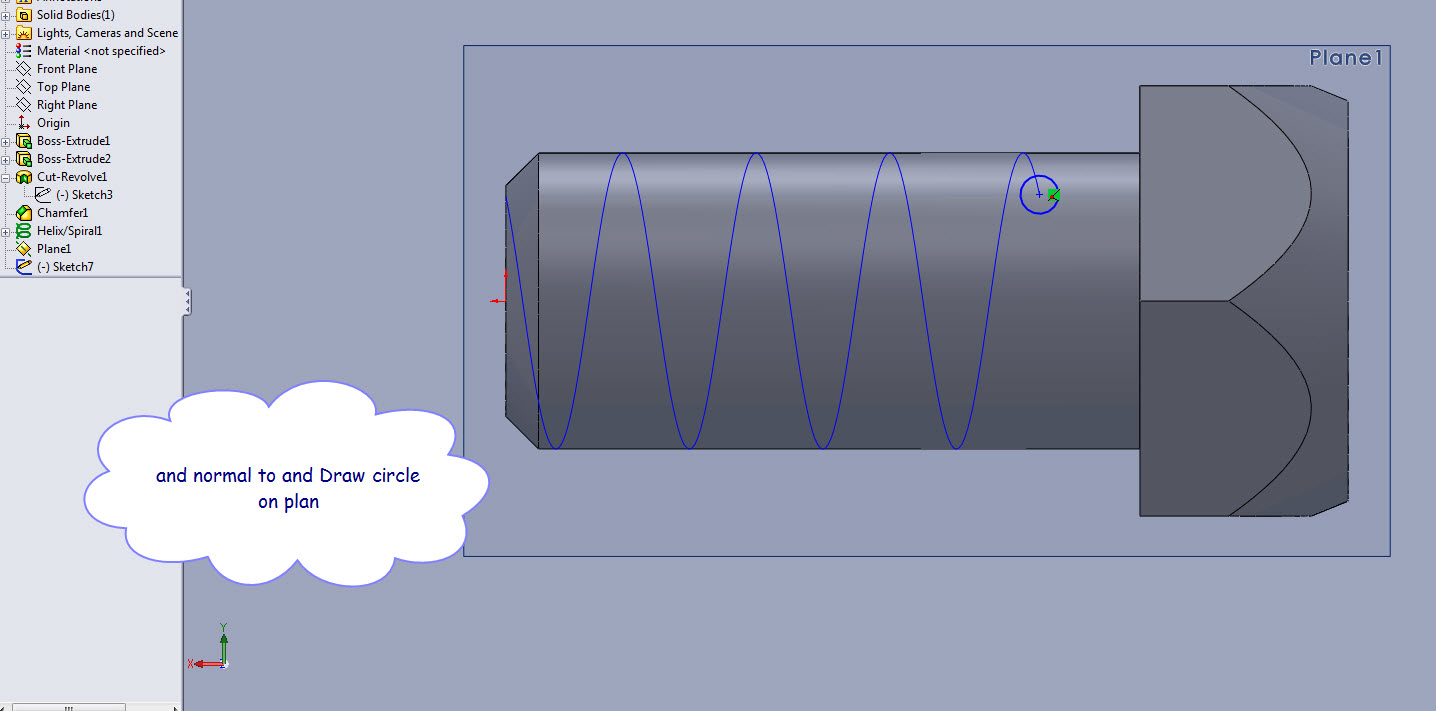 7-31-2012_11-07-59_PM.jpg
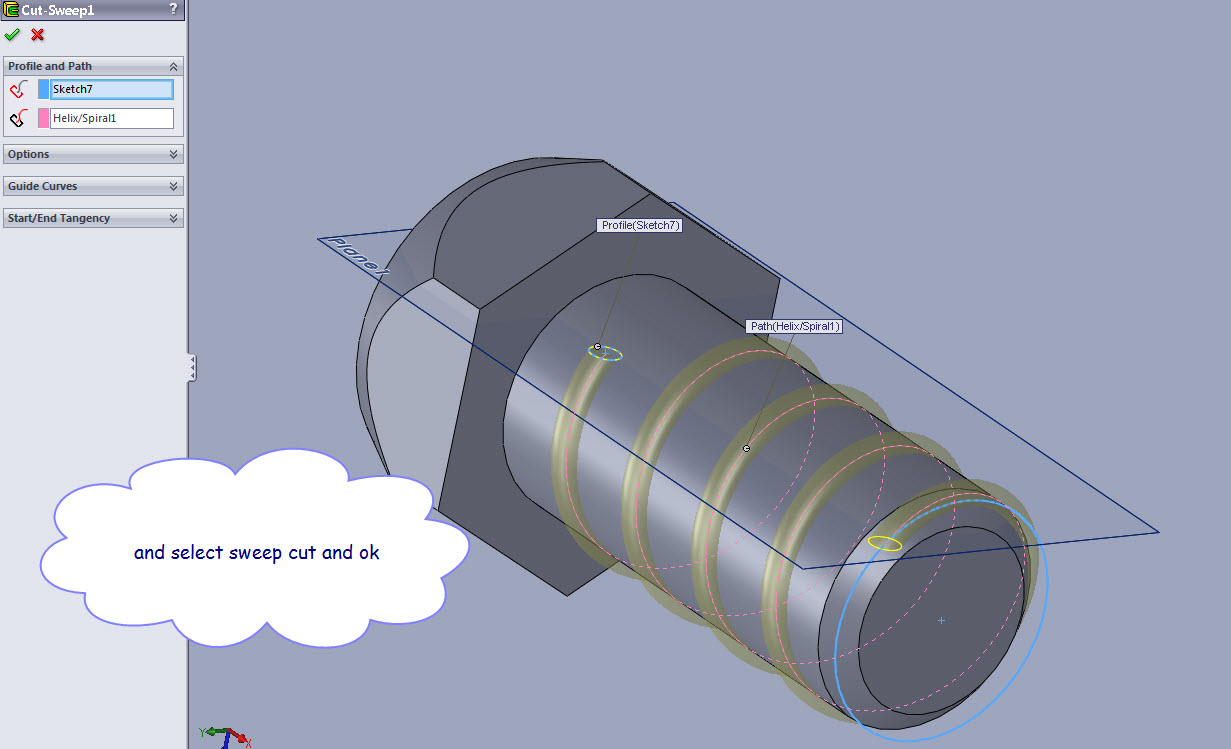 7-31-2012_11-12-36_PM.jpg
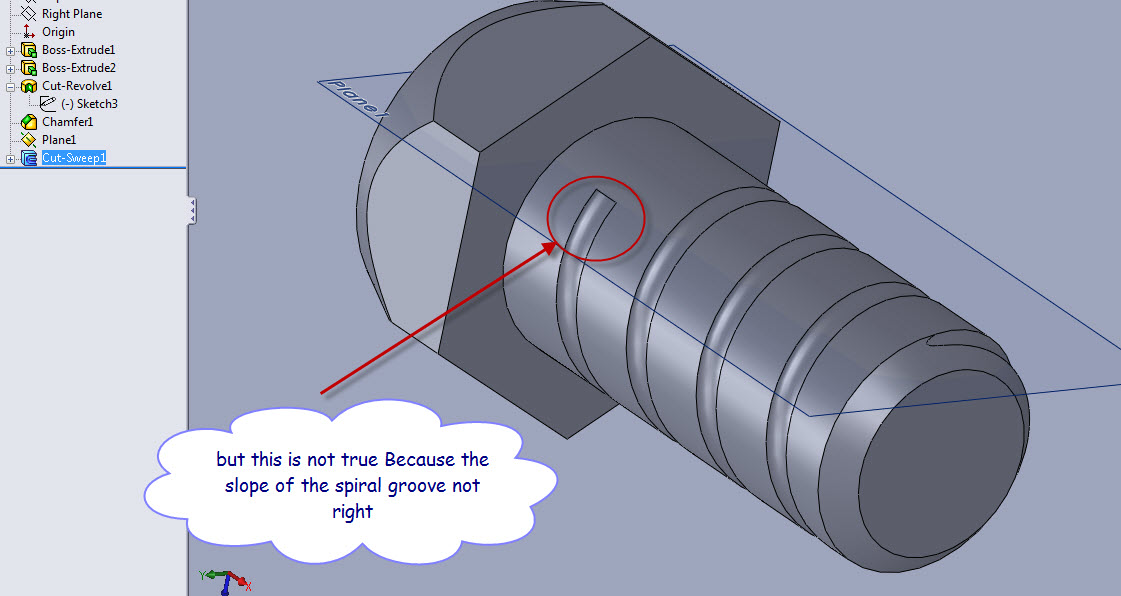 7-31-2012_11-14-27_PM.jpg
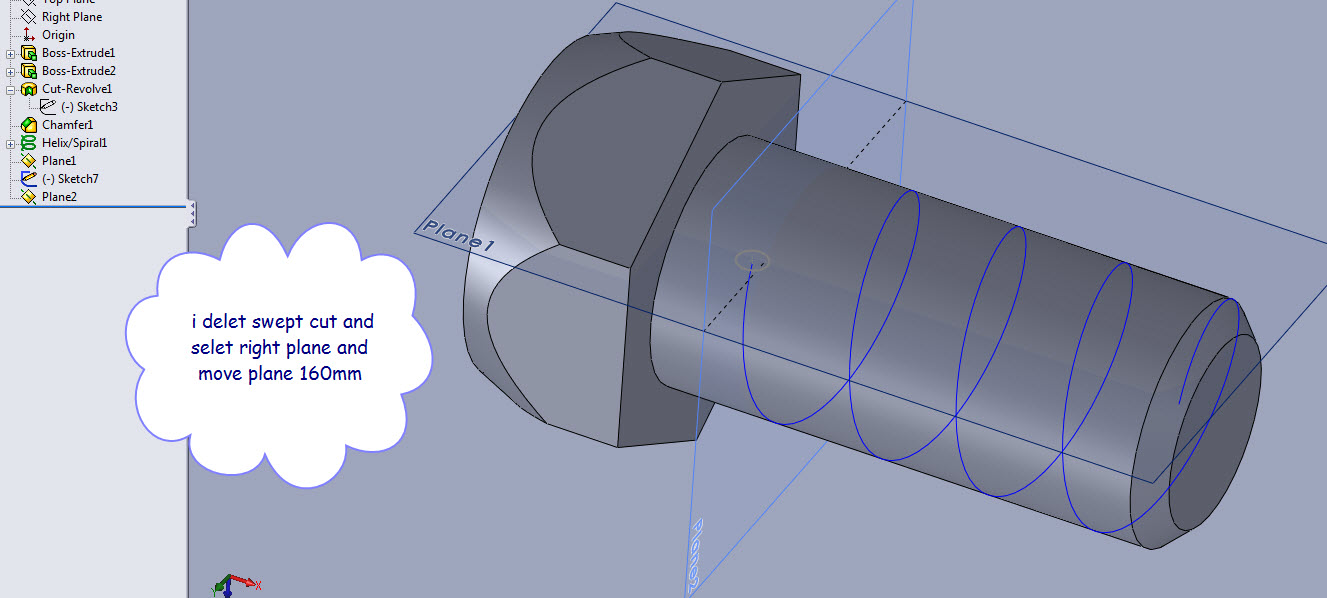 7-31-2012_11-23-27_PM.jpg
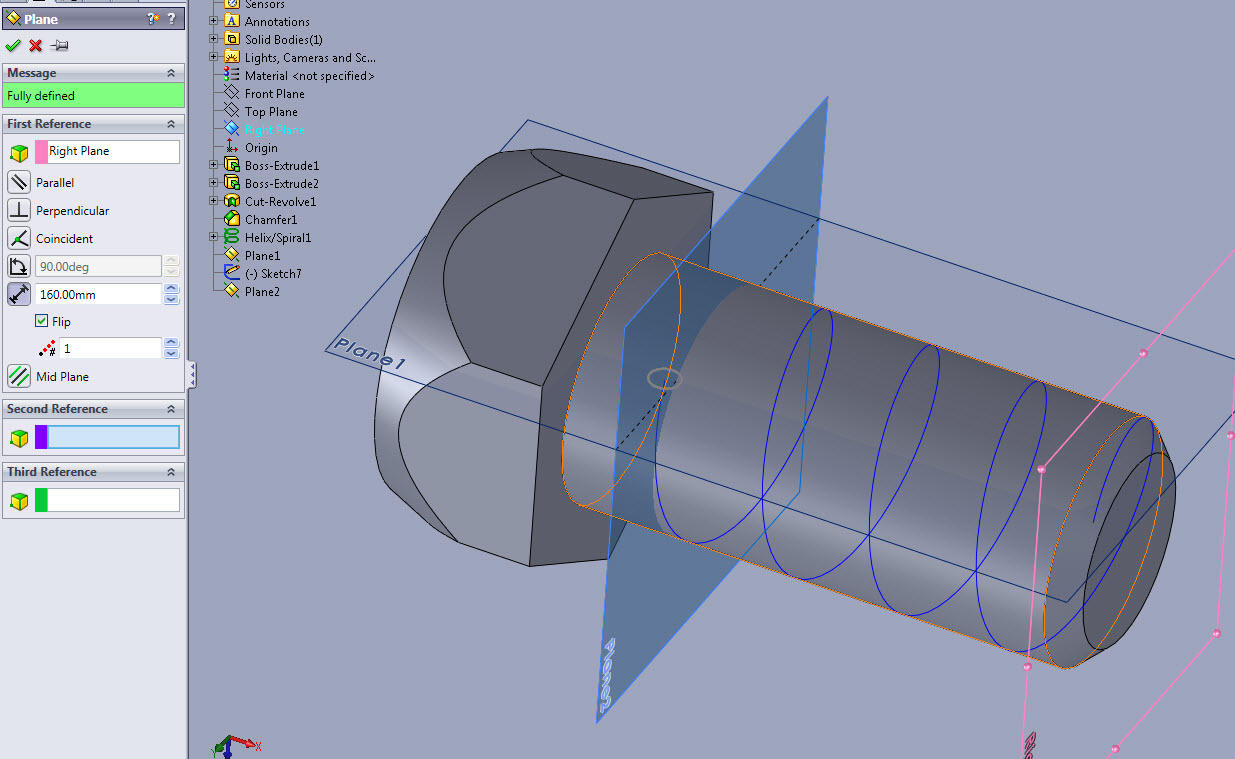 7-31-2012_11-26-46_PM.jpg
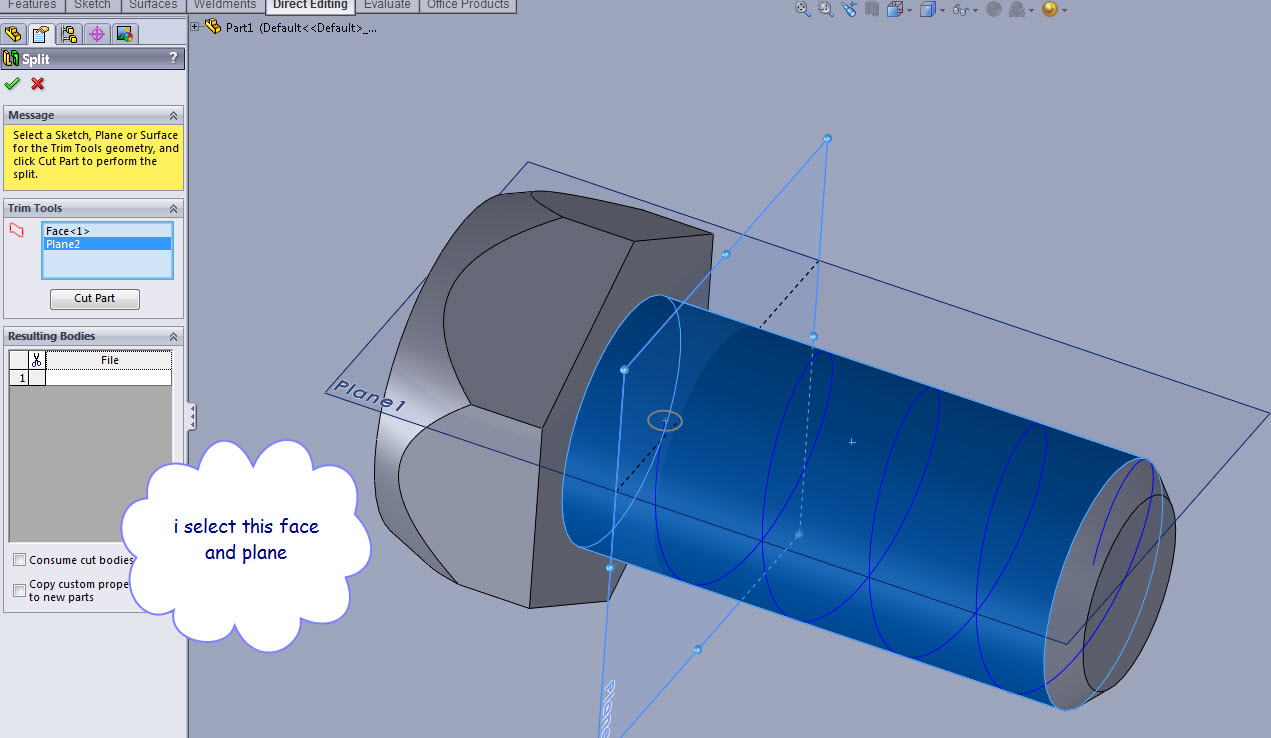 7-31-2012_11-28-05_PM.jpg
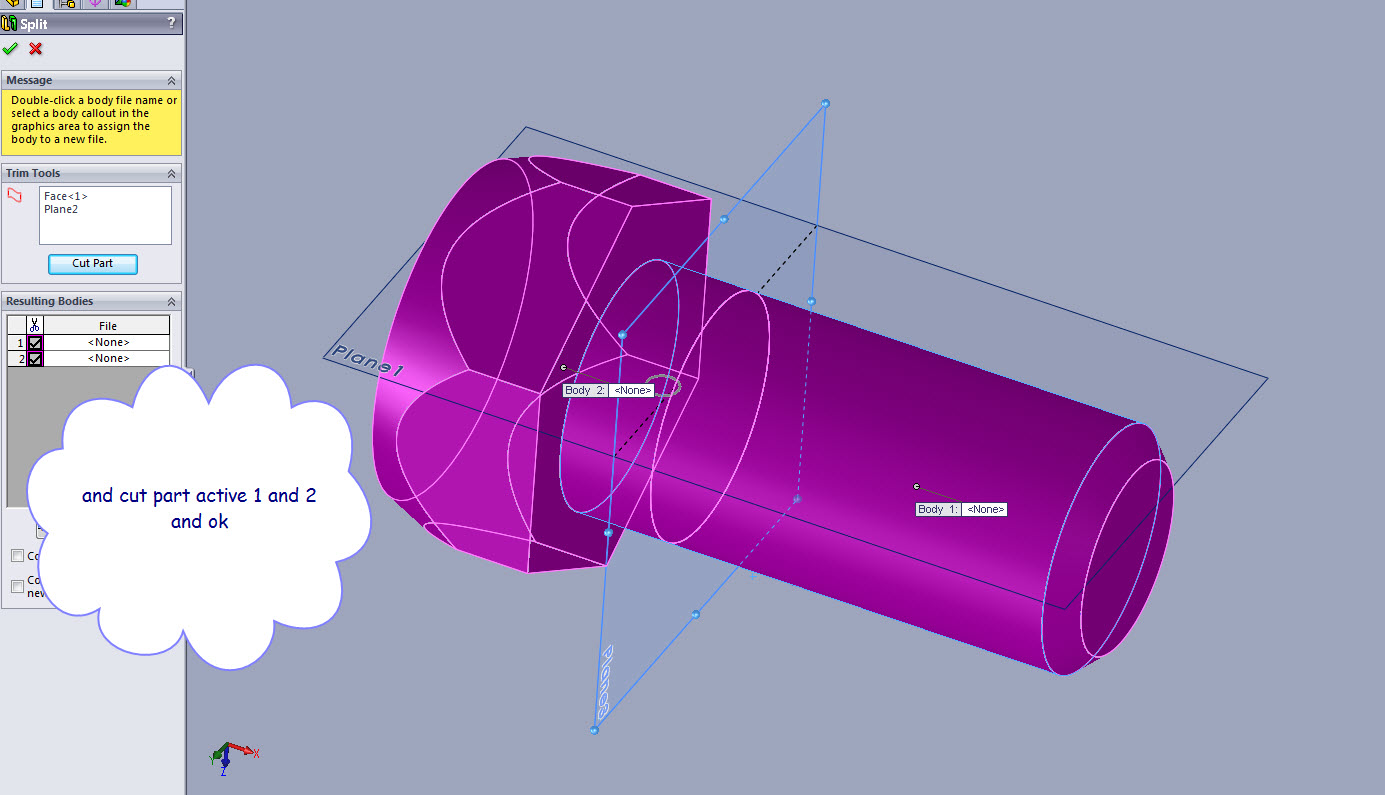 7-31-2012_11-29-14_PM.jpg
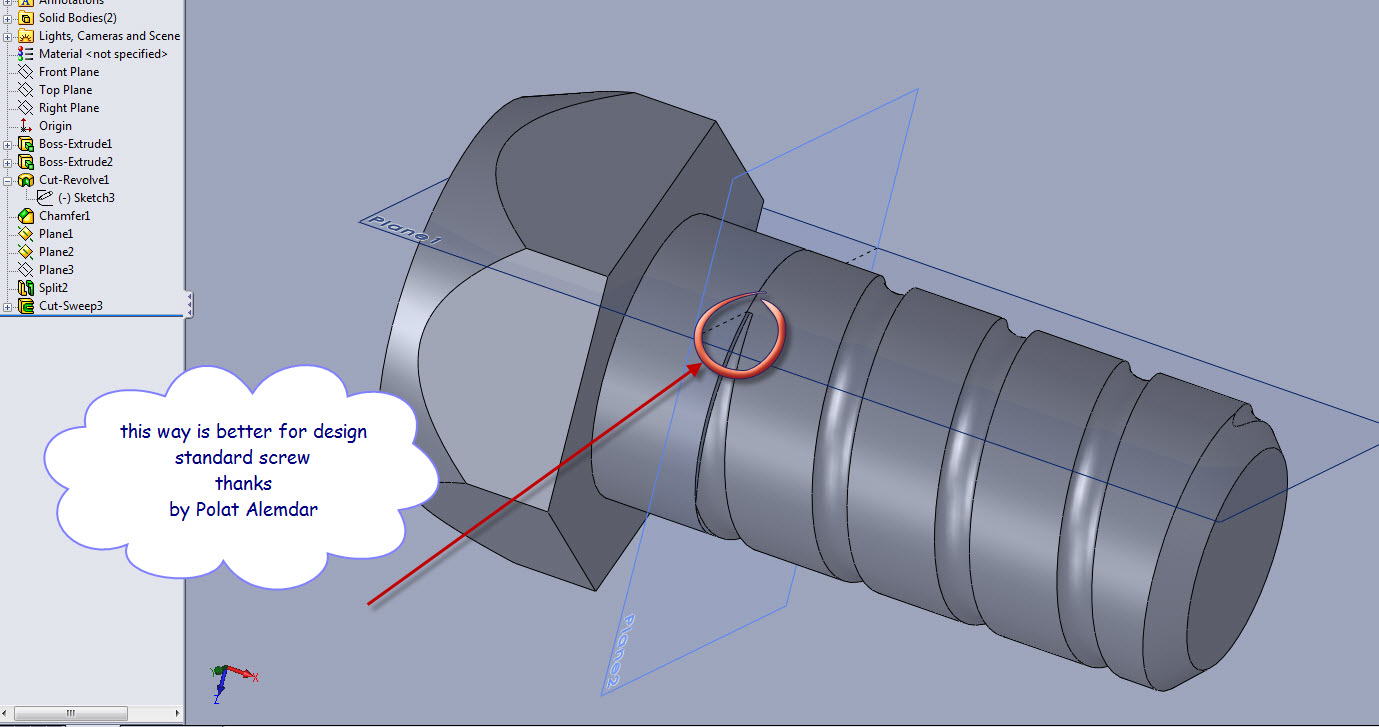 7-31-2012_11-36-17_PM.jpg
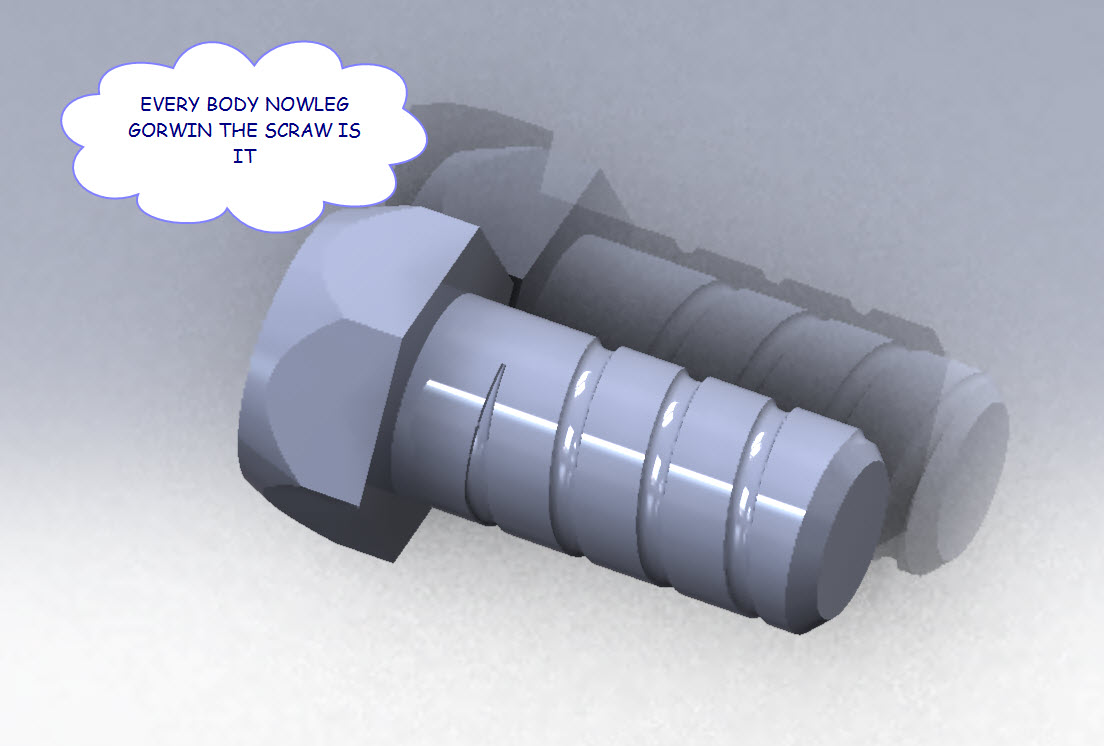 7-31-2012_11-42-42_PM.jpg
4 Answers

THANK YOU
How to model standard SCREW in soldworks
Answered with a tutorial: https://grabcad.com/tutorials/tutorials1-how-to-model-standard-screw-in-soldworks

That's not standard. Standard screws have an included angle of 60 degrees with a crest of one eighth of the pitch, and a trough of one quarter of the pitch.

