Thousands of tutorials to learn from
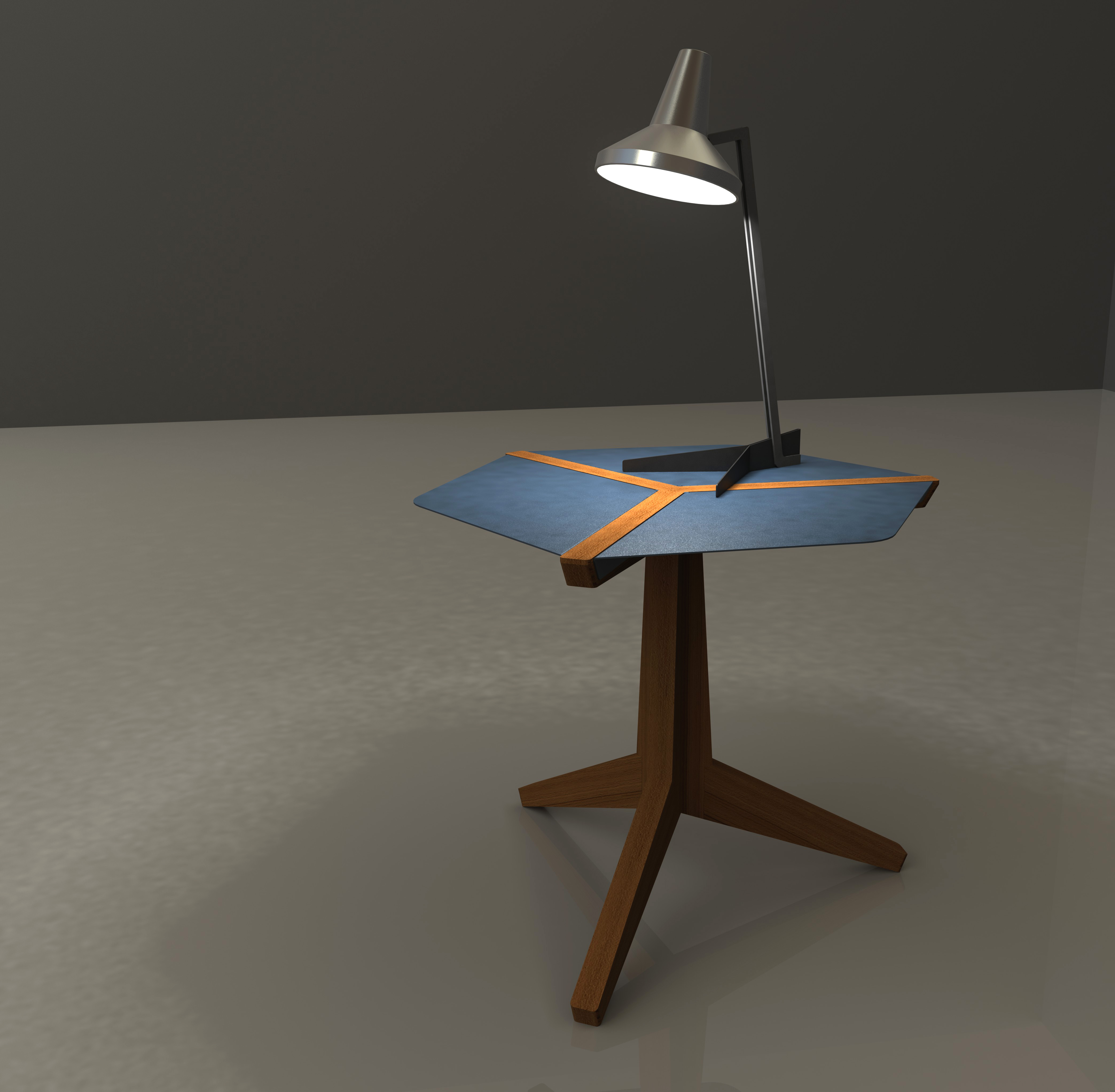
I WOULD LIKE TO KNOW HOW TO DO A LIGHT SETUP WHERE THE LIGHT ACTUALLY ILLUMINATES THE FLOOR OR SURFACE . FOR EXAMPLE IF YOU HAVE A TASK LIGHT ON A TABLE AND WANT TO SHOW THAT THE LIGHT OS ON BY ILLUMINATING THE TABLE SURFACE
Christiaan - adding a point light in PhotoView will achieve this effect for you.
Step 1
From the "Scene,Light and Camera" tab right click on Lights and select Add Point Light. Then choose the location for the light.
Step 2
With this window still open select the PhotoView tab. Set your desired light settings.
Step 3
The resulting effect will cast lighting and shadows onto other surfaces.
Step 4
Selecting Fog from this same window will give this lighting effect.
Thanks so much! This just added to the fun of rendering. I couldn't sleep las night and used this technique to render Parametric Regular Turner’s Dodecahedron and Mag . Not lamps but still used the point light and fog. Thanks again.
I played around a bit, this is what I got. all critics welcome.
Thanks for the tips.
nice job! You should try and put something on the table and see if the shadow will be more defined when it is closer to the light then the shadow of the table on the floor.
In order to insert the Point Light in a specific position should I manage the x,y,z positions or there are ather ways? For exaple can I add the Point Light onto a reference point ?
You can hold the left mouse key down and drag the light to the area where you want to place it.
If you want an exact location you can enter in the X,Y,Z coordinates.
how do you do a light :
http://www.youtube.com/watch?v=VqmCn_7Defs&NR=1&feature=endscreen
Great quick tutorial! While I am familiar with light sources, I've never experimented with the Fog. Thanks for the design inspiration!