Thousands of tutorials to learn from
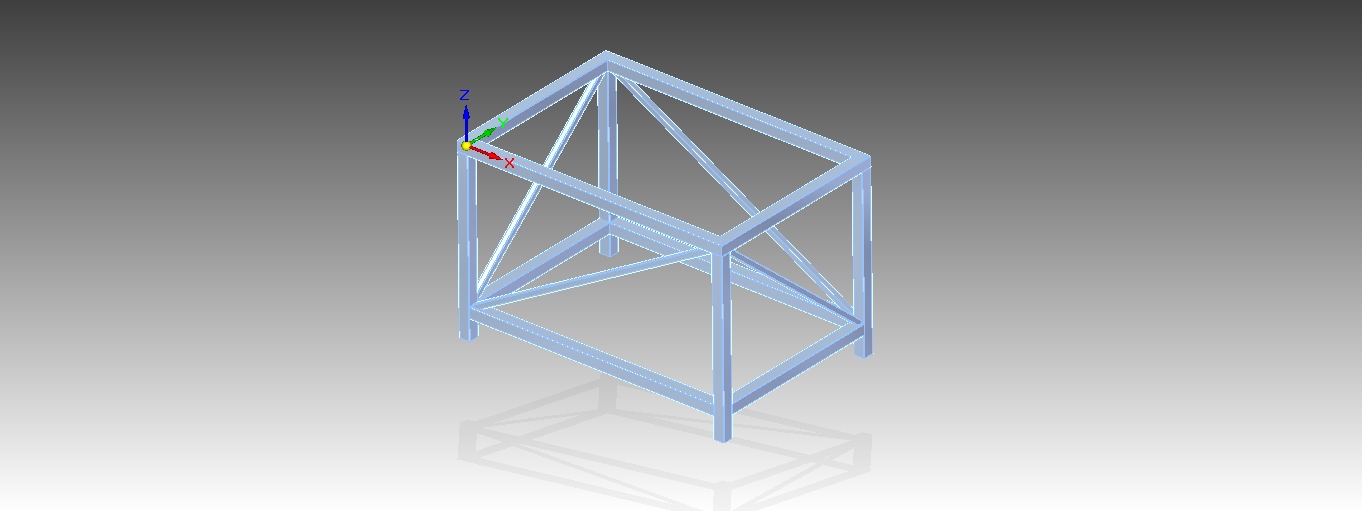
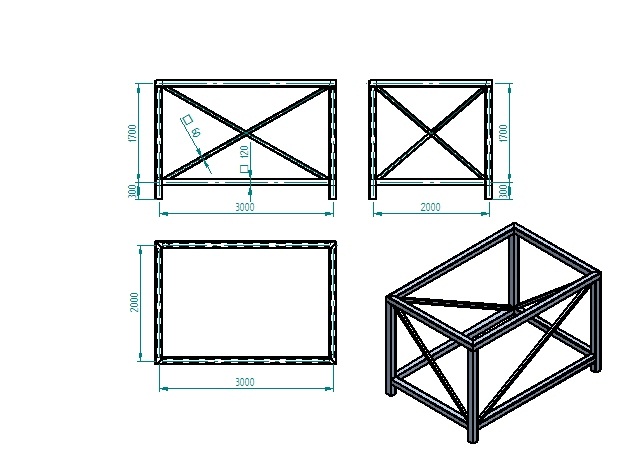
Frame with dimensions to build.
Step 1
.
Step 2
.
Step 3
.
Step 4
.
Step 5
.
Step 6
.
Step 7
.
Step 8
.
Step 9
.
Step 10
.
Step 11
.
Step 12
.
Step 13
.
Step 14
.
Step 15
.
Step 16
.
Step 17
.
Step 18
.
Step 19
.
Step 20
.
Step 21
.
Step 22
.
Step 23
.
Step 24
.
Step 25
.
Step 26
.
Step 27
.
Step 28
.
Step 29
.
Step 30
.
Step 31
.
Step 32
.
Step 33
.
Step 34
.
Step 35
.
Step 36
.
Step 37
.
Step 38
.
Step 39
.
Step 40
.
Step 41
.
Step 42
.
Step 43
.
Step 44
.
Step 45
.
Step 46
.
Step 47
.
Step 48
.
Very nice, still I prefer SW 3d sketching abillity. Saves more time then opening a new plane every time.
Also it's important to mension that when marking the lines in the frame command for an intersection of 3 or more lines, one have to pick 2 lines every time in order to control the end conditions of the frame properly.
Thx.
Thanks Ivan. I never do the sketches from the frame command. doing the sketches as a sepert part gives me more control when I'm editing the frame.
Good day!
@Marek
click link and hit the "download" button...think it`s work that way...hope it helps :)))
Enjoy
Ivan,
Can you do a stress analysis for the frame with the basic ST4 (no simulation package)? are the simulation results considered reliable in the basic ST4?P.S.
You convinced me and I'll give the frame drawing another chance :).
Thanks.
Avis,
Reliable as NX solver allow do be...that mean reliable hard as a rock :)
...do not know about student/basic or else...you should check it on solidedge.com
That`s not quite right Avis...You do not have to pick plane every time, 3d sketching allow you to draw whatever you want in 3d from start to the end (no need to change planes or angles). This depend on model complexity though...more complex model - more stuff to add...And 2 or more lines intersection define in "frame options/corner treatment" properties only once and SE acting accordingly...I posted similar tutorial here: http://grabcad.com/questions/tutorial-frame-designer-basics check it out.
But, both SE and SW are just tools...crafty hands are more imported :)))
Cheers Bro
P.S.
Marek well done :)
Thanks Avis, you should try frame drawings, once you got hooked your done :))) (to understand each other - this is for frames types drawings only like chassis, tables, frames, boxes, Truss, lattice masts...etc) and one very good new thing ST4 provide is you can simulate designed frame for all analysis you need as one part - no need to connect or even mesh it...extra mighty stuff! Highly Recommended :)))
Enjoy Buddy :)
Step 13. should have as nr 1. select "include" and then wireframe chain, as a beginner it was little confusing. But later on it was mentioned tbh...
Thanks for the nice tutorial!