Hide modal button
GrabCAD Platform
Learn about the GrabCAD Platform
Get to know GrabCAD as an open software platform for Additive Manufacturing
Visit our new homepage
    • Home
    • Control
    • Shop
    • Streamline Pro
    • Partner Program
    • Print
    • Community
  • Log in
    • Library
    • Challenges
    • Groups
    • Questions
    • Tutorials
    • Engineers
      • Blog
        • Log in
Ask and answer engineering questions. New user? Join the community or log in.

how to change the screen

ramesh kumar
ramesh kumar
12 Nov, 2018 02:42 PM

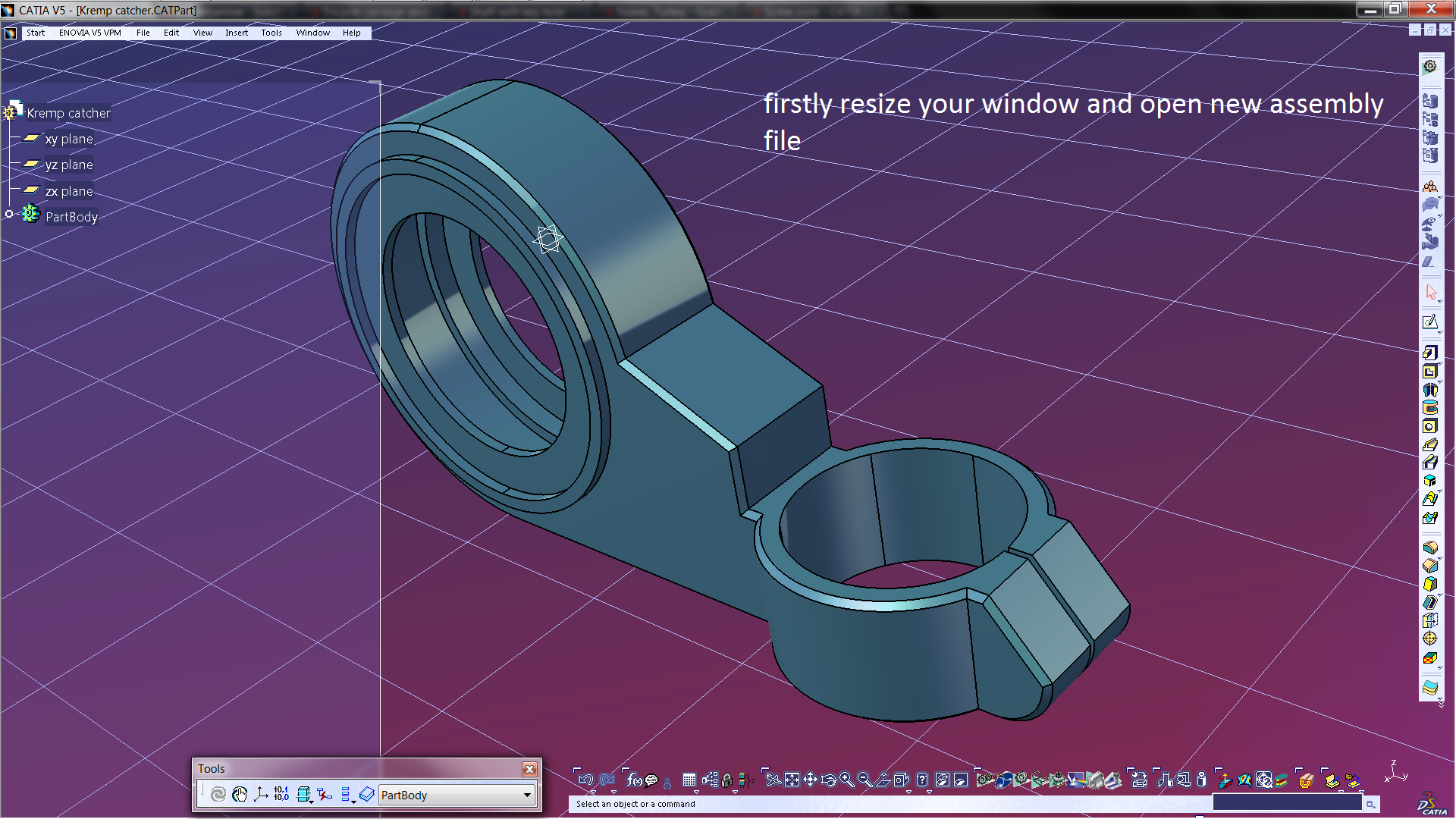
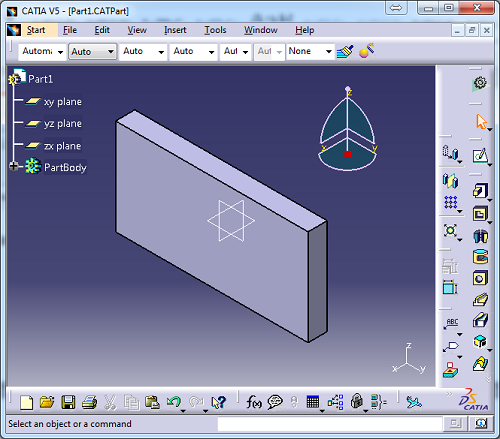
dear sir i need a clarification, please see the attachment ..in my system the screen is look like the attachment no 1 , but i want to change the screen like attachment no 2, so please explain how to change

2.png 2.png 1.png 1.png

1 Answer

Jack K
Jack K
Answered on 12 Nov, 2018 03:54 PM

see my response in the CATIA Groups section:

https://grabcad.com/groups/catia-users/discussions/how-to-change-the-screen-please-help-me

Share this awesome question with your friends
Social
Copy link
1 Answers
0 Followers
87 Views

Details

Created: 12 November, 2018
Category: Standards

Similar questions

  • How to render filter/screen?
    1 answer 119 views 0 followers
  • How to obtain the screen pixel coordinates of CATIA
    1 answer 540 views 0 followers
  • how to create a plane parallel to screen?
    1 answer 309 views 0 followers
  • How to move a area of Feature Manager from left side of screen to the right side of screen?
    3 answers 496 views 0 followers
  • GrabCAD Print Blank Screen
    0 answers 137 views 0 followers
  • Drawing Template Dialog Screen
    1 answer 48 views 0 followers
Log in or sign up to answer
White Stratasys Logo White GrabCAD Logo
© 2025 Stratasys Inc.
ABOUT US
Company
Jobs
RESOURCES
Blog
Resource Center
Support
GrabCAD Software Support
GrabCAD Community Support
SOCIAL
Facebook
Youtube
Instagram
Linkedin
Twitter
Streamline Pro
Overview
Control
Overview
Print
Overview
Pro
GrabCAD Print for FDM
GrabCAD Print for PolyJet
Digital Anatomy
SAF Technology
Origin
GrabCAD Print for Neo
fixturemate by trinckle
Shop
Overview
Features
Compare
Teachers & Lab Managers
IT & Security
Engineering Managers
PARTNERS
Software Partners
GrabCAD SDKs
COMMUNITY
Library
Challenges
Groups
Questions
Tutorials
Engineers
Contact Us Website Terms of Use Software Terms of Use Privacy policy Trademarks Your Data on GrabCAD
The Computer-Aided Design ("CAD") files and all associated content posted to this website are created, uploaded, managed and owned by third-party users. Each CAD and any associated text, image or data is in no way sponsored by or affiliated with any company, organization or real-world item, product, or good it may purport to portray.