Is there any way to change my model's orientation in case I got it wrong while assembling?

Is there any way to change my model's orientation in case I got it wrong while assembling?
2 Answers

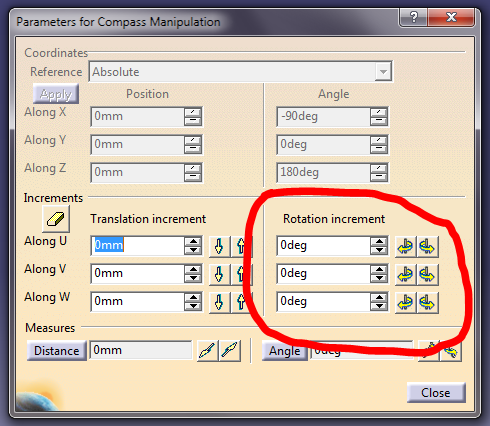
You can try dragging the compass to the object you want to rotate and then double clicking on a surface of the compass. Under rotation increment, type the amount of degrees you want to rotate it on the chosen access. Before doing this, you must do a fix constraint on the part you want rotated IF there are extra parts attached to it that also need the same rotation. After the main part has been rotated, update (Ctrl + U) and it will hopefully work for you.

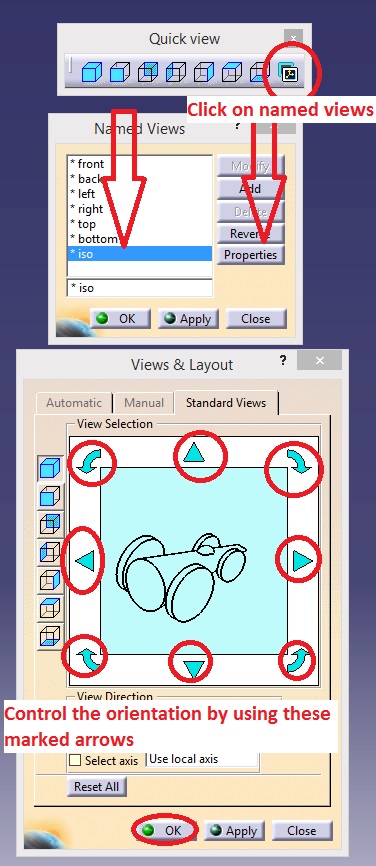
Hi we can do it by following steps,
Quick view >> Named views >> select the view which you want to orient >> Options >> change the orientation as per your requirement >> Done