

Need help completing a loft

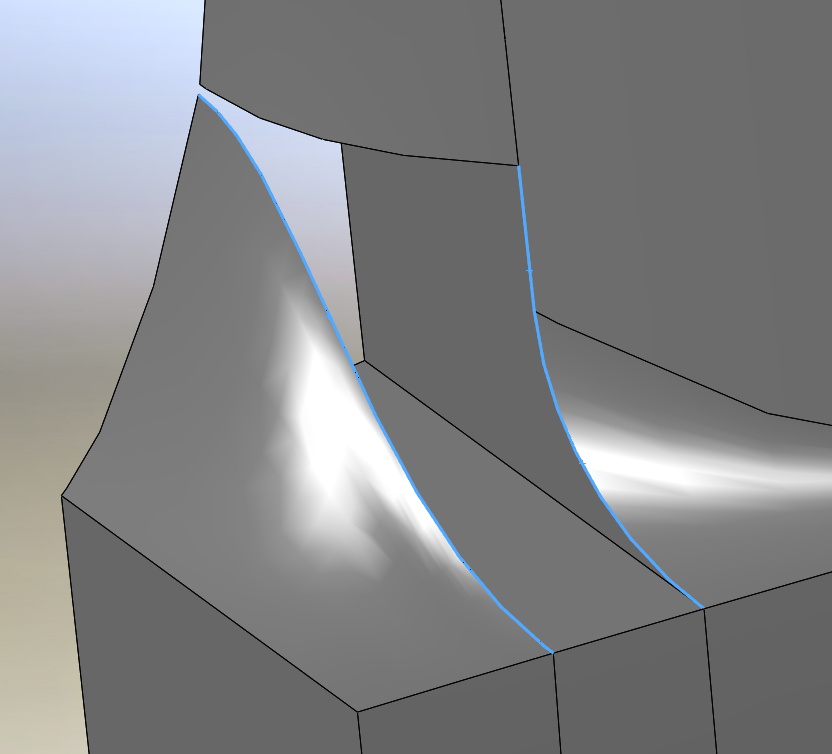
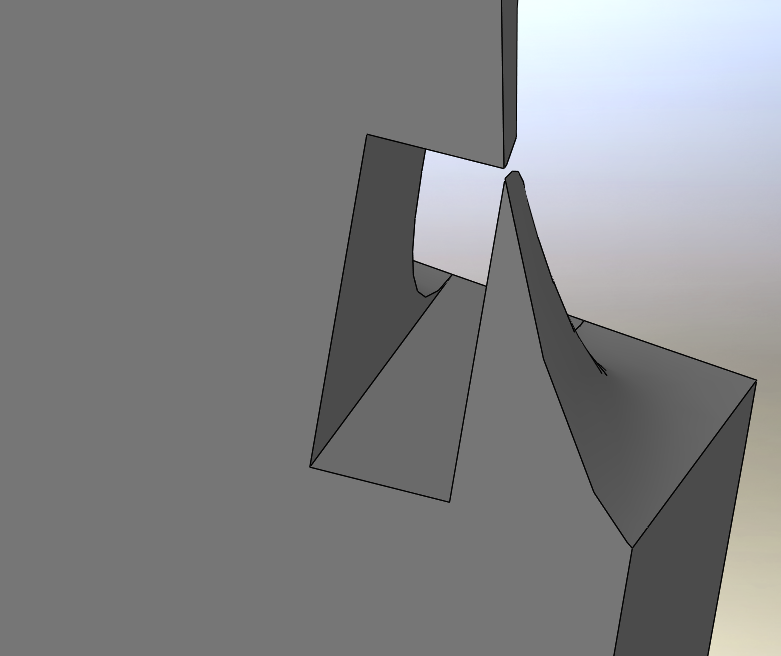
I've got a project that I'm working on, that has (to me) some very complex geometry, and one area has me completely baffled on how to complete it. In the screen shots below, you can see the area I'm trying to fill in w/ a loft. I've created 3D splines that are tangent to both faces, to use as guid curves, and then trying to loft the 2 opposing faces together, as well as tie the loft into the horizontal face above.
I was hoping maybe someone could help me out w/ this. Im still fairly new to lofting so Im sure I'm not doing it correctly.
3 Answers

What I did to close that area is deleted the interior faces to create a surface only part. Then patched the back face with a surface. I then used the Surface Fill tool with the "try to create solid" checkmarked. Should be what you are looking for.
Oops, sorry, didn't think about that. I added an iges and a step.
I've messed w/ it some more, trying instead to do a lofted cut, but I'm constantly getting error messages about creating zero thickness geometry, and I'm just completely stumped about where its causing that to come up.

I will see what I can do tommorow , its late were I live

