Learn about the GrabCAD Platform
Get to know GrabCAD as an open software platform for Additive Manufacturing
Visit our new homepage
Home
Control
Shop
Streamline Pro
Partner Program
Print
Community
Log in
Library
Challenges
Groups
Questions
Tutorials
Engineers
Blog
Log in
Learn from thousands of free Tutorials.
New user?
Join the community
or
log in.
Tutorials
Most liked all time
Recent
Most liked
Most viewed
Most commented
This week
This month
All time
Category
Design & CAD
Modeling
Drafting
Assemblies
BOM
Dimensioning / Tolerancing
Translations
Manufacturing & CAM
3D Printing
Tooling
NC Machining
Composites
Measurement / Inspection
Simulation & CAE
FEM
CFD
Kinematics
Process Simulation
Engineering Fundamentals
Theory
Process
Standards
Other
Software
Snagit
Alibre Design
ArchiCAD
AutoCAD
AutoCAD Electrical
Autodesk 3ds Max
Autodesk Alias
Autodesk Inventor
Autodesk Maya
Autodesk Revit
Autodesk 123D
BricsCAD
Bentley MicroStation
BlenderCAD
BobCAD-CAM
CATIA
Delmia
DraftSight
FreeCAD
Femap
Fusion 360
Geomagic Design
IronCAD
JT
Kompas-3D
KeyCreator
KeyShot
Lagoa
Luxology
Mastercam
Moi3D
NX Unigraphics
OBJ
Onshape
OpenSCAD
Parasolid
Powermill
Powershape
Pro/Engineer Wildfire
PTC Creo Parametric
PTC Creo Elements
Rhino
SpaceClaim
SOLIDWORKS
solidThinking Evolve
Solid Edge
SolidFace
STEP / IGES
SketchUp
STL
TopSolid
TinkerCAD
T-Flex CAD
TurboCAD
VectorWorks
ViaCAD 3D
VRML / WRL
ZW3D
GrabCAD Print
Rendering
GrabCAD Community
GrabCAD Workbench
Text file
3D Manufacturing Format
Cinema 4D
Other
Skill level
All levels
Beginner
Intermediate
Expert
Translations
×
How to Change the Commands Language
Sérgio CAD CAM
in
Translations
19
0
Beginner
How to change the Software SolidWorks Language. Como mudar o idioma do SolidWorks.
SOLIDWORKS
commands
english
language
change
Saving your Fusion 360 design in your local storage
Riolito Paildelan
in
Translations
12
0
Intermediate
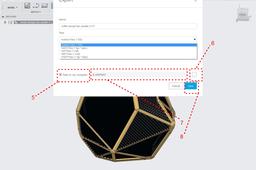
Hi @https://grabcad.com/cyrhuz.sortijas.bocar-1, You've mentioned earlier that your license is about to expire. The good news is it will prompt you options of renewing your educational license. I figured that you asked about these because you're worried that your precious thesis file that you put in so much effort will be lost. Luckily all design files from f360 is saved in the cloud (internet connection required). So there's pretty much nothing to worry about. Anyhow, here's a quick tutorial on how to save your f360 design file on your local storage as a safety precaution.
Fusion 360
storage
local
cloud
360
fusion
diverse shape translation to JT or STP
juergen grewe
in
Translations
9
2
Intermediate
Have found a way to import / translate easy shape files like 3ds, wrl, skp, stl, ifc and so on into JT or STP. The shape files can have texture or not. My interest was how to get the shape files with texture translated to JT. For this, I use PCon Planner and save as 3DS. After this, import it into MeshLab (single texture file / no layer) and save it as WRL (VRML 2). This is than easy to import into Teamcenter Livecyle Visualisation (TCVis) and save as JT. If you like to have more imported WRL/JT files into TCvis (JT2Go) please rename the texture or the view results in TCVis (JT2Go) are bad, looks like unplaced textures. If you like to export files with not a texture another way is to use. The fast one with no colours is to save as stl and import it into your volume modeller. The longer way is here to import it into PCon after this save as Skp (Sketchup) and now is to use Automapki (~40 $ or € / year sorry no freeware I have found) and save as STP file. The result you can now import into a volume modeller and use it there or (and) save it as JT and many other files too. Hope you like this tutorial a bit. If you have any questions please let me know.
JT
jt2go
tcvis
edge
solid
paint
3d
mashlab
pconplanner
automapki
sketchup
How to Download and Draw People in Solidworks
Infinity Projetos Brasil
in
Translations
8
0
Beginner
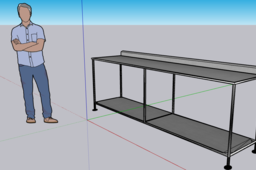
SEE THE VIDEO BELOW
SOLIDWORKS
human
people
grabcad
download
sketchup
solidworks
(VIDEO) Exportar archivo SketchUp a SolidWorks (Español) - Método completo avanzado
Tiago MecG
in
Translations
5
0
Beginner
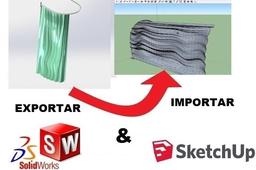
Exportar archivo SketchUp a SolidWorks (Español) - Método completo avanzado ================================== NO HAGA CLIC AQUÍ: http://bit.ly/projetos_infinity ================================== Haga clic en el enlace a continuación para obtener información sobre cómo le daré el curso de SolidWorks certificado por WhatsApp: https://youtu.be/qjSQivb0VWU descargue mis proyectos grabcad incluyendo este video man https://enrt.eu/download_grabcad_projects extensión de sketchup STL https://enrt.eu/extension_stl_sketchup
SOLIDWORKS
archivo
solidworks
sketchup
importar
exportar
Tutorial: how to correctly upload an assembly model
Ferro
in
Translations
3
0
Beginner
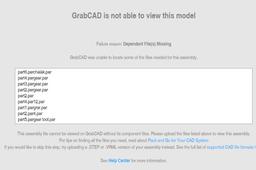
Looking through the uploaded models, I found many assembly models that are actually useless because the assembly parts are missing. While uploading an assembly model created with Solidworks, Slid Edge, Catia, NX or other MCAD systems, you should be aware that the upload of the .asm (or .product) it is not enough. You must upload also the part files (.par or .CATPart) in order to make the full assembly visible and usable.
Other
ptc
edge
solid
catia
solidworks
nx
Exportar Modelo de SolidWorks a Componente ScketchUp
JUAN ESPINOSA
in
Translations
2
0
Beginner
Exporta un modelo SolidWorks a Componente ScketchUp
SketchUp
How to Convert STL File to SOLID in Solidworks- How to Import / Open and Edit STL in Solidworks
Infinity Projetos Brasil
in
Translations
2
0
Beginner
SEE VIDEO BELOW
SOLIDWORKS
solid
solidworks
stl
(VIDEO) Exportar arquivo do SolidWorks para o Sketchup (Português)
Tiago MecG
in
Translations
2
0
Beginner
VEJA O VÍDEO ABAIXO Exportar arquivo do SolidWorks para o Sketchup (Português) ================= ================= NÃO CLIQUE AQUI: http://bit.ly/projetos_infinity ================= ================= Clique no link abaixo para saber como funciona o curso do SolidWorks com certificado via WhatsApp que irei dar para você: https://www.youtube.com/watch?v=gskjtDlouYE seja membro do nosso canal, e aprenda muito mais conteúdo https://www.youtube.com/channel/UCF2k47g7uAo0lM-kA13V6jQ?sub_confirmation=1 baixe meus projetos do grabcad, https://enrt.eu/download_grabcad_projects
SOLIDWORKS
importar
sketchup
solidworks
exportar
Convertir Archivo de Sketchup a SolidWorks - exportación e importe (Español)
Infinity Projetos Brasil
in
Translations
2
0
Beginner
Convertir Archivo de Sketchup a SolidWorks - exportación e importe (Español)
SOLIDWORKS
exportacion
archivo
convertir
sketchup
solidworks
Import *.STL files at their true scale size in BLENDER
3D Comparison
in
Translations
2
0
Beginner
Blender imports STL files at a 0.001 scale because the STL file format does not specify units. This means that the size of an object in an STL file is arbitrary, and it is up to the software that is importing the file to determine the scale. Blender, by default, imports STL files as if they are in meters, which means that a 1 unit cube in an STL file will be imported into Blender as a 1 meter cube. To import an STL file at a different scale, you can use the "Scale" option in the import dialog.
BlenderCAD
units
unit
scale
measurement
size
truescale
stl
blender
Keyshot - Learn the Basics - Panton Chair case study
3D Comparison
in
Translations
2
1
Beginner
KeyShot is a stand-alone, real-time ray tracing and global illumination program used to create 3D renderings, animations and interactive visuals. It is a popular choice for designers, engineers, and marketing professionals because it is easy to use and produces photorealistic results quickly. The reference image can be found at: https://www.vitra.com/en-un/product/panton-chair The 3D Model and the render can be downloaded at: https://grabcad.com/library/panton-chair-82
KeyShot
chair
panton
design
product
industrial
colors
easy
rendering
CATIA V5 axis to axis translation and replace method
Patrick
in
Translations
2
0
Intermediate
In this tutorial I show you how to translate your geometries with an axis-to-axis method and then replace your geometrical elements. I showed also how to use a parameters for length between elements. For example I used geos of linear bearings. https://www.youtube.com/watch?v=yJqjJJar5J8&t=399s
CATIA
axis-to-axis
replace
translation
catia
Como Exportar do Sketchup para STL - Aquivo SKP para STL
Infinity Projetos Brasil
in
Translations
2
0
Beginner
VEJA O VÍDEO ABAIXO
SketchUp
skp
stl
sketchup
How to Reset Catia V5 to default
3D Comparison
in
Translations
1
0
Beginner
This tutorial presents the steps required to reset Catia V5 to default. The process requires the software to be reset in order to apply the changes. https://youtu.be/gyr-aDfgb_A
CATIA
customize
change
options
tools
default
reset
1
2
3