

Core and Cavity for Strange Cap....

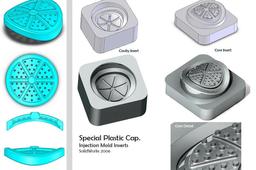
Exploring SolidWorks capabilities for injection mold design.
This time, inyeccion mold inserts for this crazy powder cap.
Please, download SLDPRT here:
Mold Inserts for Special Powder Cap
-
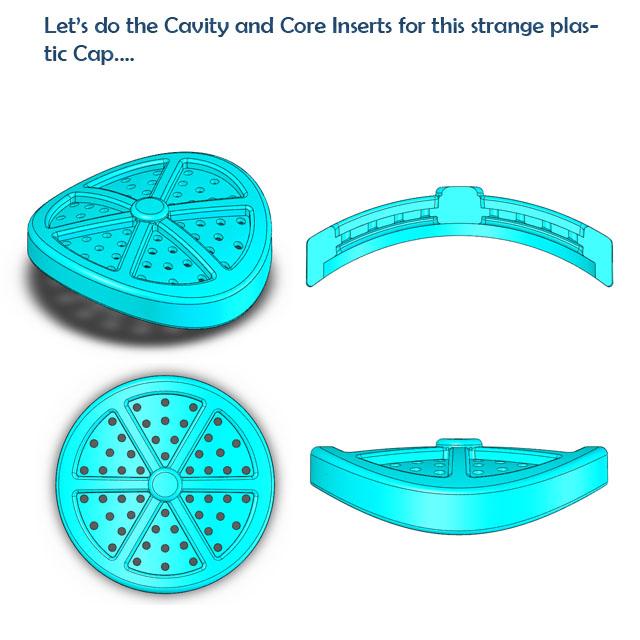
Step 1: Target.
Please remember, this is just for practicing. I do not believe that this cap will ever be produced.... but you never know!
-
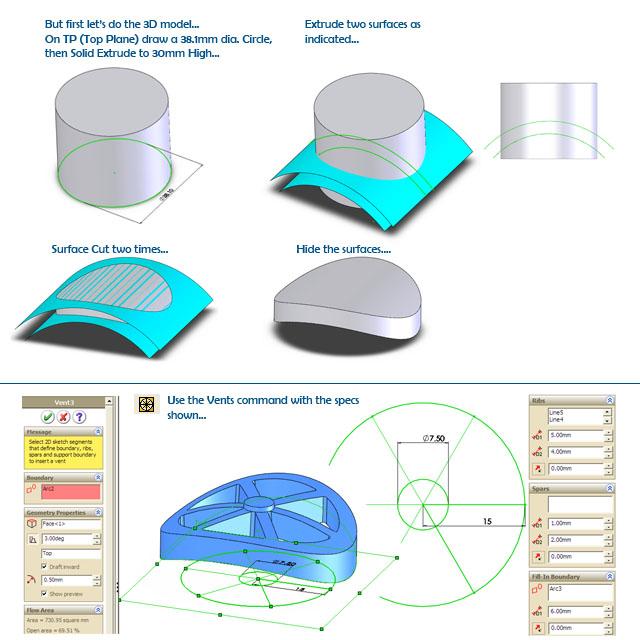
Step 2: First, let's model the Cap...
For most users modeling this cap will be a real challenge. So we decided to show you how we did it.
-
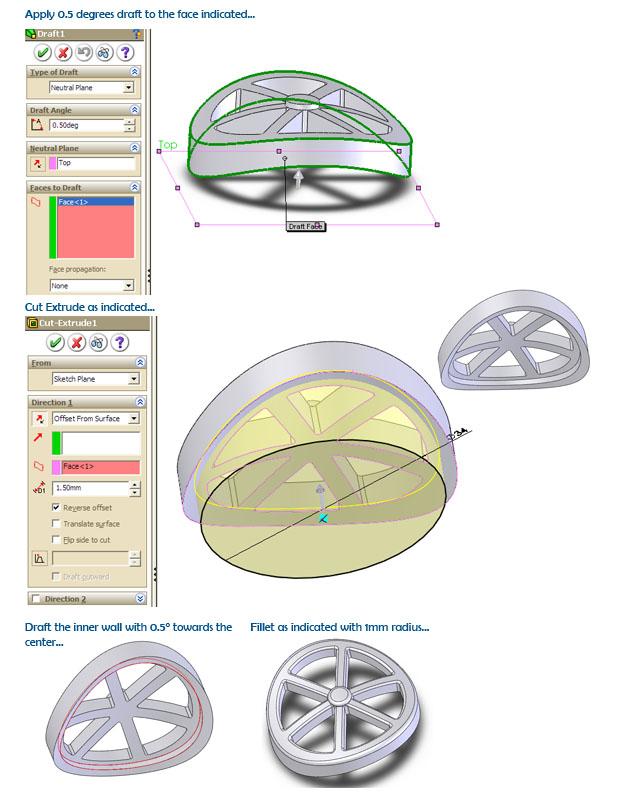
Step 3: Applying Draft & some Fillets
As you may know, injection molds need draft angles to facilitate the ejection of the plastic parts. It is also necessary to avoid sharp edges by adding fillets.
-
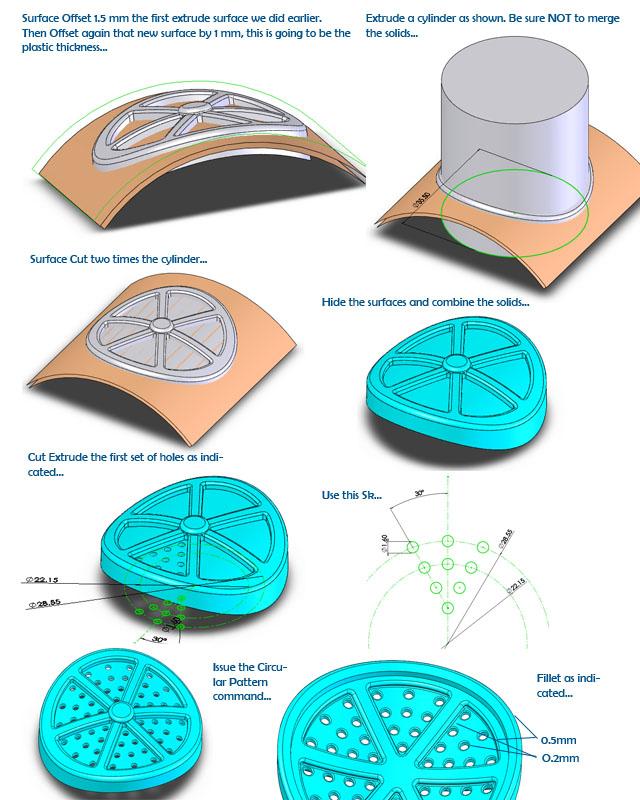
Step 4: Membrane Section & Holes...
-
Step 5: Mold Inserts. Parting Line...

-
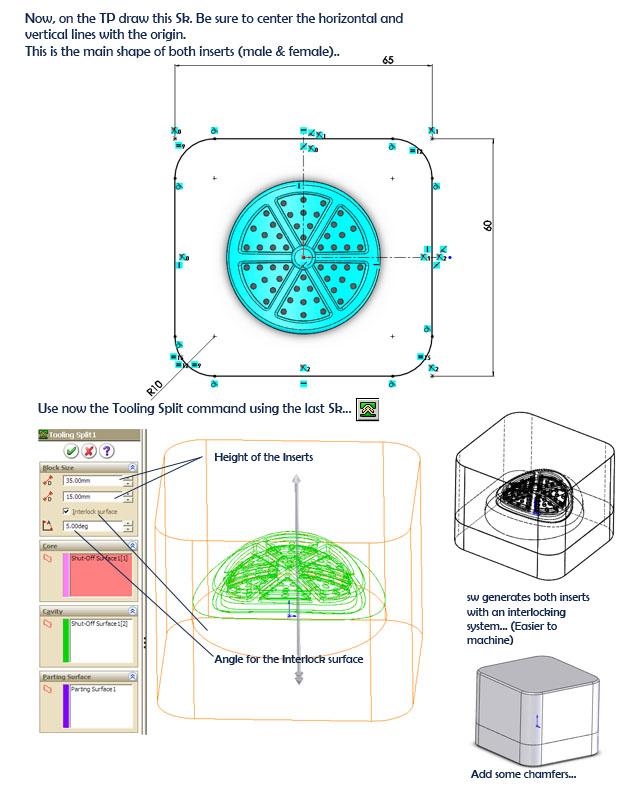
Step 6: Tooling Split...
This is where the "magic" of SolidWorks works!
-
Step 7: Final Outcome...
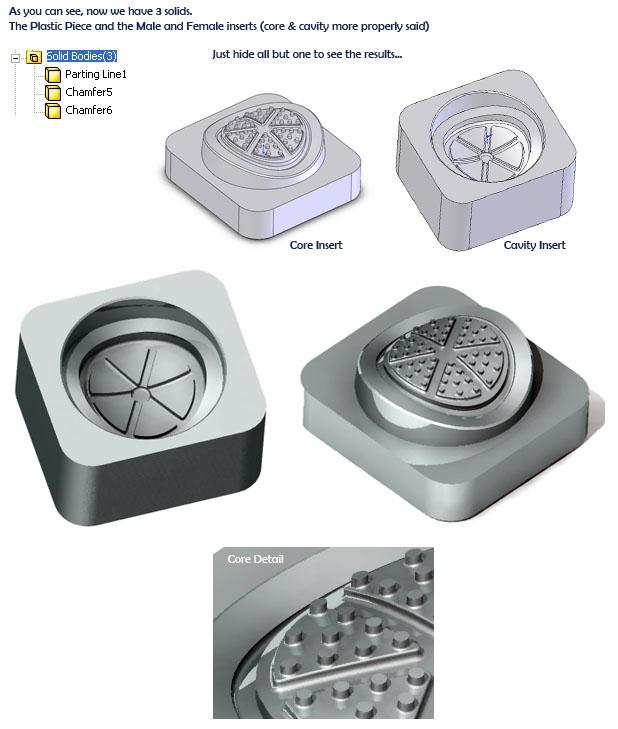
As you can see, this is a very nice result!
Of course, the inserta are not completely finished, missing threads for fixing, vents, plastic gate, etc.
But for the purposes of this experiment, it's more than fine.
-
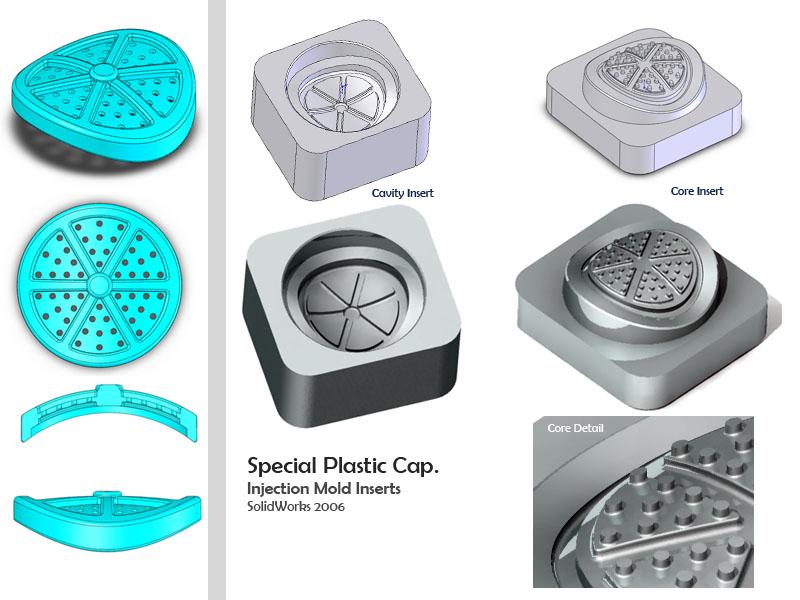
Step 8: Summarizing
I don't know about you, but we are very satisfied with the results.
-
Step 9: Final Words...
I hope we have been of help with this little tutorial.
Remember that you can download the files at the link left in the description of this tutorial.
See you soon...


