

How to Do (Reference Geometry,Trim ,Offset and Simple Dimensions ) in Solidworks

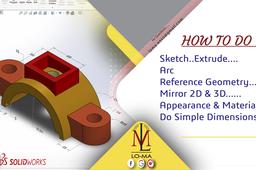
Introduction (0:06)
In this video we will learn to
Create Sketch (0:58)
Create Arc (1:26)
Do Trim (3:06)
Create Mirror in 2D (3:22)
Create Extrude (4:00)
Create Reference Geometry (10:55)
Do Offset (13:05)
Create Material (16:14)
Create Appearance (17:00)
Do Simple Dimensions (20:38)
Modify Dimensions Style (23:33)
----------------------------------------
How to do(Arc ,Rib and Appearance)in Solidworks بالعربي
https://youtu.be/5wUvOk3-Gqo
-----------------------------------------
How to do (universal joint) in Solidworks with animation
https://youtu.be/shYCsjtYdlw
---------------------------------------------------------
Presentation on Gears (Types and Applications) Part 2
https://youtu.be/QxUEltJqchE
---------------------------------------------------------
How to make (Assembly of Drone Helicopter )
https://youtu.be/ldJ5IjuqKa4
-------------------------------------------------------
How to make (sketch ,Extrude, Slot ,Mirror, Appearance, Material ) in Solidworks -- see description
https://youtu.be/KDEJY6TCjyM
--------------------------------------------------------
Presentation on Gears (Types and Applications)
https://youtu.be/FeBGL_IC6NQ
--------------------------------------------------------
For any Question please contact us on
loma.enso@gmail.com
---------------------------------------
-
Step 1:

