

Part Modelling & Drafting | Control Arm

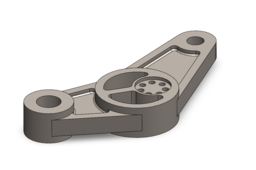
🛠️ SolidWorks Features Used for Modeling:
Extrude Boss/Base – Create the primary geometry of the control arm.
Extrude Cut – Remove material and define cavities or slots.
Hole Wizard – Add standard holes for bolts or fittings with precision.
Circular Pattern – Duplicate features symmetrically around an axis.
📏 Drafting Techniques Demonstrated:
View Creation – Front, Top, Side, and Isometric views.
Aligned Section View – Reveal internal geometry for technical clarity.
Annotations – Add dimensions, callouts, and other manufacturing details.
-
Step 1:

