

SOLIDWORKS - MODELING KNOB TEXTURE KNURLING

Free Solidworks Tutorial Video step by step.
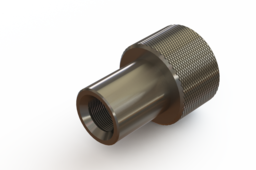
In this video you will learn how to make a knob model with a knurling texture on the knob head.
The sequence of commands used in this design process are:
1. Circle
2. Extrude
3. Chamfer
4. Convert entities
5. Helix/ spiral
6. Swept cut
7. Circular pattern
8. Mirror
9. Create a thread
10. Fillet
11. Changing Appearances and materials
If this video is useful, support this channel to grow https://www.youtube.com/channel/UC0dF...
By SUBSCRIBE, LIKE and COMMENT
#solidworkstutorial #knurling #knob
-
Step 1: SOLIDWORK - HOW TO MODELING KNOB WITH TEXTURE KNURLING

