

Solidworks Routing

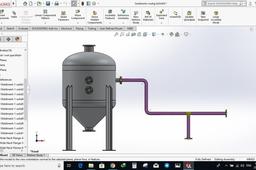
In this tutorial, I will explain how to create a simple SolidWorks routing system
-
Step 1:
Create an assembly and tick Solidworks routing from Add- In

-
Step 2:
Go to library / routing/ piping/ equipment and drag an equipment into the assembly

-
Step 3:
Drag a flange into the assembly and place on the equipment flange

-
Step 4:
Select flange class

-
Step 5:
Select the pipe class

-
Step 6:
Draw a pipe line by using line command

-
Step 7:
Drag a tee and place it on the pipe line use tab to flip the direction, afterwards add accouple of flanges

-
Step 8:
Dimension the pipe

-
Step 9:
happy days


