Learn about the GrabCAD Platform
Get to know GrabCAD as an open software platform for Additive Manufacturing
Visit our new homepage
Home
Control
Shop
Streamline Pro
Partner Program
Print
Community
Log in
Library
Challenges
Groups
Questions
Tutorials
Engineers
Blog
Log in
Learn from thousands of free Tutorials.
New user?
Join the community
or
log in.
Tutorials
Most liked all time
Recent
Most liked
Most viewed
Most commented
This week
This month
All time
Category
Design & CAD
Modeling
Drafting
Assemblies
BOM
Dimensioning / Tolerancing
Translations
Manufacturing & CAM
3D Printing
Tooling
NC Machining
Composites
Measurement / Inspection
Simulation & CAE
FEM
CFD
Kinematics
Process Simulation
Engineering Fundamentals
Theory
Process
Standards
Other
Software
Snagit
Alibre Design
ArchiCAD
AutoCAD
AutoCAD Electrical
Autodesk 3ds Max
Autodesk Alias
Autodesk Inventor
Autodesk Maya
Autodesk Revit
Autodesk 123D
BricsCAD
Bentley MicroStation
BlenderCAD
BobCAD-CAM
CATIA
Delmia
DraftSight
FreeCAD
Femap
Fusion 360
Geomagic Design
IronCAD
JT
Kompas-3D
KeyCreator
KeyShot
Lagoa
Luxology
Mastercam
Moi3D
NX Unigraphics
OBJ
Onshape
OpenSCAD
Parasolid
Powermill
Powershape
Pro/Engineer Wildfire
PTC Creo Parametric
PTC Creo Elements
Rhino
SpaceClaim
SOLIDWORKS
solidThinking Evolve
Solid Edge
SolidFace
STEP / IGES
SketchUp
STL
TopSolid
TinkerCAD
T-Flex CAD
TurboCAD
VectorWorks
ViaCAD 3D
VRML / WRL
ZW3D
GrabCAD Print
Rendering
GrabCAD Community
GrabCAD Workbench
Text file
3D Manufacturing Format
Cinema 4D
Other
Expert
All levels
Beginner
Intermediate
Expert
Drafting
×
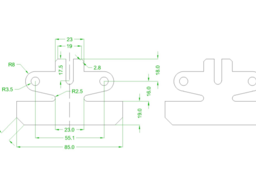
TECHNICAL DRAWINGS
Erdal VURUCU
in
Drafting
13
1
Expert
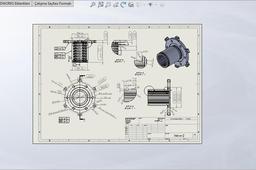
Manufacturing products of undesist necessity course.Any a product of all dimensions enable to render process.International standarts on own for informations.Product dimensions that material that is render to products.Paper dimensions that be can shift.A4 A3 A2 A1 A0 as.Tecnical drawings of important for generating to fairly big and important.Enought level on study required.Process for ideal.I can say to client buy sell and product information and for accept process order.
SOLIDWORKS
Automate AutoCAD using ChatGPT | Validate LISP Program in AutoCAD | What is AutoLISP | CADable
Ibrahim Omer
in
Drafting
12
1
Expert
Hi friends welcome back to CADable. This is Engr. Ibrahim Omer and in this tutorial we will learn how to automate AutoCAD using ChatGPT. We will learn the following: What is AutoLISP? How to use ChatGPT to write LISP code Making a parametric tube section LISP program Validate LISP Program in AutoCAD That's it for today's tutorial! I really hope you find it useful. If you have any questions or need help, please drop a comment below. I love hearing from you. Chapters of the tutorial: Introduction 0:00 What is AutoLISP 0:14 Making a LISP program in ChatGPT 0:53 Saving LISP program in Notepad from ChatGPT 1:44 Launch AutoCAD + AutoCAD basic settings 2:32 Upload LISP program in AutoCAD 3:03 Moving UCS icon to origin 3:34 Tube section 1st program + AutoCAD measure tool 3:45 Tube section 2nd program + AutoCAD measure tool 4:30 Tube section 3rd program + AutoCAD measure tool 5:08 Conclusion 6:04 Don't forget to subscribe for more fun and informative videos. I also make tutorials, Shorts, and even quizzes and polls to help refresh your memory, learn new things, or just revisit the basics. #AutomateAutoCADusingChatGPT #ValidateLISPPrograminAutoCAD #WhatisAutoLISP #CADable #cadabletutorials Watch Tutorial: https://youtu.be/zP6YMHM9wr8
AutoCAD
cadable
lisp program autocad
autocad lisp command
automate autocad using chatgpt
Car In catia
Avnish Kumar (अवनीश कुमार )
in
Drafting
11
0
Expert
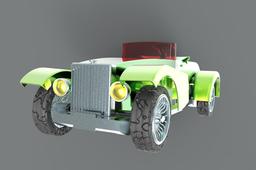
JUST FOR KONWleadge to start https://www.youtube.com/watch?v=G8sdfgZiMNY&t=54s&ab_channel=CADCAMSOFTINFO
SOLIDWORKS
car
catia
solidwork
skeletal trailer
Dennis Wasonga
in
Drafting
8
2
Expert
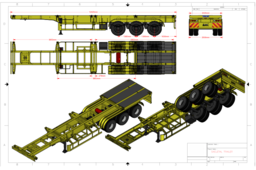
full drawing and details availlable contact or whats up on +254 714 858 226
AutoCAD
screw conveyor
taufik .
in
Drafting
8
0
Expert
making screw conveyor https://www.youtube.com/watch?v=OkWvDbahK8c
SOLIDWORKS
tutorials
solidworks
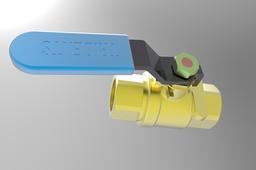
Valve
Avnish Kumar (अवनीश कुमार )
in
Drafting
7
1
Expert
catia
AutoCAD
INSERT AN IMAGE
Erdal VURUCU
in
Drafting
5
1
Expert
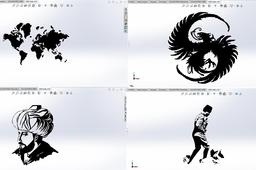
Usually Laser cut works for sheet tribal design view for employ.Also,Laser marking works for on employ.I can say to highquality level works.Logo design works can make to on sheet.This generated sheet works is client buy sell process for rather preference position.As entrance steel gate on design than table on for design as a very works on employ to this generated sheets.Rather being to success and good results.Factory logos as wall on design for office to this sheet on images works.Anohter a very sectors and wares on can create.
SOLIDWORKS
AutoCAD - Complete Tutorial for Beginners - Exercises 40
MRCAD
in
Drafting
4
0
Expert
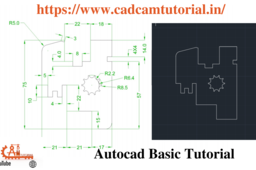
Telegram link - https://t.me/joinchat/jbCTJ5gDeCo3NWE1 Blog: https://www.cadcamtutorial.in/ We will learn the below features or commands in Solidworks. AllSketchTool SketchCondition UnderDefined FullyDefined OverDefined SketchExpert ExtrudeBoss ExtrudeCut RevolveBoss RevolveCut SweepBoss SweepCut PlaneCreation LoftedBoss LoftedCut HoleWizard Fillet chamfer TypesofPatterns #SolidWorksBeginnersTutorials #SolidWorksSketching #SolidWorksSurface #SolidWorksWeldments #SolidWorksAssembly #SolidWorksDrawing #SolidWorksSheetMetal #SolidWorksMoldDesign #SolidWorksSimulation #SolidWorksMotion Please Subscribe to our channel for more videos & projects in Solidworks & don't forget to hit like & share the videos, thanks for watching. Laptop Information Dell G3 3579 Core i5 8th Gen 15.6-inch FHD Item model number - G3 3579 Processor Type - Core i5 Processor Speed 2.3 GHz RAM Size - 16 GB Graphics Coprocessor - NVIDIA GeForce GTX 1050 https://www.cadcamtutorial
AutoCAD
cadcamtutorial
40
exercises
beginners
tutorial
complete
autocad
Wrench 2D DESIGN OF AUTOCAD BY MD RASHID
MD RASHID
in
Drafting
4
0
Expert
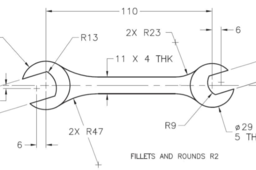
Wrench 2D DESIGN OF AUTOCAD BY MD RASHID If You Have Any Question In Your Mind,You Can ask Questions by writing in the comment box. Thank You So Much... Our Social Link:- YoueTube Channel :- https://www.youtube.com/channel/UCAyBvazNmREcTfbAOkwHHtw?view_as=subscriber Linkdind:- https://www.linkedin.com/in/mohammad-rashid-910a28143/ Facebook:- https://www.facebook.com/mdrashid20 Twitter:- https://twitter.com/Mohamma76006272 Email Id- rashid20294@gmail.com
AutoCAD
rashid
md
by
autocad
design
2d
wrench
Auto Cad tutorial 3D vessel tank
taufik .
in
Drafting
4
0
Expert
Auto Cad tutorial 3D vessel tank
AutoCAD
solar
tanki
tank
vessel
autocad
Solidworks tutorial creating a Cycloid Epicycloid Curve
Ayman Ezzat
in
Drafting
3
3
Expert
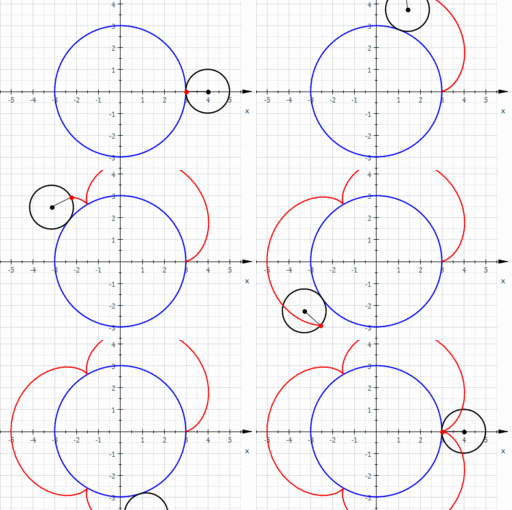
These curves are very important to draw and understand for each student and engineer as follows:- Epicycloid or hypercycloid is a plane curve produced by tracing the path of a chosen point on the circumference of a circle—called an epicycle—which rolls without slipping around a fixed circle. It is a particular kind of roulette. A cycloid is the curve traced by a point on a circle as it rolls along a straight line without slipping. A cycloid is a specific form of trochoid and is an example of a roulette, a curve generated by a curve rolling on another curve
SOLIDWORKS
curves
drafting
autocad
soldiworks
(VIDEO) Exportar arquivo do Sketchup para SolidWorks (Português)
Infinity Projetos Brasil
in
Drafting
3
0
Expert
O VÍDEO ENSINANDO A FAZER A SIMULAÇÃO ESTÁ LÁ EM BAIXO!!! DESÇA A BARRA DE ROLAGEM ================= ================= NÃO CLIQUE AQUI: http://bit.ly/projetos_infinity ================= ================= Clique no link abaixo para saber como funciona o curso do SolidWorks com certificado via WhatsApp que irei dar para você: https://www.youtube.com/watch?v=gskjtDlouYE baixe meus projetos do grabcad, inclusive este homem do vídeo https://grabcad.com/infinity.projetos.brasil-1/models sketchup extension STL http://extensions.sketchup.com/en/content/sketchup-stl olá meu aluno, aluno da infinity projetos brasil, eu sou o professor engenheiro tlm, e nesse vídeo vou lhe ensinar a exportar do sketchup para o solidworks após aberto o arquivo baixado vamos utilizar a ferramenta retângulo, essa ferramenta será utilizada para criar dois retângulos sobrepostos ao homem, dessa forma iremos dividir o arquivo em três partes, é importante fazer isso para que o arquivo fique mais leve, caso você tenha um bom computador, essa etapa não é necessária, pule para etapa de exportação feito o retângulo, selecione-o e clique no botão mover, para movermos o retângulo aproximadamente na terceira parte do homem agora clicamos na ferramenta selecionar e copiamos o retângulo para termos outro dividindo a primeira parte da segunda, tendo assim três partes separadas feito isso, vamos fechar o arquivo e gerar 3 cópias do mesmo, para depois podermos fazermos a divisão agora abrimos o primeiro arquivo e deletamos um dos retângulos, clicamos no retângulo que ficou e clicamos na ferramenta empurrar, agora arrastamos o retângulo para cima gerando uma espécie de extrusão, clique no botão selecionar selecione todo o cubo clique com o botão direito do mouse no cubo e clique em criar grupo com o cubo selecionado clique em editar depois clique em interseccionar faces depois clique em com modelo, depois basta clicar no homem, isso fará uma intersecção no homem exatamente onde passa o cubo agora clique no cubo e o delete-o, agora clique no humano com o botão direito do mouse, depois clique com o esquerdo em desassociar, depois basta clicar na parte superior da pessoa e apertar delete, desta forma tiramos a parte de cima agora salvamos o arquivo, e fazemos o mesmo processo para as outras duas partes, de forma que tenhamos a parte inferior, intermediária e superior separadas agora vamos baixar uma extensão do skethup de exportação de stl, clique no link da descrição do vídeo e depois instale para instalar, teremos que abrir o sketchup e clicar em janela, depois em preferências, depois na janela que vai abrir clique em extensões e instalar extensões, procure o arquivo executável baixado e clique em abrir, clique em sim e depois em ok, agora vemos que já temos a opção de exportar em stl nesse vídeo ensinarei como abrir um arquivo do sketchup no solidworks, primeiro vamos baixar um arquivo qualquer do site do sketchup para poder posteriormente abrir no solidworks, nesse exemplo baixaremos uma cadeira, após baixado teremos que baixar a extensão sketup stl do site que está na descrição do vídeo, após instalado essa extensão, tranformaremos o arquivo aberto (cadeira) em formato stl, pois é nessa extensão que abriremos no solidworks, salvo o arquivo em stl, abriremos o solidworks para transformar em arquivo do do solid, para isso temos que mudar lá em baixo para formato stl, e posteriormente clicar em opções, feito isso escolheremos a opção corpo de superfície, clicamos em ok e ok de novo. vamos agora exportar as três partes do homem para stl, abrindo um a um e exportando, para isso clique em arquivo, depois clique em export stl, depois coloque a unidade como milímetros e clique em export, e salve o arquivo stl, vamos fazer isso para as três partes vamos para a parte de abrir no SolidWorks, ache o local dos arquivos stl, clique em todos os arquivos depois escolha stl, clique no primeiro arquivo depois clique em opções, agora deixe selecionado como corpo de superfície, isso fará que o arquivo seja possível de ser editado, ou seja fique como várias superfícies desenhadas, mude para milímetros e clique em ok, e abra o arquivo aberto o arquivo vamos salvá-lo e fazermos o mesmo processo para as outras duas partes vamos agora criar um novo arquivo de montagem e inserir as 3 partes da pessoa agora vamos montar as 3 partes utilizando a técnica dos planos iguais, pois quando os exportamos as origens dos três eixos x y e z, mantiveram os mesmo, desta forma basta colocar restrição de posicionamento de um plano de uma peça para a mesma da outra, faze infinity projetos brasil exportar do sketchup para o inventor exportar do sketchup para o solidworks exportar do sketchup para o catia exportar do sketchup para o solid edge solidworks,exportar solidworks,stl solidworks,design solidworks,humanos solidworks,pessoas solidworks,sketchup,exportar sketchp,importar solidworks,importar sketchup,stl sketchup,stl,exportar do sketchup para o solid edge,exportar do sketchup para o catia,exportar do sketchup para o solidworks,exportar do sketchup para o inventor
SOLIDWORKS
solid
para
do
sketchup
importar
sketchp
solidworks
exportar
SOLİDHOCAM
solidhocam
in
Drafting
2
0
Expert
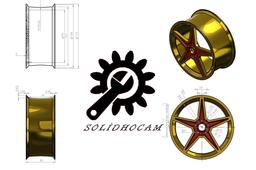
AMG JANT TASARIMI
SOLIDWORKS
solidhocam
draw
solid
jant
amg
solidworks
AutoCAD - Complete Tutorial for Beginners - Exercises 18
MRCAD
in
Drafting
2
0
Expert
COMPLET COUESH FOR 100 EXERCISEC FUNCTION KEY:- Ø ESC : To cancel Command Ø F1 : Autocad Help Ø F2 : Text Window on/off To see recently used command, options, Points. Ø F3 : Osnap button on/off. Ø F4 : Tablet on/off (Autocad 2010 & Prior Versions) 3DOSNAP ON/OFF (Autocad 2011 & Autocad 2012) Ø F5 : To change isoplane in isometric drawing. Ø F6 : DUCS (Dynamic user co-ordinate system) button on/off. Ø F7 : Grid button on/off. By default grid spacing is 0.5 inch in X- direction and Y direction. Ø F8 : Ortho button on/off. Ø F9 : Snap button on/off If snap button is on mode from status bar than cursor will be Jump on the graphic one dot to another dot. Ø F10 : Polar button on/off. (Alternate off ortho button) Ø F11 : Otrack button on/off. (object snap tracking) Ø F12 : DYN button on/off. (Dynamic input) Short cut keys:- Ø Ctrl+A : select all Ø Ctrl+B : Snap on/off Ø Ctrl+C : Copy objects to clipboard Ø Ctrl+D : Dynamic UCS (DUCS) on/off Ø Ctrl+E : To change isoplane in isometric Ø Ctrl+F : Osnap on/off Ø Ctrl+G : Grid on/off Ø Ctrl+H : Set variable Ø Ctrl+I : Co-ordinate on/off Ø Ctrl+J : Repeat Last Command Ø Ctrl+K : Hyperlink Command Ø Ctrl+L : Ortho on/off Ø Ctrl+M : Repeat Last Command Ø Ctrl+N : To create new autocad file Ø Ctrl+O : To open autocad file Ø Ctrl+P : To print/plot autocad file Ø Ctrl+Q : To Quit/Exit from autocad Ø Ctrl+R : To cycle between viewports Ø Ctrl+S : To save autocad file Ø Ctrl+T : Tablet on/off Ø Ctrl+U : Polar on/off Ø Ctrl+V : Paste objects from clipboard Ø Ctrl+W : Otrack on/off (Autocad 2010 & prior ver.) Ø Ctrl+W : Selection cycling on/off (New Autocad 2011) Ø Ctrl+X : Cut objects to clipboard Ø Ctrl+Y : Redo Ø Ctrl+Z : Undo Ø Ctrl+0 : Clean Screen Ø Ctrl+1 : Properties Ø Ctrl+2 : Autocad design center Ø Ctrl+3 : Tool Palettes Ø Ctrl+4 : Sheet set Manager Ø Ctrl+5 : Info palette ( not working from Acad2008) Ø Ctrl+6 : Database Connect Ø Ctrl+7 : Markup set manager Ø Ctrl+8 : Quick calculator Ø Ctrl+9 : Show /Hide Commandline Window Ø Ctrl+Shift+C : Copy objects With basepoint Ø Ctrl+Shift+E : Presspull Command Ø Ctrl+Shift+H : Show /Hide Commandline window Ø Ctrl+shift+P : Quick properties Ø Ctrl+Shift+S : Save as Autocad file Ø Ctrl+Shift+V : Paste as block #Complete Tutorial for Beginners #AutoCAD - SolidWorks Beginners Tutorials - SolidWorks Sketching - SolidWorks Surface - SolidWorks Weldments - SolidWorks Assembly - SolidWorks Drawing - SolidWorks Sheet Metal - SolidWorks Mold Design - SolidWorks Simulation - SolidWorks Motion please subscribe our channel for more videos & projects in solidworks & dont forget to hit like & share the videos, thanks for watching.
AutoCAD
exercisec
100
couesh
complet
beginners
tutorial
omplete
autocad
(VIDEO) Exporting and Importing from SketchUp to SolidWorks
Infinity Projetos Brasil
in
Drafting
2
0
Expert
================= ================= DO NOT CLICK HERE: http://bit.ly/projetos_infinity ================= ================= Exporting and Importing from SketchUp to SolidWorks In this tutorial I explain how to export from sketchup to solidworks, and give tips on how to use solidworks power surfacing tools, and teach you how to paint stl files. join our youtube community: https://www.youtube.com/channel/UCF2k47g7uAo0lM-kA13V6jQ?sub_confirmation=1 see how I exported this sketchup human to solidworks https://www.youtube.com/watch?v=tPsQDriOrIA Here's how to take a solidworks whatsapp course with me: https://www.youtube.com/watch?v=RQgoTn96wAw&t=174s
SOLIDWORKS
3d
stl
humans
import
export
solidworks
sketchup
1
2
3