Thousands of tutorials to learn from
Here is the fifth part.
Step 1
Inner face >> Sketch.
Step 2
Draw a rectangle.
Step 3
Extrude it by 1.50mm.
Step 4
Front face >> Sketch.
Step 5
Change vision to hidden line visible. Convert the edge and convert it to construction. Draw a rectangle taking it reference.
Step 6
Linear pattern it at a distance of 0.5mm 30 times.
Step 7
We have the pins.
Step 8
Split Line and select this face. Click OK.
Step 9
Now the pins are generated.
Step 10
Right face >> Sketch.
Step 11
Draw a slot.
Step 12
Split line and project it on right face.
Step 13
The slot face >> Sketch.
Step 14
Draw a circle.
Step 15
Extrude cut by 1.8mm.
Step 16
Front face >> Sketch.
Step 17
Draw a rectangle.
Step 18
Fillet the edges.
Step 19
Curve >> Split line.
Step 20
Project it on Front face.
Step 21
Back face >> Sketch.
Step 22
Use spline tool and make this sketch.
Step 23
Project it on the back face.
Step 24
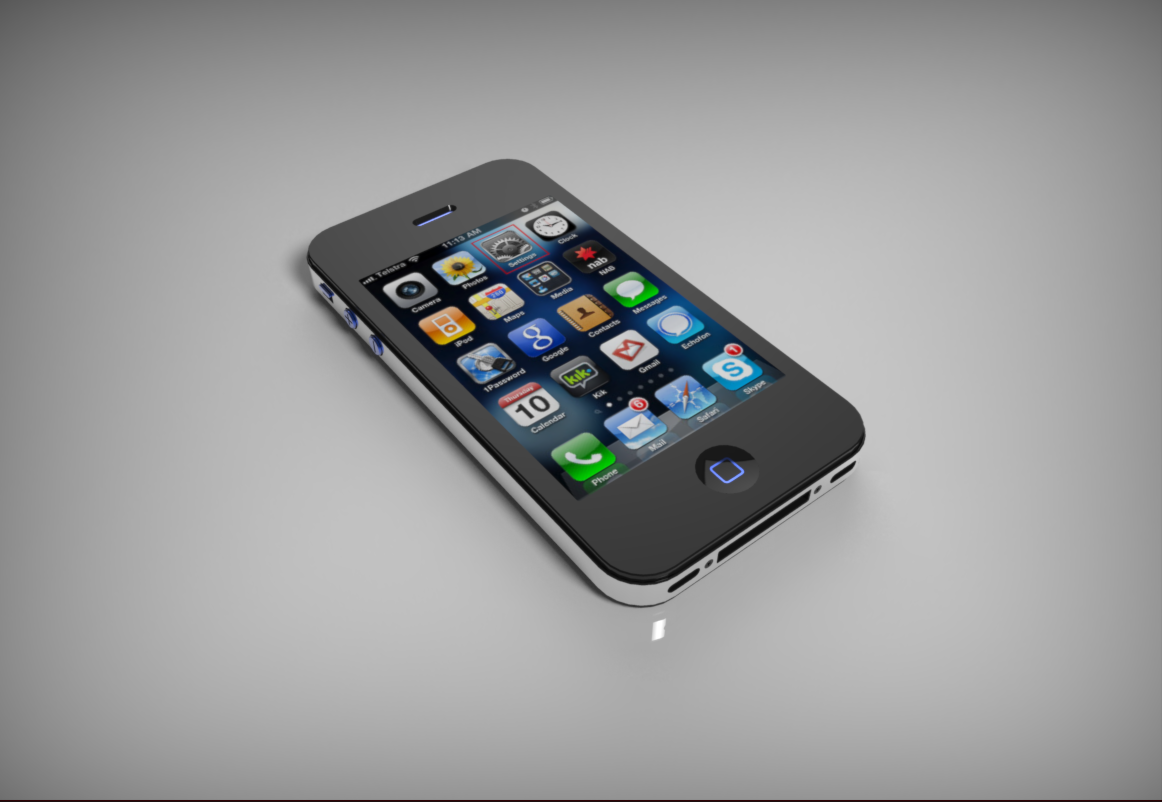
We have iPhone 4s in SolidWorks.
Step 25
Whow the boss-extrude.
Step 26
Now apply different appearance to different faces and iPhone 4s is ready.
how do you render this one with different materials, for example that i want chrome on the "bumper" and then black plastic on the "base"?