Learn about the GrabCAD Platform
Get to know GrabCAD as an open software platform for Additive Manufacturing
Visit our new homepage
Home
Control
Shop
Streamline Pro
Partner Program
Print
Community
Log in
Library
Challenges
Groups
Questions
Tutorials
Engineers
Blog
Log in
dArc SeKrets
CAD Designer, AR/VR developer
Follow
Hire me
100
followers
India
Tutorials
About
Models
115
Tutorials
1
More
Followers
100
Following
3
Likes
19
Following
3
Followers
100
Likes
19
Tutorials
Sort by:
Recent
Recent
Most liked
Most viewed
Most commented
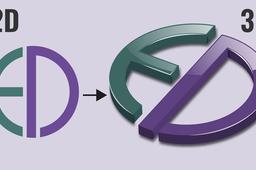
How to create a 3D Logo form Image in SolidWorks
dArc SeKrets
in
Design & CAD
1
0
Intermediate
Logos can be created in SolidWorks (2022). In this, I created 200+ different logos which are categorized as automobile, Fashion, Food, Apps/Software, Industries, and Characters, Here, I uploaded SolidWorks format (SLDPRT) and STEP files to my GrabCAD account for all 200+ logos. 𝐀𝐮𝐭𝐨𝐦𝐨𝐛𝐢𝐥𝐞 𝐥𝐨𝐠𝐨𝐬 (𝟓𝟎+): https://grabcad.com/library/3d-automobile-logos-50-1 𝐀𝐩𝐩 𝐥𝐨𝐠𝐨𝐬 (𝟓𝟎+): https://grabcad.com/library/app-logos-in-3d-50-1 𝐅𝐨𝐨𝐝 𝐋𝐨𝐠𝐨𝐬: https://grabcad.com/library/food-logos-in-3d-1 𝐅𝐚𝐬𝐡𝐢𝐨𝐧 𝐥𝐨𝐠𝐨𝐬 (𝟑𝟎+): https://grabcad.com/library/3d-fashion-logos-30-1 𝐈𝐧𝐝𝐮𝐬𝐭𝐫𝐢𝐞𝐬 𝐋𝐨𝐠𝐨𝐬 (𝟒𝟎+): https://grabcad.com/library/industries-logos-40-1 𝐂𝐡𝐚𝐫𝐚𝐜𝐭𝐞𝐫 𝐋𝐨𝐠𝐨𝐬 (𝟐𝟎+): https://grabcad.com/library/character-logos-in-3d-20-1
SOLIDWORKS
characters
industries
food
appssoftware
automobile
solidworks
3dmodelling
logos