Learn about the GrabCAD Platform
Get to know GrabCAD as an open software platform for Additive Manufacturing
Visit our new homepage
Home
Control
Shop
Streamline Pro
Partner Program
Print
Community
Log in
Library
Challenges
Groups
Questions
Tutorials
Engineers
Blog
Log in
HSN_ADI
Follow
Hire me
2
followers
Iran, Islamic Republic of
Tutorials
About
Models
0
Tutorials
6
More
Followers
2
Following
1
Likes
104
Following
1
Followers
2
Likes
104
Tutorials
Sort by:
Recent
Recent
Most liked
Most viewed
Most commented
How to us Curve Driven Pattern in solidwork?
HSN_ADI
in
Design & CAD
2
0
Intermediate
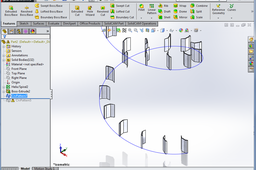
Hi Dorit, The problem is : You are trying to create separate features that solidworks calls them bodies The answer : Select bodies to pattern instead of feature as i did it. And i attached the final file here :
SOLIDWORKS
driven
pattern
curve
How can I change the orientation of the second ipt when I`m using combine command?
HSN_ADI
in
Design & CAD
0
0
Intermediate
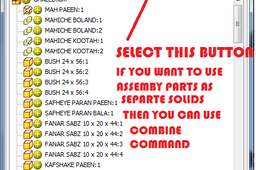
And the second I prefer to use this way : - Create 2 separate parts - Create a new assembly file and insert them into assembly file And arrange by constrain command. save it. - Finally create new part and use drive command to insert assembly file into the part file USE DRIVE COMMAND AS I SHOW IT ( see picture) Note : if you change any part's situation in assembly file the last part will update automatically. HAVE FUN.
Autodesk Inventor
How can I change the orientation of the second ipt when I`m using combine command?
HSN_ADI
in
Design & CAD
1
0
Intermediate
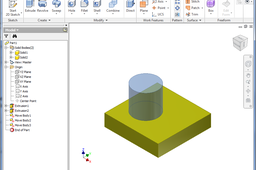
Hi Rolo I have two suggestions for you. Using move bodies command as show by pics.
Autodesk Inventor
Why do I keep getting two decals?
HSN_ADI
in
Design & CAD
0
0
Intermediate
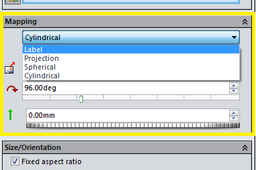
Hi Jenny Just change mapping type to Label. Then change picture's size an its position. I attached a picture to show it
SOLIDWORKS
pattern
decal
Computer aided manufacture in solidworks?
HSN_ADI
in
Design & CAD
3
1
Intermediate
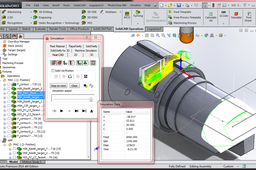
Hi Dave There are many cam software that you can use them . some of them have their own virtual 3d space and some sketching tools and can import solidworks files . But some software like Solidcam and camworks , have not their own virtual 3d space and sketching tools . those are addin for solidworks. It's up to you to choose one of them . I have tested solidcam and i got it has great modules for speeding up the machining time. Here is some pictures of solidcam for solidworks.
SOLIDWORKS
solidworks
computer
cam
manufacture
aided
computeraidedmanufacture
How to model a conveyer belt in inventor?
HSN_ADI
in
Design & CAD
1
1
Intermediate
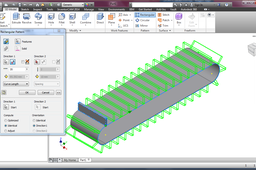
Hi Lonwabo It's so simple . you can create a simple conveyer belt in 8 simple step Here is a tutorial :
Autodesk Inventor