Learn about the GrabCAD Platform
Get to know GrabCAD as an open software platform for Additive Manufacturing
Visit our new homepage
Home
Control
Shop
Streamline Pro
Partner Program
Print
Community
Log in
Library
Challenges
Groups
Questions
Tutorials
Engineers
Blog
Log in
Interfluo
Computational Fluid Dynamics (CFD) Engineer
Follow
40
followers
United States
Tutorials
About
Models
13
Tutorials
3
More
Followers
40
Following
0
Likes
0
Following
0
Followers
40
Likes
0
Tutorials
Sort by:
Recent
Recent
Most liked
Most viewed
Most commented
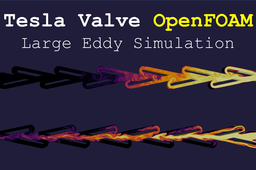
Tesla Valve OpenFOAM: Large Eddy Simulation
Interfluo
in
CFD
1
0
Intermediate
Consider supporting me on Patreon: https://www.patreon.com/Interfluo This video builds off of the content from my previous video: https://youtu.be/4kU-qZp0bt8 The following are the results from a simulation evaluating flow inside of a Tesla Valve. A tesla valve is a passive system with no moving parts designed to impede flow in one direction while allowing it to pass undisturbed in the other. The animations are as follows: 1) passive scalar transport (s) for flow in each direction 2) passive scalar transport (s) and velocity field (U) for un-impeded flow 3) passive scalar transport (s) and velocity field (U) for impeded flow Files and Instructions: https://github.com/Interfluo/OpenFOAM-pisoFoam-LES-TeslaValve-2/tree/main/refined Enjoy! ------------------------------------------------------ Disclaimer ------------------------------------------------------------- LES is not an appropriate solver for 2D geometries; the main purpose here was the visualization of the self impeding flow, if I was trying to
paraview
10
windows
pisofoam
les
valve
tesla
meshing
fluent
openfoam
Complete OpenFOAM LES simulation - from geometry creation to postprocessing | OpenFOAM tutorial 1
Interfluo
in
CFD
0
0
Beginner
Consider supporting me on Patreon: https://www.patreon.com/Interfluo When I was trying to learn openfoam, I began by looking up tutorials on youtube. Most of the so-called tutorials I found simply taught users how to run a pre-loaded case, this basically amounted to typing in a meshing command followed by an execute calculation command. In this video I hope to provide users with enough information that they feel comfortable running their own custom simulation. One step I left out was creating the initial project folder; to do this simply copy a tutorial example that closely resembles what you want to do. If I left anything else out or was too vague, leave it in the comments and I will do my best to help. starting project folder: https://github.com/Interfluo/OpenFOAM-LES-tutorial-1.git
fluent3dmeshtofoam
fluent
conversion
mesh
10
windows
pisofoam
paraview
les
openfoam
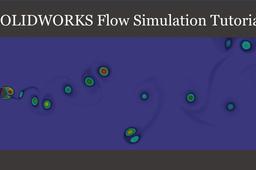
SolidWorks Transient Flow Simulation Tutorial - Von Karman Vortex Street
Interfluo
in
CFD
0
0
Intermediate
Watch video Tutorial: https://youtu.be/T-3DHm7GsCg Consider supporting me on Patreon: https://www.patreon.com/Interfluo This tutorial is meant for beginners interested in learning CFD. SolidWorks flow simulations are often regarded as a very poor cfd software, but I think that this assessment misses the point. I think that this software is best seen as a way of learning cfd and not as a cfd package. I wouldn't recommend this software for someone trying to perform a high fidelity LES simulation over a complex geometry with multiphase flow, but I would recommend it for a student learning the basics. When I was first learning cfd I used SolidWorks to quickly gain intuition for the basics and then I learned all of the theory. The insight I gained from SolidWorks provided a foundation to which I could attach all of the more advanced topics like turbulence modeling, pressure-velocity coupling, or so on.
visualization
flow
processing
post
shedding
rans
transient
tutorial
cfd
street
vortex
karaman
von
simulation
fluid
solidworks