Learn about the GrabCAD Platform
Get to know GrabCAD as an open software platform for Additive Manufacturing
Visit our new homepage
Home
Control
Shop
Streamline Pro
Partner Program
Print
Community
Log in
Library
Challenges
Groups
Questions
Tutorials
Engineers
Blog
Log in
Marc Dupuy
Follow
75
followers
France
Tutorials
About
Models
26
Tutorials
2
More
Followers
75
Following
43
Likes
250
Following
43
Followers
75
Likes
250
Tutorials
Sort by:
Recent
Recent
Most liked
Most viewed
Most commented
instead of keyshot is there any method for creating multiple images rendering in catia or i have to rotate my model by some angle and do render again and again
Marc Dupuy
in
Design & CAD
1
0
Intermediate
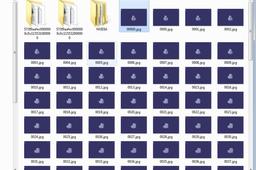
Yes, there is a method. I've done a macro in catia with visual basic for applications (VBA). You choose a rotation axis, the angle you want and the step angle for each image. The macro use the chosen axis, the step angle and do printscreen for each step. Then you have a suite of images which you can import in gimp and then You can do a gif. I can send it to you but i've to re-find it... The inconvenient to use this method is the printscreen quality which is not a render, it's just the visualisation you have in catia. The render in keyshot is very more pretty and really fast compared to catia As you want... You will find the macro attached and the tutorial for Keyshot method. Answer me if it's not clear.
CATIA
How to model Cross Belt drive in Catia
Marc Dupuy
in
Design & CAD
1
0
Intermediate
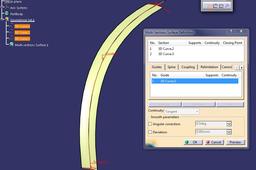
Hello, you can do this using the Freestyle module of CATIA. I don't show you how to create a cross belt drive but a technique to draw a lot of similar objects.
CATIA