Learn about the GrabCAD Platform
Get to know GrabCAD as an open software platform for Additive Manufacturing
Visit our new homepage
Home
Control
Shop
Streamline Pro
Partner Program
Print
Community
Log in
Library
Challenges
Groups
Questions
Tutorials
Engineers
Blog
Log in
matt.johnson
Follow
1
followers
Cincinnati, United States
Tutorials
About
Models
0
Tutorials
1
More
Followers
1
Following
0
Likes
0
Following
0
Followers
1
Likes
0
Tutorials
Sort by:
Recent
Recent
Most liked
Most viewed
Most commented
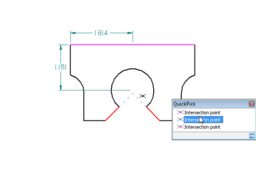
How to better select Keypoints for dimensioning in Solid Edge
matt.johnson
in
Design & CAD
1
0
Beginner
Dimensioning to keypoints in Solid Edge can be made easier and in certian situations more accurate by using keyboard shortcuts. Most easily remembered with the word "MICE"; users can use keystrokes of "M", "I", "C" and "E" to aid in selection. "M" = midpoint, "I" = intersection, "C" = Center and "E" = endpoint. See tutorial for examples of workflow.
Solid Edge
solid
edge
tutorial
tip
easy
dimension
shortcut
keypoints
solidedgetut