Learn about the GrabCAD Platform
Get to know GrabCAD as an open software platform for Additive Manufacturing
Visit our new homepage
Home
Control
Shop
Streamline Pro
Partner Program
Print
Community
Log in
Library
Challenges
Groups
Questions
Tutorials
Engineers
Blog
Log in
naveen thontepu
Follow
157
followers
kharagpur, India
Tutorials
About
Models
55
Tutorials
9
More
Followers
157
Following
29
Likes
85
Following
29
Followers
157
Likes
85
Tutorials
Sort by:
Recent
Recent
Most liked
Most viewed
Most commented
How to get better lighting effects for bulbs in realistic form?
naveen thontepu
in
Design & CAD
0
0
Beginner
click "it worked" i this is what you need.
SOLIDWORKS
tutorial
What is a variable radius fillet in SW and how do I make one?
naveen thontepu
in
Design & CAD
3
0
Beginner
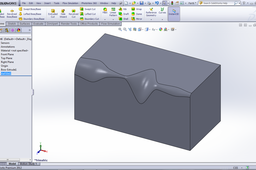
it simple one u have assigned the end points fillet radius then it will gradually change the fillet radius. a small tutorial.
SOLIDWORKS
solidworks
parts
variableradius
How to make logo for Audi R8 in SW?
naveen thontepu
in
Design & CAD
4
0
Beginner
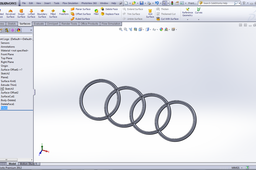
this is the tutorial for people learning how to do "Audi R8".
SOLIDWORKS
logo
audi
tutorial
How to use "SustainabilityXpress" in Solidworks?
naveen thontepu
in
Design & CAD
0
0
Beginner
another tutorial on simulations.
SOLIDWORKS
tutorial
How to use "MoldflowXpress" in solid works?
naveen thontepu
in
Design & CAD
0
0
Beginner
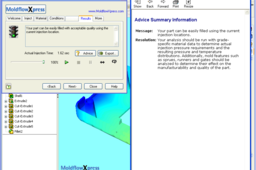
entry for the tutorial challenge.
SOLIDWORKS
tutorial
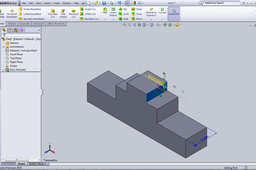
Tutorial:- what are the various functions of "Instant 3D funtion" in solidworks?
naveen thontepu
in
Design & CAD
2
1
Beginner
a
SOLIDWORKS
tutorial
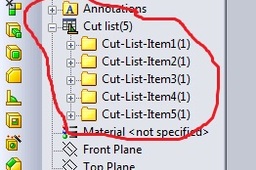
Tutorial:-How to use "Structural Member in Weldments feature" in solidworks?
naveen thontepu
in
Design & CAD
7
0
Beginner
pls click "it worked" if this tutorial is useful for u.
SOLIDWORKS
tutorial
Tutorial:-How to use "SimulationXpress analysis wizard" in solidworks?
naveen thontepu
in
Design & CAD
1
0
Beginner
a simple way to use Simulation Xpress analysis wizard.
SOLIDWORKS
tutorial
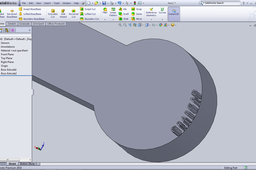
How can I do raised text on surface?
naveen thontepu
in
Design & CAD
0
0
Beginner
1) select the face on which u want to write the text. 2)click sketch and then click on the text button on the sketch entities tool bar. 3) select the desired curve and the select the font and other entities for the text. 4) then go to features and do use the feature u like. there will be many options for the text. if this is not enough see the tutorial. pls click "it worked "if u like it
SOLIDWORKS
text
raised
writting