Learn about the GrabCAD Platform
Get to know GrabCAD as an open software platform for Additive Manufacturing
Visit our new homepage
Home
Control
Shop
Streamline Pro
Partner Program
Print
Community
Log in
Library
Challenges
Groups
Questions
Tutorials
Engineers
Blog
Log in
Nikola Svilar
Follow
41
followers
Belgrade, Serbia
Tutorials
About
Models
4
Tutorials
2
More
Followers
41
Following
18
Likes
1764
Following
18
Followers
41
Likes
1764
Tutorials
Sort by:
Recent
Recent
Most liked
Most viewed
Most commented
What's wrong with this sweep?
Nikola Svilar
in
Design & CAD
0
0
Intermediate
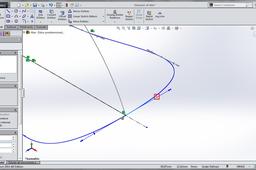
As https://grabcad.com/inspire-1 said in a comment, only mistake is that you use Sweep. SolidWorks is a powerful software and it offers many different commands, features etc. to overcome every problem, but it is not a magical software, you cant make everything using every feature that you wish. Commands have their limits and purposes. You should learn which feature is for what. More features you know, more you can combine them to get what you want. If you are persistent to make this Sweep, I've found out that you can actually achieve that using SelectionManager (see tutorial below), but it works in this particular situation. Obviously won't work in every situation. Previously, you should become familiar with SelectionManager, if you already didn't. Also, I uploaded the same model that you posted, just with finished Sweep.
SOLIDWORKS
sweep
What's wrong with this sweep?
Nikola Svilar
in
Design & CAD
0
0
Intermediate
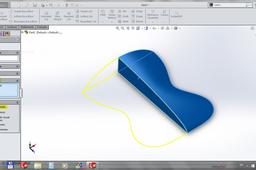
I'm not sure if I understood what you did in your model, but I tried here to show you how to do that sweep. I hope it will help you. Have a luck with a rest of your model. And, in my opinion, It is better to make mouse using some surface tools.
SOLIDWORKS
sweep