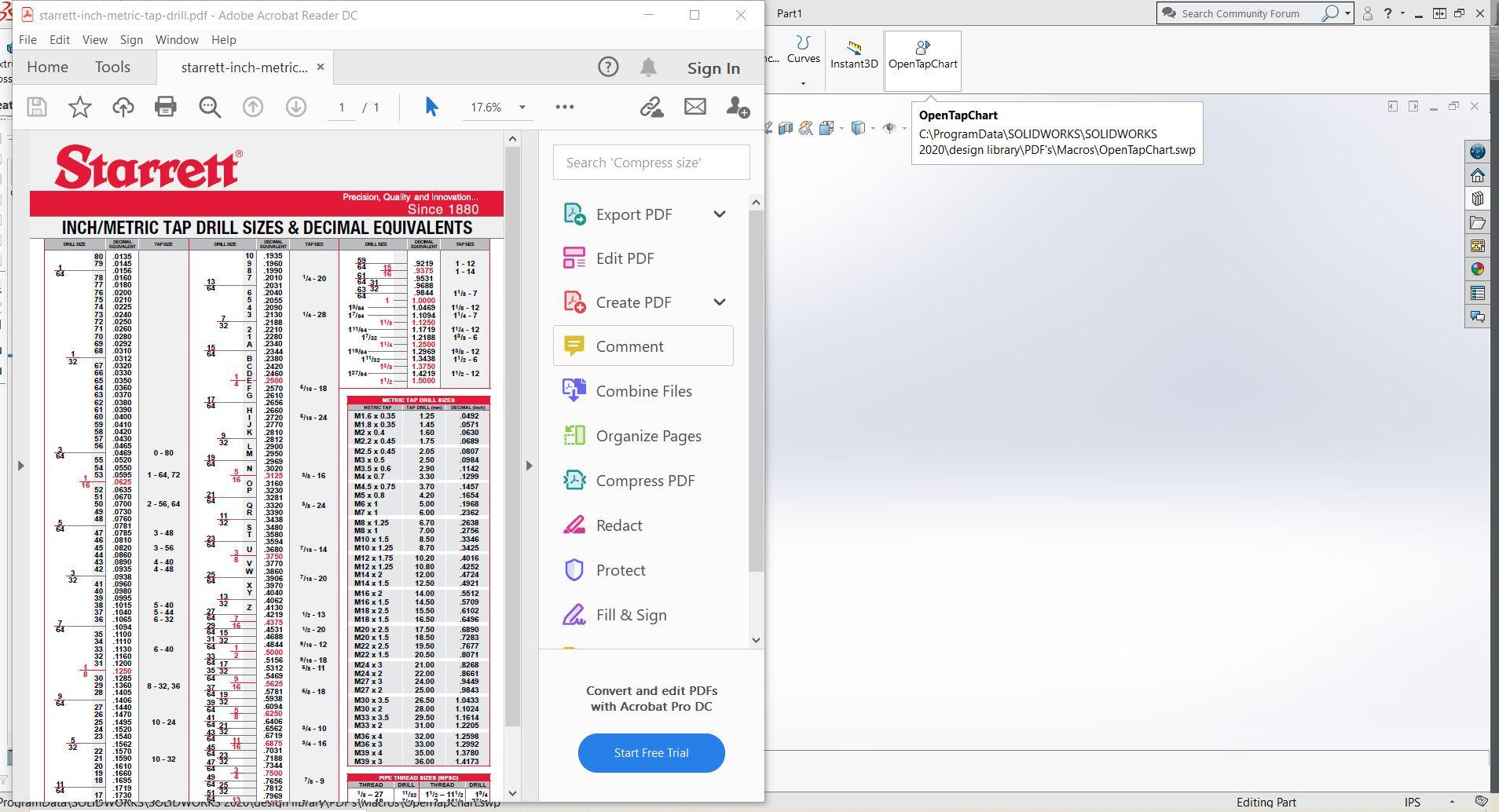
Custom Shortcut on toolbar linked to pdf

Any one know how to create a custom shortcut on the toolbar that is linked to a pdf file.
I would like to have an Icon that when clicked brings up a tap & drill chart for example.
I have the file in my library, but the library preview window does not show pdfs, so I have to "open Folder"
then click it. A one button solution to launch a pdf from the toolbar would be convenient.
Accepted answer

I gave up quickly on the macro option. It may work, but I'm bad with macros.
There are two other solutions that work:
1. Insert the PDF link/shortcut as an embedded OLE object. You can do this under the Insert menu. I did not like this option as it leaves the PDF icon floating around in the graphics area. But the part template can be saved with that OLE object and it will always be there.
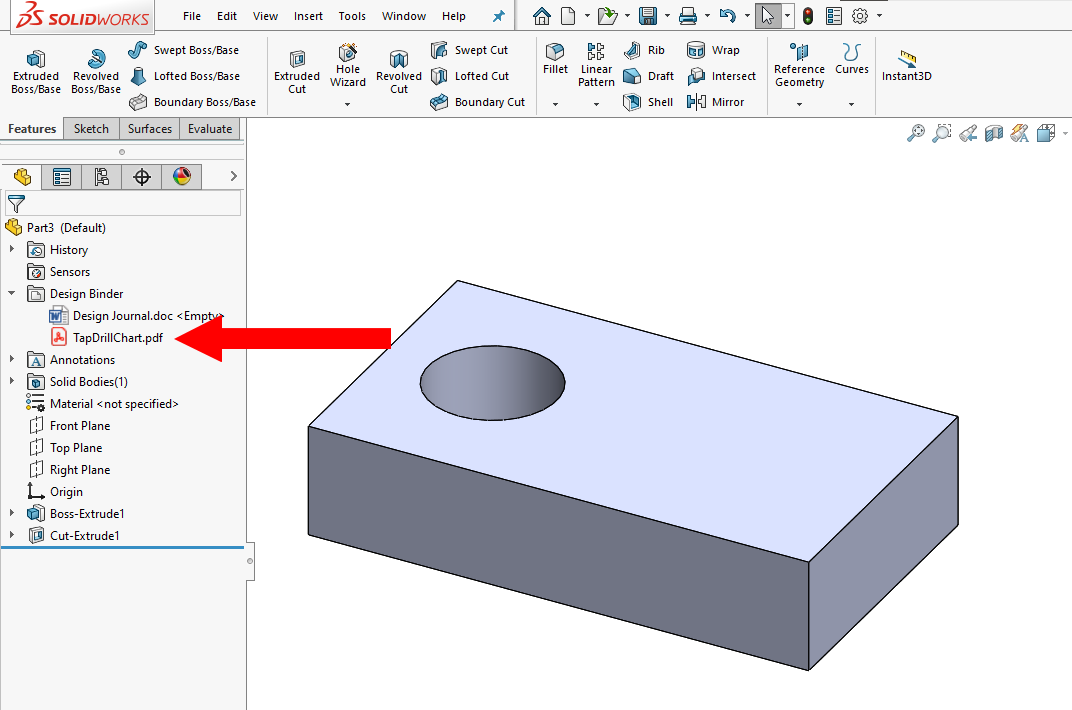
2. Use the Design Binder in the Feature Tree. It might be hidden by default, but all sorts of stuff can be added to the binder, or added as additional shortcuts. Attached is a screenshot of a drill chart added to mine. I saved the part template with the file so it is always there.
1 Other answer

This is how I did it. Not sure if this is right, or a total bodge job. I started by doing the same thing I think you are currently doing and created a Library folder with the PDF's in it. Then I made a Macro (copy of Script attached) then plotted that macro to the main ribbon. Click the button, Tap chart Pops up.
A Walk through is attached, but a bit confusing. Let me know if you need more information.