How to solve References Point Error [Solidworks]

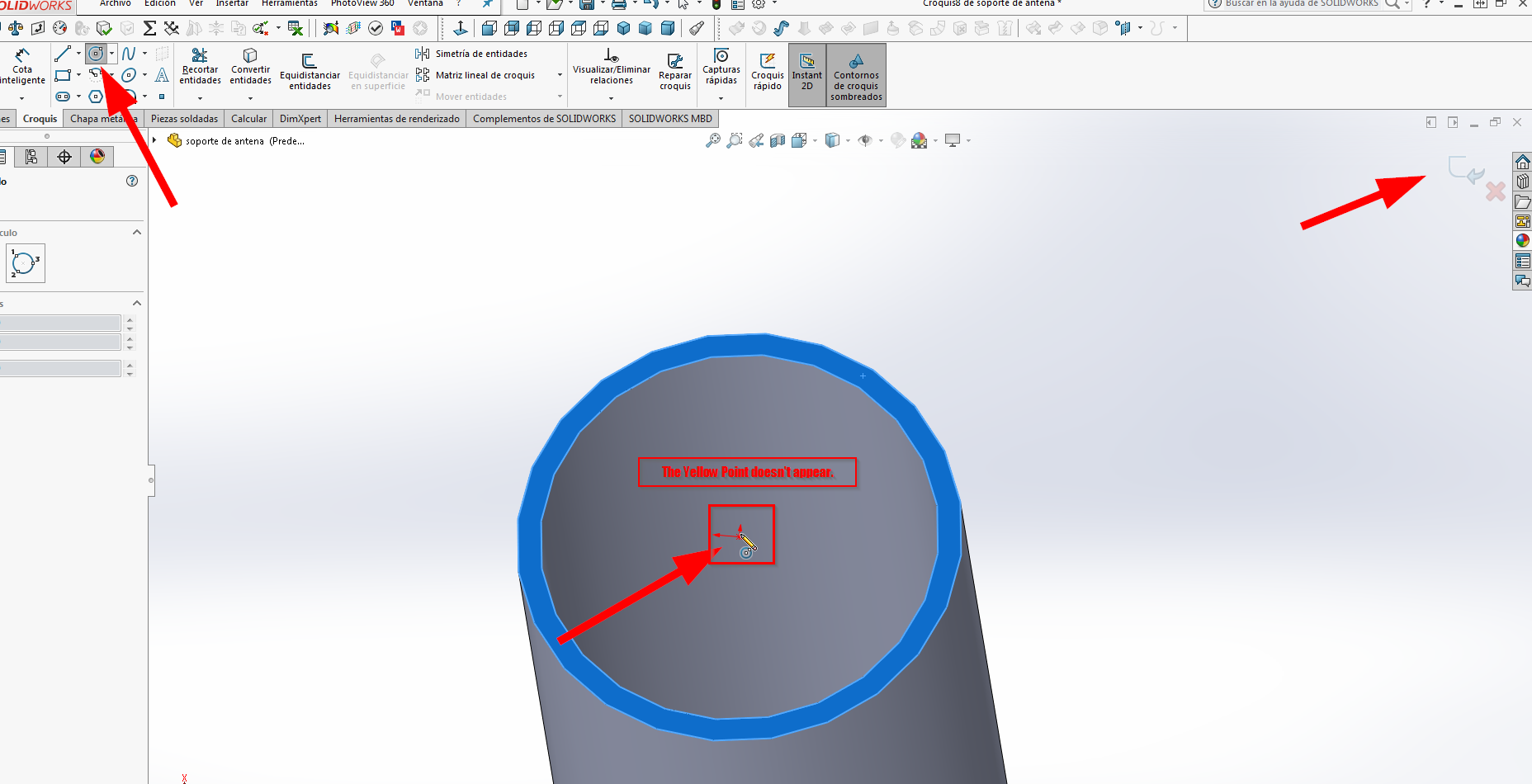
Hi! I was working on my new model and then the references point just dissapear.
I upload an image to show you my issue.
Sorry for my bad english.
2 Answers

Which yellow point is missing?
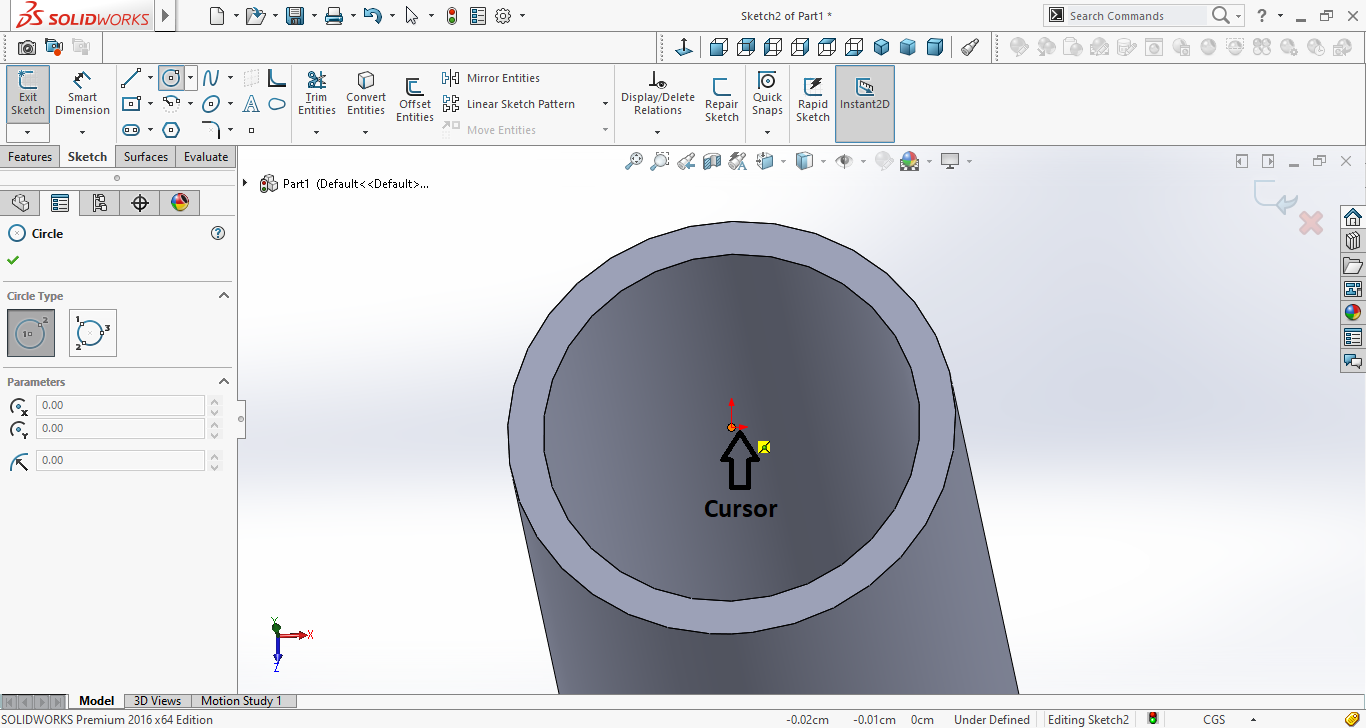
You - by default - get an orange point when the cursor points on an existing point and a yellow relation appears to resemble the relation that will be automatically created.
I've attached a screenshot of my sketch with the cursor pointing at the origin.
I think you've got the "Snap" option disabled...
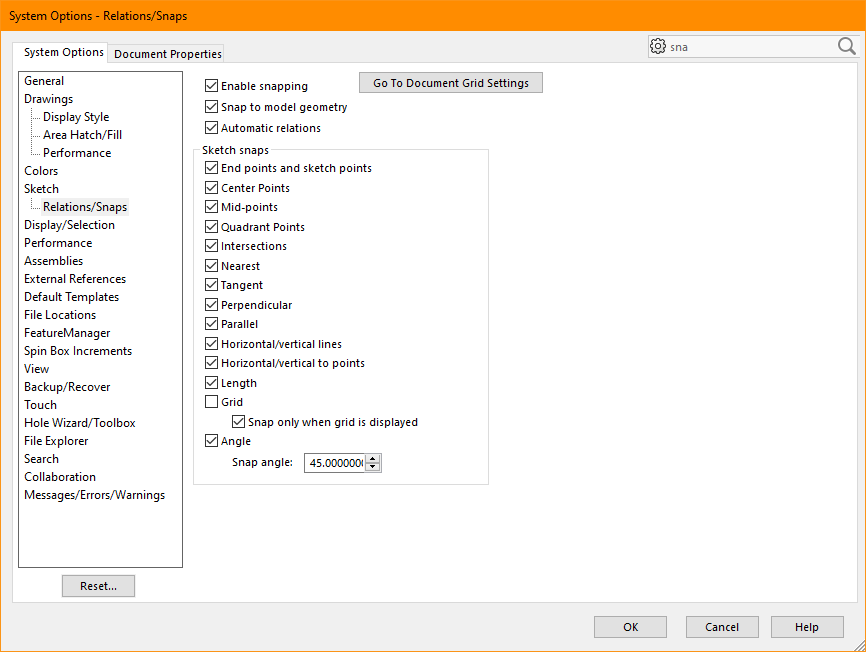
Go to "Options", then under "Sketch", choose "Relations/Snaps".
If the boxes are un-ticked, tick the boxes as in the attached image.