Learn about the GrabCAD Platform
Get to know GrabCAD as an open software platform for Additive Manufacturing
Visit our new homepage
Home
Control
Shop
Streamline Pro
Partner Program
Print
Community
Log in
Library
Challenges
Groups
Questions
Tutorials
Engineers
Blog
Log in
Rik van den Reijen
Concept developer and mechatronics engineer
Follow
Hire me
88
followers
Oosterhout NB, Netherlands
Tutorials
About
Models
40
Tutorials
1
More
Followers
88
Following
22
Likes
1564
Following
22
Followers
88
Likes
1564
Tutorials
Sort by:
Recent
Recent
Most liked
Most viewed
Most commented
Getting your Solidworks drawing lasercut ready
Rik van den Reijen
in
NC Machining
12
5
Beginner
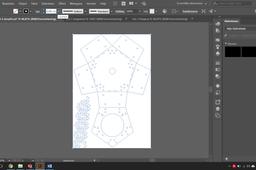
Hello everyone, In this tutorial, I will explain and give tips for converting your Solidworks drawing to a vector file that CNC machines can read. I will be focusing on a laser cutter in this tutorial. I will be using Solidworks and Adobe Illustrator in this tutorial. This is paid software if you want to use free software I recommend using Fusion 360 for 3D modeling and Inkscape for vector image editing. If you have any questions or are missing information in this tutorial please leave a comment below so I can update the tutorial.
lasercutting
cnc
converting
slddrw
illustrator
adobe
dxf
solidworks