Learn about the GrabCAD Platform
Get to know GrabCAD as an open software platform for Additive Manufacturing
Visit our new homepage
Home
Control
Shop
Streamline Pro
Partner Program
Print
Community
Log in
Library
Challenges
Groups
Questions
Tutorials
Engineers
Blog
Log in
Learn from thousands of free Tutorials.
New user?
Join the community
or
log in.
Tutorials
Most liked all time
Recent
Most liked
Most viewed
Most commented
This week
This month
All time
Category
Design & CAD
Modeling
Drafting
Assemblies
BOM
Dimensioning / Tolerancing
Translations
Manufacturing & CAM
3D Printing
Tooling
NC Machining
Composites
Measurement / Inspection
Simulation & CAE
FEM
CFD
Kinematics
Process Simulation
Engineering Fundamentals
Theory
Process
Standards
Other
Software
Snagit
Alibre Design
ArchiCAD
AutoCAD
AutoCAD Electrical
Autodesk 3ds Max
Autodesk Alias
Autodesk Inventor
Autodesk Maya
Autodesk Revit
Autodesk 123D
BricsCAD
Bentley MicroStation
BlenderCAD
BobCAD-CAM
CATIA
Delmia
DraftSight
FreeCAD
Femap
Fusion 360
Geomagic Design
IronCAD
JT
Kompas-3D
KeyCreator
KeyShot
Lagoa
Luxology
Mastercam
Moi3D
NX Unigraphics
OBJ
Onshape
OpenSCAD
Parasolid
Powermill
Powershape
Pro/Engineer Wildfire
PTC Creo Parametric
PTC Creo Elements
Rhino
SpaceClaim
SOLIDWORKS
solidThinking Evolve
Solid Edge
SolidFace
STEP / IGES
SketchUp
STL
TopSolid
TinkerCAD
T-Flex CAD
TurboCAD
VectorWorks
ViaCAD 3D
VRML / WRL
ZW3D
GrabCAD Print
Rendering
GrabCAD Community
GrabCAD Workbench
Text file
3D Manufacturing Format
Cinema 4D
Other
Skill level
All levels
Beginner
Intermediate
Expert
CFD
×
Process Simulation
×
Forming Suite Tutorial
Jay Raj
in
Process Simulation
0
0
Intermediate
Hello everybody... Welcome to Mech Dezignz... Today we will learn how to open blank in FTI (Forming Suite)... For this we will have to take middle surface of any part and then convert it into iges format... I have made a middle surface for the process now... So lets start by opening forming suite now... Then we will provide material properties and thickness And then select middle surface (as we have used this surface for unforming)... Then process setup for meshing details, which will be auto-filled... Then select punch direction and select auto for auto selecting punch direction... Then providing next options we can get the blank definition... Then go for nesting option and provide offset as per requirement... Thus we will get the layout of the strip formed... There are various options for one up, two up and mirror... Also we will get the strip details and utilisation... The same can be exported as shown... Thanks...
blank
gross mass
strip layout
forming suite
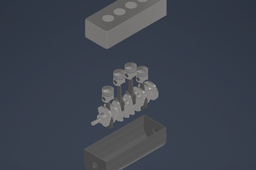
Exploded View of Straight-Four Engine
Patrick Ray Samperuru
in
Process Simulation
0
0
Beginner
This is the exploded view animation of the Straight-Four Engine assembly found in my models page. Patrick Ray Samperuru - 2106718306
Animation Rendering of Swiss Plier
Muhammad Alif Kurniawan
in
Process Simulation
0
0
Beginner
Short Video About Mechanical Movement and Functionality of Swiss Plier
Micro-pressure wave simulation
YE Yang
in
CFD
0
1
Beginner
i am doing my final project and i need to detect the train micro-pressure wave travels in a tunnel. But i don't know how to do it
boundary
computation
ensure
how
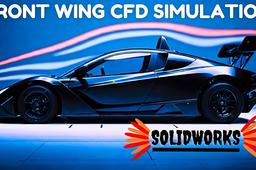
CFD Analysis of a Formula 1 Front Wing | F1 CFD | Solidworks | Flow simulation
A Square C & D
in
CFD
0
0
Beginner
In this video, I have explained the step by step procedure of setting up a basic CFD simulation using Solidworks Flow Simulation.
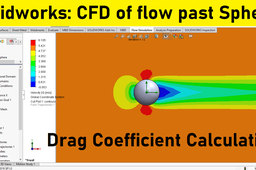
Solidworks flow simulation 12 | Flow past sphere | Drag coefficient calculation
sakib ahmed
in
CFD
0
0
Intermediate
How to calculate drag coefficient for a flow past sphere using cfd analysis in solidworks flow simulation module? Tools to Learn +Creating velocity profiles for solidworks flow simulation +Setting up two dimensional flow simulation project for internal flow +Selecting boundary conditions +Define wall boundary conditions +Using cut plots to visualize velocity flow fields +Using XY plots to evaluate velocity profiles and boundary layer thickness Subscribe for more solidworks .
coefficient
drag
calculate
how
simulation
solidworks
using
sphere
past
flow
analysis
cfd
ANSYS Workbench- How to solve "unexpected error" ANSYS Workbench software| opening problem encounter
Simater Academy
in
CFD
0
0
Intermediate
this video about how to solve opening ANSYS Workbench software encounter proplem that saying unexpected error occur during open. ANSYS Workbench- How to solve "unexpected error. ANSYS Workbench- How to solve "unexpected error" ANSYS Workbench software| opening problem encounter. we are going to see how to slove the unexpected error on the ansys workbnech. ansys workbench not working, ansys mechanical not opening, ansys core expressions expression evaluator, unable to determine if an environment link exists ansys, unable to start mechanical editor ansys, script error in ansys workbench, ansys workbench forum, ansys help
تصنيع ماكينه رساله ماجستير
Ahmed Eldiarby
in
Process Simulation
0
0
Expert
f you have any questions, be my guest, please see my page blogging all my work Ahmed EL-Diarby or WhatsApp messages 01066305462 or email ahmedeldiarby122@gmail.com https://www.facebook.com/104934342104679/posts/123401046924675/?sfnsn=scwspmo
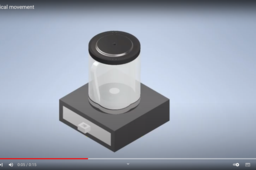
mechanical movement
Christophorus Widyantoro
in
Process Simulation
0
0
Beginner
mechanical movement belnder https://youtu.be/80hbSGIL3xE
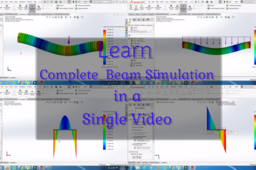
Complete Beam Simulation with Graph Plotting
Aditya Raj
in
Process Simulation
0
0
Expert
Beam Simulation || Graph Plotting || SFD || BFD
rendering
assembly
solidwoks
bfd
sfd
plotting
graph
simulation
beam
fluid simulation in solidworks for beginners
Amit Mourya
in
CFD
0
0
Beginner
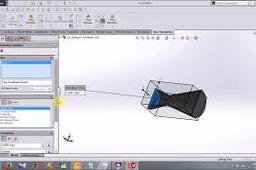
in this video you will learn 1. how to apply boundry conditions 2.how to plot graph 3. how to use equaitons and much more
equation
plot
analysis
nozzle
simulation
fluid
solidworks
Propeller CFD
Shashank Tripathi
in
CFD
0
0
Intermediate
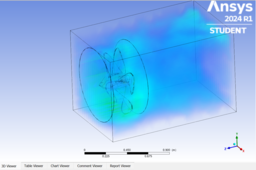
Propeller consists of 4 blades and very smooth design which ensures smooth airflow through blades. CFD visualizes air flow and gives mapping of stress distribution around and along the propeller fins. If larger stress is displayed in CFD then design is needed to change and fan is not suitable for application in particular air flow.
animation
propeller
engineering_simulation
cfd
ansys
Simulasi Fluida di Air Shaper
khoirul anam
in
CFD
0
0
Beginner
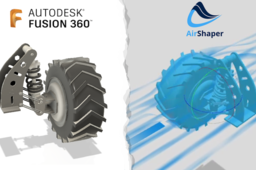
Senang sekali bisa berbagi kemajuan terbaru dalam proyek saya! Saya baru saja menyelesaikan desain 3D untuk Roda Pemanen Kelapa Sawit yang Inovatif, lengkap dengan sistem suspensi terintegrasi, menggunakan Autodesk Fusion 360. Proses desain ini merupakan tantangan menarik dalam mengoptimalkan performa dan daya tahan roda, terutama di medan perkebunan kelapa sawit. Setelah desain 3D rampung, saya melangkah lebih jauh dengan melakukan simulasi aerodinamis dan fluid dynamics menggunakan Airshaper. Langkah ini krusial untuk menganalisis dan memvalidasi efisiensi desain, mengidentifikasi potensi area optimasi, dan memastikan kinerja optimal di lapangan. Pengalaman ini tidak hanya memperdalam pemahaman saya tentang desain komponen berat dan sistem suspensi, tetapi juga mempertajam kemampuan saya dalam memanfaatkan simulasi canggih untuk validasi rekayasa. Senang bisa terus belajar dan berinovasi! #DesainProduk #RekayasaMekanis #Fusion360 #Airshaper #Simulasi #Inovasi #KelapaSawit
desainproduk rekayasamekanis fusion360 airshaper simula
Steady Simulation of Bifurcation and Turgo Turbine Tutorial on Ansys CFX
Sandip Paudel
in
CFD
0
0
Beginner
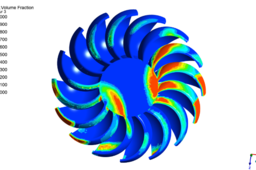
In this video, you will learn how to simulate bifurcation and a Turgo turbine using Ansys CFX. I will cover geometry setup, boolean operations, naming, meshing, and physics setup. In the results section, I'll demonstrate how to extract contours, visualize streamlines, and use the calculator function to calculate torque.
ansys cfx
sandip paudel
bifurcation simulation
turgo turbine
turbine simulation
simulation
turbine
ansys
Cover cluch NX CAM
Victor Detzel
in
Process Simulation
0
0
Intermediate
Cam programm for Siemens NX
1
…
8
9
10