

Catia Tutorials youtube.com/tmzhakan

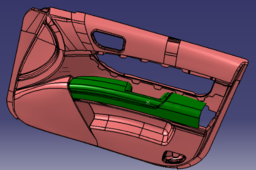
I provide training on catia on my Youtube channel and I make publications here, if you wish, you can subscribe here for more and you can gain competence on the catia cad program.
https://www.youtube.com/tmzhakan
https://youtu.be/hVEYI_JL6Gk?si=Nr6WnsnKxTf8LRVB
Youtube kanalımda catia ile ilgili eğitim vermekteyim ve burada yayınlar yapmaktayım dilerseniz daha fazlası için buraya abone olabilir ve sizde catia cad programı üzerinde yetkinlik kazanabilirsiniz.
-
Step 1: Catia Tutorial
1. Part Design (Parça Tasarımı)
- Used to create 3D solid models.
2. Assembly Design (Montaj Tasarımı)
- It allows you to create assemblies by putting parts together.
3. Generative Shape Design (GSD)
- Used for designing complex surfaces and shapes.
4. Sheet Metal Design (Sac Metal Tasarımı)
- Facilitates the design of sheet metal parts.
5. Drafting (Teknik Resim)
- Creates 2D technical drawings from 3D models.
6. DMU Kinematics (Dijital Mockup Kinematik)
- Kinematic analyses and motion simulations of mechanical systems.
7. Structure Design
- It is used in the design of structural elements.
8. Composites Design
- Makes the design and simulation of composite materials.
9. Generative Structural Analysis
- Static and dynamic structural analyses are performed.
10. Mold Tooling Design
- Creates mould designs.
11. Core & Cavity Design
- Provides core and cavity design for plastic injection moulds.
12. Ergonomics Design & Analysis
- Used for human factors and ergonomics analysis.
13. Knowledge Advisor
- Adds knowledge-based rules and templates to the design.
14. Product Functional Tolerancing & Annotation (FTA)
- Used to add product functional tolerances and descriptions.
15. Imagine & Shape
- Allows free-form surface design and shaping.
16. Machining
- Creates tool paths for CNC machining.
17. Human Builder
- It is used to create and analyse human models.
18. Human Posture Analysis
- Analyses human postures.
19. Human Activity Analysis
- Simulate and analyse human activities.
20. Digital Mockup (DMU) Navigator
- Used to review and analyse digital assemblies.
21. Piping Design
- Pipe systems provide design.
22. Electrical Harness Design
- Designs electrical cable harnesses and installations.
23. Aerospace Sheet Metal Design
- It is used in the design of sheet metal parts for the aerospace industry.
24. Electrical Systems Functional Definition
- Makes functional design of electrical systems.
25. Electrical Systems Installation
- Used for installation and layout design of electrical systems.
26. FreeStyle
- Free-form surfaces and shapes are designed.
27. Analysis
- It includes analysis tools such as FEA (Finite Element Analysis).
28. Sheet Metal Production
- Supports sheet metal processing and production processes.

