Learn about the GrabCAD Platform
Get to know GrabCAD as an open software platform for Additive Manufacturing
Visit our new homepage
Home
Control
Shop
Streamline Pro
Partner Program
Print
Community
Log in
Library
Challenges
Groups
Questions
Tutorials
Engineers
Blog
Log in
Learn from thousands of free Tutorials.
New user?
Join the community
or
log in.
Tutorials
Most liked all time
Recent
Most liked
Most viewed
Most commented
This week
This month
All time
Category
Design & CAD
Modeling
Drafting
Assemblies
BOM
Dimensioning / Tolerancing
Translations
Manufacturing & CAM
3D Printing
Tooling
NC Machining
Composites
Measurement / Inspection
Simulation & CAE
FEM
CFD
Kinematics
Process Simulation
Engineering Fundamentals
Theory
Process
Standards
Other
Software
Snagit
Alibre Design
ArchiCAD
AutoCAD
AutoCAD Electrical
Autodesk 3ds Max
Autodesk Alias
Autodesk Inventor
Autodesk Maya
Autodesk Revit
Autodesk 123D
BricsCAD
Bentley MicroStation
BlenderCAD
BobCAD-CAM
CATIA
Delmia
DraftSight
FreeCAD
Femap
Fusion 360
Geomagic Design
IronCAD
JT
Kompas-3D
KeyCreator
KeyShot
Lagoa
Luxology
Mastercam
Moi3D
NX Unigraphics
OBJ
Onshape
OpenSCAD
Parasolid
Powermill
Powershape
Pro/Engineer Wildfire
PTC Creo Parametric
PTC Creo Elements
Rhino
SpaceClaim
SOLIDWORKS
solidThinking Evolve
Solid Edge
SolidFace
STEP / IGES
SketchUp
STL
TopSolid
TinkerCAD
T-Flex CAD
TurboCAD
VectorWorks
ViaCAD 3D
VRML / WRL
ZW3D
GrabCAD Print
Rendering
GrabCAD Community
GrabCAD Workbench
Text file
3D Manufacturing Format
Cinema 4D
Other
Skill level
All levels
Beginner
Intermediate
Expert
Solid Edge
×
Other
×
How can I build a computer for both gaming and work? Hybrid computer build!
Philippe Carrier
in
Design & CAD
0
0
Intermediate
-=-=- The solution-=-=- It is possible, without dual boot. Switching GPU takes less than 5 seconds! Only one monitor is required. Make sure you have two cables to get each video card to the monitor. I had to get a DisplayPort to HDMI cable when I added a W7000 to my gaming setup. It can be found for less than 10$. Build a nice computer with: A great CPU A gaming GPU A workstation GPU For this tutorial, I've used the following set-up: Intel Core i7 920 D0 @4.15 Ghz Gygabyte X58A-UD3R BIOS F8a 24Gb DDR3 Corsair Vengeance @1592 MHz 10-9-9-24 Radeon HD 7950 FirePro W7000 Windows 7 AMD Catalyst 14-9 AMD Firepro 13.352.1019 Here is how it is possible:
Other
videocard
workstation
build
hybrid
card
gpu
video
gaming
computer
How to fix "Profile is not closed" in ST6?
Ferro
in
Modeling
0
0
Intermediate
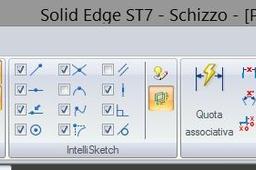
You must use the constraints in the relate tab. In your particular case, try the link constraint (I'm not sure about its name in the English version of SE interface. Have a look at the attached image). You can also have a look at this video clip: https://www.youtube.com/watch?v=lwvUZ1Q52vg
Solid Edge
Allen key
Samanwita Bagg
in
Modeling
0
0
Intermediate
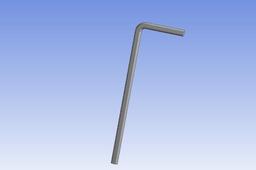
The video explains how to model an Allen Key and analyze it using ANSYS Workbench.
Other
ansys analysis
allen key
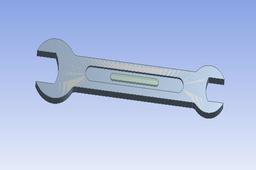
Mechanical Wrench Design
Samanwita Bagg
in
Modeling
0
0
Intermediate
This video explains how to design a mechanical wrench.
Other
solidworks
design modeler
ansys modeling
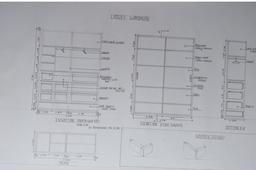
Wardrobe
Manali Dayma
in
Drafting
0
0
Beginner
Wardrobe Detailing and design
Other
Harness Ionic Pulse Systems 2
Paul Felski
in
Modeling
0
0
Intermediate
Engine system with magnetic filters through a variable pendulum. Effects of magnets on EMF with a Torus Array.
Other
slinky
torus
engine
Huge database of purchased items from famous brands
Bannikov_3dkb
in
Modeling
0
0
Intermediate
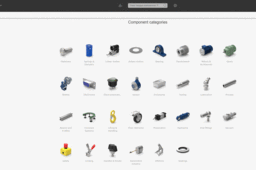
Лучшая база покупных элементов известных брендов Huge database of purchased items from famous brands https://www.solidcomponents.com/
Other
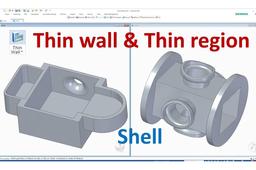
Solid Edge Tutorials | Thin Wall & Thin Region feature ( Shell Command )
CAD CAM Learning
in
Modeling
0
0
Beginner
This tutorial show How to use Thin Wall & Thin Region feature ( Like Shell Command in SolidWorks) FOR MORE tutorials, please visit: https://www.youtube.com/c/CADCAMLearning?sub_confirmation=1
Solid Edge
solidedgetutorials
thinwallregioncommand
thinwallcommand
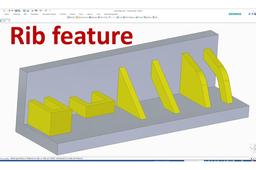
Solid Edge Tutorials | How to use Rib command
CAD CAM Learning
in
Modeling
0
0
Beginner
This tutorial show How to use all of selection of Rib feature in Solid Edge FOR MORE tutorials, please visit: https://www.youtube.com/c/CADCAMLearning?sub_confirmation=1
Solid Edge
ribfeature
ribcommand
solidedgetutorials
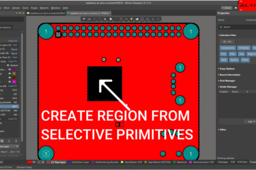
Create Region from Selective Primitives in Altium Designer
Altium366
in
Design & CAD
0
0
Intermediate
Altium Designer Tutorial 02: Create Region from Selective Primitives. In this Video i explained in detail how you can create Region from selective primitives from 3D Step file to 2D Layout. if you have any questions please write me at "altium366@gmail.com".
Other
altium designer
How to Create a Spur Bevel Gear in CollabCAD
Aakash Kumar
in
Modeling
0
0
Intermediate
Spur Bevel Gear tutorial in CollabCAD
Other
modeling
3d
tutorial
gear
bevel
spur
collabcad
How to Create a Razor Blade in CollabCAD
Aakash Kumar
in
Modeling
0
0
Intermediate
Tutorial of Razor Blade 3D Model Created in CollabCAD
Other
shaving
household
fun
just
hobby
blade
razor
tutorial
collabcad
Industrial Robot Assembly - Jaw 3 Tutorial || CollabCAD
Aakash Kumar
in
Modeling
0
0
Intermediate
Jaw 3 Part Created in CollabCAD
Other
industrial
robotics
robot
tutorials
collabcad
jaw
Industrial Robot Assembly - Jaw 7 Tutorial || CollabCAD
Aakash Kumar
in
Modeling
0
0
Intermediate
Jaw 7 Part Created in CollabCAD
Other
industrial
robotics
robot
tutorials
collabcad
jaw
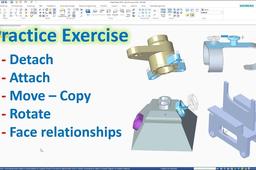
How to use Detach, Atach, Move - Copy, Rotate, Face Relationship in Solid Edge
CAD CAM Learning
in
Modeling
0
0
Beginner
This exercise to show how to use Detach, Atach, Move - Copy, Rotate, Face Relationship in Solid Edge
Solid Edge
solidedgedesign
attach
detach
solidedgetutorials
1
…
29
30
31
…
35