

TURBINE PUMP IMPELLER

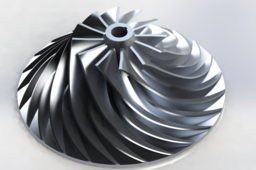
THIS TUTORIAL SHOWS HOW TO 3D MODEL AN IMPELLER USING SOLIDWORKS SOFTWARE
-
Step 1: sketch and revolved boss

-
Step 2: lofted boss
create 5 different sketches in 5 planes

-
Step 3: circular pattern
create a circular pattern of the lofted boss

-
Step 4: revolved cut

-
Step 5: extruded cut of the shaft hub

-
Step 6: revolved cut to reduce the weight

create a circular pattern of the revolved cut

-
Step 7: move/copy body
copy and translate the body to 500 mm away from the original

in the second body make a revolved cut of the blades

-
Step 8: move/copy body to the inicial position
rotate the second body 45º and then translate it back to -500 mm. unselect the 'copy' box.


-
Step 9: render
add a material to the body

then go to render tools and render it (note: go to render tools - options and decrease or increase the render quality from good to maximun or vice versa)

-
Step 10: FINAL


