Learn about the GrabCAD Platform
Get to know GrabCAD as an open software platform for Additive Manufacturing
Visit our new homepage
Home
Control
Shop
Streamline Pro
Partner Program
Print
Community
Log in
Library
Challenges
Groups
Questions
Tutorials
Engineers
Blog
Log in
Learn from thousands of free Tutorials.
New user?
Join the community
or
log in.
Tutorials
Most liked all time
Recent
Most liked
Most viewed
Most commented
This week
This month
All time
Category
Design & CAD
Modeling
Drafting
Assemblies
BOM
Dimensioning / Tolerancing
Translations
Manufacturing & CAM
3D Printing
Tooling
NC Machining
Composites
Measurement / Inspection
Simulation & CAE
FEM
CFD
Kinematics
Process Simulation
Engineering Fundamentals
Theory
Process
Standards
Other
Software
Snagit
Alibre Design
ArchiCAD
AutoCAD
AutoCAD Electrical
Autodesk 3ds Max
Autodesk Alias
Autodesk Inventor
Autodesk Maya
Autodesk Revit
Autodesk 123D
BricsCAD
Bentley MicroStation
BlenderCAD
BobCAD-CAM
CATIA
Delmia
DraftSight
FreeCAD
Femap
Fusion 360
Geomagic Design
IronCAD
JT
Kompas-3D
KeyCreator
KeyShot
Lagoa
Luxology
Mastercam
Moi3D
NX Unigraphics
OBJ
Onshape
OpenSCAD
Parasolid
Powermill
Powershape
Pro/Engineer Wildfire
PTC Creo Parametric
PTC Creo Elements
Rhino
SpaceClaim
SOLIDWORKS
solidThinking Evolve
Solid Edge
SolidFace
STEP / IGES
SketchUp
STL
TopSolid
TinkerCAD
T-Flex CAD
TurboCAD
VectorWorks
ViaCAD 3D
VRML / WRL
ZW3D
GrabCAD Print
Rendering
GrabCAD Community
GrabCAD Workbench
Text file
3D Manufacturing Format
Cinema 4D
Other
Intermediate
All levels
Beginner
Intermediate
Expert
BOM
×
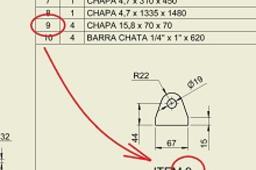
Part View Labels with BOM item number
PRO
in
BOM
13
2
Intermediate
Set Your Drawing View Labels to Use BOM item numbers.
Autodesk Inventor
parametric
parame
part
number
item
label
view
bom
How to create a linked BOM and balloons in a CATIA drawing
Pablo Sánchez
in
BOM
9
0
Intermediate
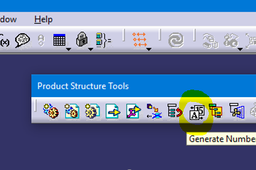
We can do an assembly drawing with a Bill of Material explaining to the manufacturer important info about each part. Also, we can number the parts with balloons, so that it can be easy to find and identify them. It will be explained all the necessary steps in Assembly Design and Drafting module.
CATIA
design
assembly
catia
material
bill
bom
balloon
drafting
Using Design Tables to Create Cut Lists in BOM
Thomas Larson
in
BOM
4
1
Intermediate
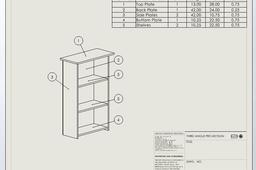
Creating a smarter parts with configuration properties and design tables also the dimensions to be listed in a Bill of Materials. This can be used for cut lists, material ordering etc. Parts Found at: https://grabcad.com/library/cabinet-for-tutorial-1
SOLIDWORKS
custom properties
design tables
automation
cut list
bom
Insert Bill of Material into a Drawing in Solidworks| Custom Properties with Bill of Material | SW BOM
Ibrahim Omer
in
BOM
0
0
Intermediate
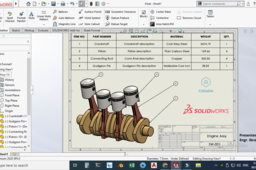
In this tutorial, we will learn how to insert Bill of Materials (BOM) into a drawing in Solidworks. I am using an example of a piston assembly consisting of four parts. For the sake of simplicity I am only using four parts. These four parts are: a) Connecting Rod b) Crankshaft c) Gudgeon Pin d) Piston In the first part, we will generate BOM and in the 2nd part we will link our parts with BOM using custom properties. The advantage of using this in BOM is, it is parametric. If I change a material of say gudgeon pin, the material in BOM will also change. I have shown this in the last part of the video. I have also covered how to apply balloon in solidworks drawing. How to edit drawing title etc. and much more. #billofmaterialsolidworks #creatinglinkbetweenpartanddrawingsolidworks #solidworkscustomproperties #CADable #solidworksbillofmaterialtutorial For Files: https://grabcad.com/library/automobile-engine-7 Kindly Subscribe our Channel for more Videos and Projects in SOLIDWORKS, Keyshot, AutoCAD etc.
SOLIDWORKS
bill of material customization
insert bill of materials in solidworks
custom property solidworks
sw bom
solidworks bill of material
ENOVIA 3DEXPERIENCE Product Explorer
ferdo
in
BOM
0
0
Intermediate
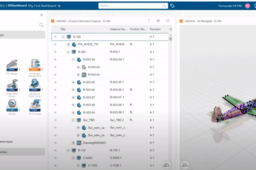
The product tree structure can be seen directly in the web browser using ENOVIA 3DEXPERIENCE. The application has the ability to visualize also the data in a separate window and to export the structure in a CSV file. If you need a small adjustment, you can create also a macro like in the video to see separate the level like in a CATIA tree. Images from IAR80 project.
CATIA
structure
product
bom
enovia
catia
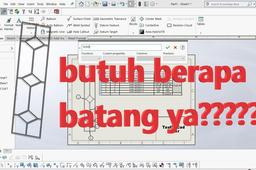
solidworks BOM
taufik .
in
BOM
0
0
Intermediate
Calculation of material requirements for disolidworks
SOLIDWORKS
materials
bill
drawing
bom
solidworks