Learn about the GrabCAD Platform
Get to know GrabCAD as an open software platform for Additive Manufacturing
Visit our new homepage
Home
Control
Shop
Streamline Pro
Partner Program
Print
Community
Log in
Library
Challenges
Groups
Questions
Tutorials
Engineers
Blog
Log in
Learn from thousands of free Tutorials.
New user?
Join the community
or
log in.
Tutorials
Most liked all time
Recent
Most liked
Most viewed
Most commented
This week
This month
All time
Category
Design & CAD
Modeling
Drafting
Assemblies
BOM
Dimensioning / Tolerancing
Translations
Manufacturing & CAM
3D Printing
Tooling
NC Machining
Composites
Measurement / Inspection
Simulation & CAE
FEM
CFD
Kinematics
Process Simulation
Engineering Fundamentals
Theory
Process
Standards
Other
Software
Snagit
Alibre Design
ArchiCAD
AutoCAD
AutoCAD Electrical
Autodesk 3ds Max
Autodesk Alias
Autodesk Inventor
Autodesk Maya
Autodesk Revit
Autodesk 123D
BricsCAD
Bentley MicroStation
BlenderCAD
BobCAD-CAM
CATIA
Delmia
DraftSight
FreeCAD
Femap
Fusion 360
Geomagic Design
IronCAD
JT
Kompas-3D
KeyCreator
KeyShot
Lagoa
Luxology
Mastercam
Moi3D
NX Unigraphics
OBJ
Onshape
OpenSCAD
Parasolid
Powermill
Powershape
Pro/Engineer Wildfire
PTC Creo Parametric
PTC Creo Elements
Rhino
SpaceClaim
SOLIDWORKS
solidThinking Evolve
Solid Edge
SolidFace
STEP / IGES
SketchUp
STL
TopSolid
TinkerCAD
T-Flex CAD
TurboCAD
VectorWorks
ViaCAD 3D
VRML / WRL
ZW3D
GrabCAD Print
Rendering
GrabCAD Community
GrabCAD Workbench
Text file
3D Manufacturing Format
Cinema 4D
Other
Skill level
All levels
Beginner
Intermediate
Expert
blank
×
VISI Progress for Press Tool Design
Suhas Gunjal
in
FEM
7
1
Expert
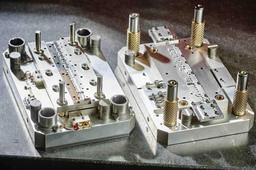
VISI Progress - Dedicated solutions for Progressive Die Design and Press Tools Industry specific functionality provides a more productive and efficient design experience. Helping the designer with intelligent decisions will reduce the potential for error and greatly improve manufacturing productivity. Features: Variable neutral fibre calculation Part analysis & bend study Automatic blank development Step-by-step unfolding 3D strip design & shearing simulation Bending & shearing stress calculations User-defined tool templates Parametric component libraries Automatic link to plate manufacture Associative tool detailing Automatic B.O.M. creation
visiprogress
stampingtooldesign
tooldesign
presstooldesign
blank
fea
visiblank
visi
Rim design advice..
Dean
in
Design & CAD
3
1
Beginner
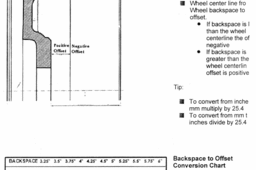
hi heres some basic info, will provide more in depth info in days to follow, have manufactured a custom set and its a tricky process, so take time in research especially for application and strength required.
Other
aluminum
wheel
custom
design
rim
tire
automotive
tyre
precision
alloy
blank
standards
NX One Step Analysis
Jay Raj
in
FEM
0
0
Intermediate
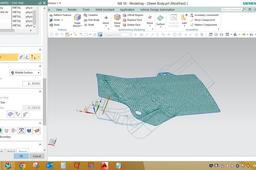
Hello everybody... Welcome to Mech Dezignz... Today we will learn about solving a blank of 3D model in NX... So I have a sheet body in NX window behind... First we will have to take middle surface of the part by offset command... Lets start... So here thickness in 2.5mm. so we will offset the surface at 1.25mm... So we have got the middle surface as required. Now for unforming a blank, we have a command One Step Anaysis in NX. So we will go to the said command now... And we select the middle surface of the part Now we will select the vector from which direction the unforming is needed... We also selected the material and provided the thickness of the part also... We can reduce the element size for more precise blank shape, but then time process will increase... Now since it is called one step analysis, we get many more results along with blank shape that is Thickness, Stress and Strain reports of the part. This will let us know about the feasablity of the part as well... Hope you liked the video If any query, please comment down... Thanks...
engineering
mechanical
blank simulation
blank
nx
cad
Forming Suite Tutorial
Jay Raj
in
Process Simulation
0
0
Intermediate
Hello everybody... Welcome to Mech Dezignz... Today we will learn how to open blank in FTI (Forming Suite)... For this we will have to take middle surface of any part and then convert it into iges format... I have made a middle surface for the process now... So lets start by opening forming suite now... Then we will provide material properties and thickness And then select middle surface (as we have used this surface for unforming)... Then process setup for meshing details, which will be auto-filled... Then select punch direction and select auto for auto selecting punch direction... Then providing next options we can get the blank definition... Then go for nesting option and provide offset as per requirement... Thus we will get the layout of the strip formed... There are various options for one up, two up and mirror... Also we will get the strip details and utilisation... The same can be exported as shown... Thanks...
blank
gross mass
strip layout
forming suite