Learn about the GrabCAD Platform
Get to know GrabCAD as an open software platform for Additive Manufacturing
Visit our new homepage
Home
Control
Shop
Streamline Pro
Partner Program
Print
Community
Log in
Library
Challenges
Groups
Questions
Tutorials
Engineers
Blog
Log in
Learn from thousands of free Tutorials.
New user?
Join the community
or
log in.
Tutorials
Most liked all time
Recent
Most liked
Most viewed
Most commented
This week
This month
All time
Category
Design & CAD
Modeling
Drafting
Assemblies
BOM
Dimensioning / Tolerancing
Translations
Manufacturing & CAM
3D Printing
Tooling
NC Machining
Composites
Measurement / Inspection
Simulation & CAE
FEM
CFD
Kinematics
Process Simulation
Engineering Fundamentals
Theory
Process
Standards
Other
Software
Snagit
Alibre Design
ArchiCAD
AutoCAD
AutoCAD Electrical
Autodesk 3ds Max
Autodesk Alias
Autodesk Inventor
Autodesk Maya
Autodesk Revit
Autodesk 123D
BricsCAD
Bentley MicroStation
BlenderCAD
BobCAD-CAM
CATIA
Delmia
DraftSight
FreeCAD
Femap
Fusion 360
Geomagic Design
IronCAD
JT
Kompas-3D
KeyCreator
KeyShot
Lagoa
Luxology
Mastercam
Moi3D
NX Unigraphics
OBJ
Onshape
OpenSCAD
Parasolid
Powermill
Powershape
Pro/Engineer Wildfire
PTC Creo Parametric
PTC Creo Elements
Rhino
SpaceClaim
SOLIDWORKS
solidThinking Evolve
Solid Edge
SolidFace
STEP / IGES
SketchUp
STL
TopSolid
TinkerCAD
T-Flex CAD
TurboCAD
VectorWorks
ViaCAD 3D
VRML / WRL
ZW3D
GrabCAD Print
Rendering
GrabCAD Community
GrabCAD Workbench
Text file
3D Manufacturing Format
Cinema 4D
Other
Skill level
All levels
Beginner
Intermediate
Expert
catpart
×
Tutorial: How to convert a .Step-File to an independent .CatPart-File in Catia V5
Kai
in
Design & CAD
1
0
Beginner
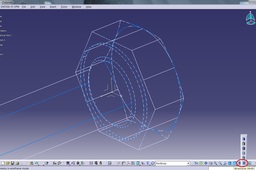
This Tutorial shows you how to convert a .stp-file (dead solid) to an independent .catpart-file (iso-constrained) in Catia V5. Using project/intersect 3D-Elements.
CATIA
step
project
solid
iso
stp
constrained
convert
catpart
intersect
dead
trace
tipsntricks
Error in Catia opening my files
özgür kesebir
in
Design & CAD
1
0
Intermediate
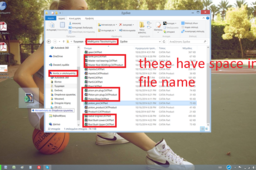
C:\Users\ozgur\Desktop\catia_folder -->works (no space) C:\Users\ozgur\Desktop\catia-folder -->works (no space) C:\Users\ozgur\Desktop\catiafolder -->works (no space) C:\Users\ozgur\Desktop\catia folder --> may not work (because there is space in file name) C:\Users\ozgur\My documents\catia_folder --> may not work (because there is space in location file name)
CATIA
loading
problems
catpart
catia
CATIA | How to Convert a STEP File into CATPart Like a Pro
The Savvy Engineer
in
Modeling
1
0
Beginner
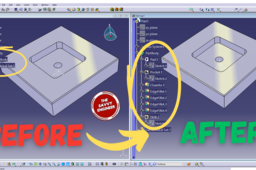
Learning how to convert a STEP file into a CATPart in CATIA is an essential skill for engineers, designers, and students who work with 3D models in collaborative environments. STEP files (.stp or .step) are widely used as a neutral format to exchange CAD data between different software platforms. Since not every team or partner uses CATIA, being able to import and convert STEP files into CATPart format allows you to fully integrate external designs into your CATIA projects. One key reason to learn this process is compatibility and collaboration. In real-world engineering, parts and assemblies often come from multiple suppliers or design teams. If you receive a model in STEP format, converting it into CATPart makes it editable and usable within CATIA. This ensures seamless collaboration without the need to remodel the geometry from scratch, saving time and reducing errors. Another important benefit is design modification and reuse. Once the STEP file is converted into a CATPart, you can take advantage of CATIA’s powerful tools for editing, analysis, and simulation. This means you can refine designs, make necessary changes, or use the geometry as a base for new components. Without conversion, the file would remain static, limiting your ability to adapt it to evolving project requirements. Additionally, understanding this process improves workflow efficiency. Instead of struggling with file incompatibility, you can quickly integrate external models into your design environment. This is particularly valuable in industries such as automotive, aerospace, and manufacturing, where different CAD systems are common. In conclusion, learning how to convert a STEP file into a CATPart in CATIA is not just a technical step—it is a vital skill for collaboration, design flexibility, and productivity. It enables engineers to bridge the gap between different CAD systems and work more efficiently in a global engineering environment.
CATIA
catpart
step
catia
Error in Catia opening my files
GEORGE K
in
Design & CAD
0
0
Intermediate
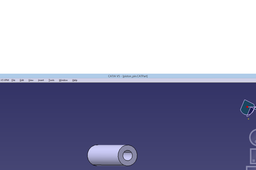
ok sure but i have to write it like an answer. In th first picture i open the piston_pin.CatPart from my folder using catia->file->open->my documents->CatParts->piston_pin.Catpart and a message says "Loading failed" appears. Then i moved the piston_pin.CatPart to my desktop double click on it and it opens with Catia
CATIA
loading
problems
catpart
catia