Learn about the GrabCAD Platform
Get to know GrabCAD as an open software platform for Additive Manufacturing
Visit our new homepage
Home
Control
Shop
Streamline Pro
Partner Program
Print
Community
Log in
Library
Challenges
Groups
Questions
Tutorials
Engineers
Blog
Log in
Learn from thousands of free Tutorials.
New user?
Join the community
or
log in.
Tutorials
Most liked all time
Recent
Most liked
Most viewed
Most commented
This week
This month
All time
Category
Design & CAD
Modeling
Drafting
Assemblies
BOM
Dimensioning / Tolerancing
Translations
Manufacturing & CAM
3D Printing
Tooling
NC Machining
Composites
Measurement / Inspection
Simulation & CAE
FEM
CFD
Kinematics
Process Simulation
Engineering Fundamentals
Theory
Process
Standards
Other
Software
Snagit
Alibre Design
ArchiCAD
AutoCAD
AutoCAD Electrical
Autodesk 3ds Max
Autodesk Alias
Autodesk Inventor
Autodesk Maya
Autodesk Revit
Autodesk 123D
BricsCAD
Bentley MicroStation
BlenderCAD
BobCAD-CAM
CATIA
Delmia
DraftSight
FreeCAD
Femap
Fusion 360
Geomagic Design
IronCAD
JT
Kompas-3D
KeyCreator
KeyShot
Lagoa
Luxology
Mastercam
Moi3D
NX Unigraphics
OBJ
Onshape
OpenSCAD
Parasolid
Powermill
Powershape
Pro/Engineer Wildfire
PTC Creo Parametric
PTC Creo Elements
Rhino
SpaceClaim
SOLIDWORKS
solidThinking Evolve
Solid Edge
SolidFace
STEP / IGES
SketchUp
STL
TopSolid
TinkerCAD
T-Flex CAD
TurboCAD
VectorWorks
ViaCAD 3D
VRML / WRL
ZW3D
GrabCAD Print
Rendering
GrabCAD Community
GrabCAD Workbench
Text file
3D Manufacturing Format
Cinema 4D
Other
Skill level
All levels
Beginner
Intermediate
Expert
joints
×
SIMPLE TIPS FOR MAKING MOTION STUDY
kiran
in
Process Simulation
7
0
Beginner
here you can find simple tips to make a motion study using fusion360
mechanism
fusion360
best
how
joints
revolute
simulation
Fusion 360 Tutorial: Motion Joints with Imported Components
Mike Lobsinger
in
Modeling
7
0
Intermediate
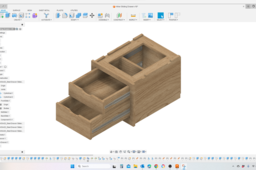
In this Fusion 360 Tutorial we'll learn about importing components from other F360 files as well as external source and applying linear slider motion to those components. This tutorial goes into some detail on breaking down a imported STEP file from McMaster-Carr and converting it to components so that motion joints can be added to it. The example is of a drawer slide.
Fusion 360
joints
dyi
engineering
product design
parametric design
cad design
fusion360
Cylindrical Joints in Fusion 360!
Engineering Juice
in
Modeling
4
0
Beginner
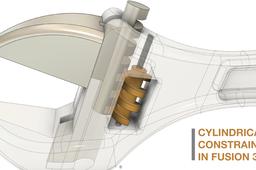
Cylindrical Joints Fusion 360! We will learn ho wot apply loads to a wrench.
Fusion 360
autodesk
assembly
joints
tutorial
360
fusion
Sleeve & Cotter Joint Assembly
Aswinraj S
in
Assemblies
2
0
Intermediate
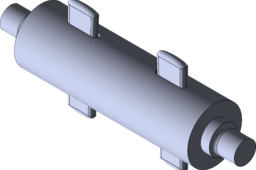
Tutorial for How to assemble the sleeve&cotter joint parts in CATIA V5 Sleeve&Cotter joint: A mechanical joint is a section of a machine which is used to connect one or more mechanical part to another. Mechanical joints may be temporary or permanent, most types are designed to be disassembled. Most mechanical joints are designed to allow relative movement of these mechanical parts of the machine in one degree of freedom, and restrict movement in one or more others.
CATIA
sleeve
rod
joints
tutorial
assembly
part
3dmodel
catia
DMU Kinematics - Sequencing two mechanisms
3D Comparison
in
Modeling
1
0
Beginner
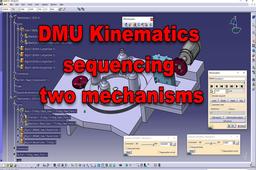
The files are available at: https://grabcad.com/library/dmu-sequence-mechanism-gear-and-rack-mechanisms-1
CATIA
joints
rack
gear
simulation
kinematics
dmu
Tutorial : Creating Spherical Joints in CATIA
Rahul
in
Design & CAD
0
0
Intermediate
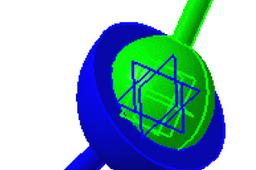
Here's the steps to achieve spherical joints.
CATIA
v5
catia
digital
joints
dmu
kinematics
spherical
up
mock
Tutorial : Creating Screw Joints in CATIA
Rahul
in
Design & CAD
0
0
Intermediate
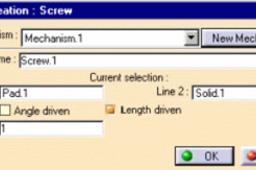
Ok So here we will discuss how to create a screw joint.
CATIA
screw
v5
catia
digital
joints
dmu
kinematics
up
mock
Tutorial SolidWorks Simulation: Truss Analysis by Method of Joints
Fahad Butt
in
Simulation & CAE
0
1
Beginner
Video on YouTube,
SOLIDWORKS
method
finite
analysis
tutorial
element
joints
simulation
truss
solidworks
CATIA - Gripper simulation in DMU
3D Comparison
in
Modeling
0
0
Beginner
Learn how to define a gripper simulation in CATIA V5 DMU Kinematics
CATIA
gear
revolute
joints
simulation
robotic
gripper
dmu
Differences between Assembly Design and DMU Kinematics
3D Comparison
in
Modeling
0
0
Beginner
The main difference between Assembly Design and Digital Mockup (DMU) Kinematics in CATIA is that Assembly Design is used to create static assemblies, while DMU Kinematics is used to create dynamic assemblies. In Assembly Design, the parts are constrained together using geometric constraints, such as coincident, parallel, and perpendicular. This allows the assembly to be moved and rotated, but it does not allow the parts to move relative to each other. In DMU Kinematics, the parts are connected together using kinematic joints, such as revolute, prismatic, and cylindrical joints. These joints allow the parts to move relative to each other in a specific way.
CATIA
differences
constraints
joints
dmu
design
assembly
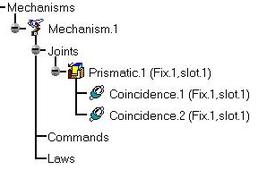
Tutorial : Creating Prismatic Joints in CATIA
Rahul
in
Design & CAD
0
0
Intermediate
Follow the steps
CATIA
v5
catia
digital
joints
dmu
kinematics
up
prismatic
mock