Learn about the GrabCAD Platform
Get to know GrabCAD as an open software platform for Additive Manufacturing
Visit our new homepage
Home
Control
Shop
Streamline Pro
Partner Program
Print
Community
Log in
Library
Challenges
Groups
Questions
Tutorials
Engineers
Blog
Log in
Learn from thousands of free Tutorials.
New user?
Join the community
or
log in.
Tutorials
Most liked all time
Recent
Most liked
Most viewed
Most commented
This week
This month
All time
Category
Design & CAD
Modeling
Drafting
Assemblies
BOM
Dimensioning / Tolerancing
Translations
Manufacturing & CAM
3D Printing
Tooling
NC Machining
Composites
Measurement / Inspection
Simulation & CAE
FEM
CFD
Kinematics
Process Simulation
Engineering Fundamentals
Theory
Process
Standards
Other
Software
Snagit
Alibre Design
ArchiCAD
AutoCAD
AutoCAD Electrical
Autodesk 3ds Max
Autodesk Alias
Autodesk Inventor
Autodesk Maya
Autodesk Revit
Autodesk 123D
BricsCAD
Bentley MicroStation
BlenderCAD
BobCAD-CAM
CATIA
Delmia
DraftSight
FreeCAD
Femap
Fusion 360
Geomagic Design
IronCAD
JT
Kompas-3D
KeyCreator
KeyShot
Lagoa
Luxology
Mastercam
Moi3D
NX Unigraphics
OBJ
Onshape
OpenSCAD
Parasolid
Powermill
Powershape
Pro/Engineer Wildfire
PTC Creo Parametric
PTC Creo Elements
Rhino
SpaceClaim
SOLIDWORKS
solidThinking Evolve
Solid Edge
SolidFace
STEP / IGES
SketchUp
STL
TopSolid
TinkerCAD
T-Flex CAD
TurboCAD
VectorWorks
ViaCAD 3D
VRML / WRL
ZW3D
GrabCAD Print
Rendering
GrabCAD Community
GrabCAD Workbench
Text file
3D Manufacturing Format
Cinema 4D
Other
Skill level
All levels
Beginner
Intermediate
Expert
position
×
Designing F1 Car Brake Caliper
Muhammad Khan
in
Design & CAD
7
0
Intermediate
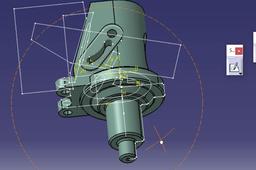
https://youtu.be/7-LHSog0 Wmo Here is another free advanced CATIA V5 tutorial. This tutorial belongs to 'CATIA V5 Free Advance Level Course' video series. In this tutorial, a brake caliper has been created so that all the features are easily updated. Following is the list of commands used: Position sketch, Trim, angular extrude, close arc, flange Below is the play list of all my CATIA V5 tutorials so far: CATIA V5 for Dummies: https://www.youtube.com/playlist?list=PLwVDnmuZ8ijHnhaUsjMrCijpatGqWx2ET CATIA V5 Certification Preparation: https://www.youtube.com/playlist?list=PLwVDnmuZ8ijEyJ1pk07iZS1aNRR3ZBDVo CATIA V5 Free Advance Level Course: https://www.youtube.com/playlist?list=PLwVDnmuZ8ijHfjyc5yo32IVt4DsUR_uSP
CATIA
v5
catia
design
sketch
position
car
f1
caliper
brake
free
tutorial
extrude
angular
CATIA v5 Design Industry Tips and Tricks |F1 car part| Optimizing, Position, change sketch bases
Muhammad Khan
in
Design & CAD
4
2
Expert
Today I would like to give you some insight into some design Industry related tasks. I will also show you some very useful tricks that will improve your capability of optimizing designs in CATIA v5 and help you become a better designer as well. Let us suppose that you receive a part file from a client as shown here for re-modifying some futures. This is a component from assembly of formula 1 race care. The part fitting might have failed during assembly due to some inadequate features and sketches that need adjustment. To make things more complicated, let’s say that the part was designed in some other software instead of CATIA. The situation will be complicated because criteria for designing parts in other software is different than CATIA. So, let’s see how we can get around these issues.
CATIA
bases
sketch
change
position
edit
features
unlink
link
optimizing
part
car
f1
tricks
tips
industry
design
v5
catia
CATIA V5 - How to position and align 3D scans
3D Comparison
in
Modeling
1
0
Beginner
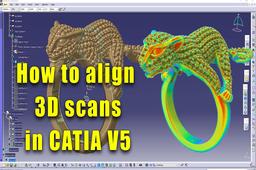
If you want to learn the basics of RE 3D model position and alignment in CATIA V5 take a look at this video.
CATIA
how
catia v5
position
align 3d scans
Perspective Match tool
3D Comparison
in
Other
0
0
Beginner
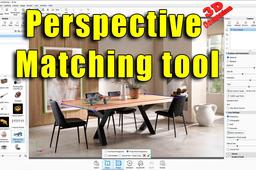
Perspective Matching helps you interactively match the Perspective camera to the camera angle with which a background image was taken. In order to activate Match Perspective, please load a Backplate. https://manual.keyshot.com/manual/tools-3/match-perspective/
shadows
align
tool
position
match
perspective