Learn about the GrabCAD Platform
Get to know GrabCAD as an open software platform for Additive Manufacturing
Visit our new homepage
Home
Control
Shop
Streamline Pro
Partner Program
Print
Community
Log in
Library
Challenges
Groups
Questions
Tutorials
Engineers
Blog
Log in
Learn from thousands of free Tutorials.
New user?
Join the community
or
log in.
Tutorials
Most liked all time
Recent
Most liked
Most viewed
Most commented
This week
This month
All time
Category
Design & CAD
Modeling
Drafting
Assemblies
BOM
Dimensioning / Tolerancing
Translations
Manufacturing & CAM
3D Printing
Tooling
NC Machining
Composites
Measurement / Inspection
Simulation & CAE
FEM
CFD
Kinematics
Process Simulation
Engineering Fundamentals
Theory
Process
Standards
Other
Software
Snagit
Alibre Design
ArchiCAD
AutoCAD
AutoCAD Electrical
Autodesk 3ds Max
Autodesk Alias
Autodesk Inventor
Autodesk Maya
Autodesk Revit
Autodesk 123D
BricsCAD
Bentley MicroStation
BlenderCAD
BobCAD-CAM
CATIA
Delmia
DraftSight
FreeCAD
Femap
Fusion 360
Geomagic Design
IronCAD
JT
Kompas-3D
KeyCreator
KeyShot
Lagoa
Luxology
Mastercam
Moi3D
NX Unigraphics
OBJ
Onshape
OpenSCAD
Parasolid
Powermill
Powershape
Pro/Engineer Wildfire
PTC Creo Parametric
PTC Creo Elements
Rhino
SpaceClaim
SOLIDWORKS
solidThinking Evolve
Solid Edge
SolidFace
STEP / IGES
SketchUp
STL
TopSolid
TinkerCAD
T-Flex CAD
TurboCAD
VectorWorks
ViaCAD 3D
VRML / WRL
ZW3D
GrabCAD Print
Rendering
GrabCAD Community
GrabCAD Workbench
Text file
3D Manufacturing Format
Cinema 4D
Other
Skill level
All levels
Beginner
Intermediate
Expert
prototyping
×
Video Tutorials from Rhino 3D Tutorials
Alexandre Galin
in
Modeling
8
0
Beginner
A series of little tutorials made available on my Youtube channel. For more detailed Rhino 3D tutorials here's the link https://rhino-3d-classes-from-beginner-to-advanced-lev.teachable.com/
Rhino
surfacing
3d
rhinoceros
taught
self
tutorials
prototyping
rhino3d
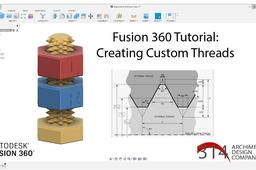
Fusion 360 Tutorial: Creating Custom Threads
Mike Lobsinger
in
Modeling
3
0
Intermediate
In this Fusion 360 Tutorial I show how to make custom threads. Though Fusion 360 does include a built in thread creation tool, there are instances where Fusion may not have the thread pitch or profile you are looking for. So I share some tools and techniques for creating these model details.
Fusion 360
thread modeling
tutorial
product design
modeling
prototyping
cad design
fusion 360
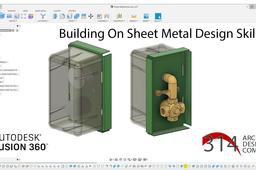
Fusion360 Tutorial - Sheet Metal Design and Protrusions (Parts 1 & 2)
Mike Lobsinger
in
Modeling
3
0
Intermediate
In this Fusion360 tutorial I share two videos. The first goes through the basic use of the Sheet Metal Workspace and use of parameters to create a sheet metal mounting plate for a mock up of pressure regulator and pressure dial. The second is an example of platform step using the bending tool and also workflow example of creating patterned protrusions. These exercises will give you basic understanding on how to use the sheet metal tools and settings in Fusion 360. Sheet Metal design is one of the most common and least expensive prototyping, and manufacturing methods for aluminum and steel.
Fusion 360
design techniques
flat pattern
prototyping
engineering
sheet metal design
cad design
fusion 360
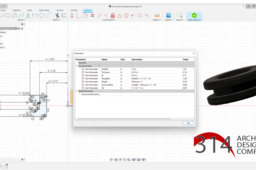
Fusion360 Tutorial: Design of a Grommet using Parameters
Mike Lobsinger
in
Modeling
0
0
Intermediate
In this Fusion360 tutorial I walk you through a basic use of parameters to create a standard grommet design. Use parametric approaches or parameters to define sketches and models within CAD designs is a powerful tool for quicky adapting your model design and related components. Using these tools allows you to relate features and dimension to one another to avoid solid model generation errors, as you'll see in my example. Though this is a simple use case, I think the video will give you enough of an intro to become familiar with using the parameter tools in Fusion360 or diving into parametric tools in other platforms.
Fusion 360
engineering
grommet
prototyping
product design
parametric design
cad design
fusion360
PolyJet Best Practices: How to Prototype Surfaces with Varied Friction Coefficients
Stratasys
in
3D Printing
0
0
Intermediate
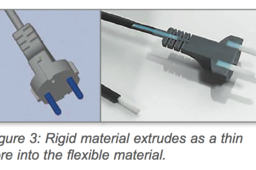
Friction is defined as the force that opposes the relative motion or tendency of such motion of two surfaces in contact. The friction coefficient of a prototype’s surface is a functional component, not an aesthetic one, and simulates the end product’s mechanical properties. A well-designed prototype that takes friction into consideration can have the following advantages: an improved grip for the end-user, reduced part wear, simulated movement functionality and sliding abilities. PolyJetTM ConnexTM 3D Printing systems provide a solution for prototyping surfaces with varied friction coefficients that were impossible or cost-prohibitive to prototype in the past. By being able to print several materials in one build process, Connex systems can produce prototypes with varying friction areas on one given part. Users determine the friction coefficients for different areas of a part according to the load factor. This saves time and money by providing an easy solution for prototyping complex parts whose dynamic friction coefficients can be tested in a single build process. The following tutorial is brought to you by Stratasys:
printing
3d
stsratasys
prototyping
polyjet