Learn about the GrabCAD Platform
Get to know GrabCAD as an open software platform for Additive Manufacturing
Visit our new homepage
Home
Control
Shop
Streamline Pro
Partner Program
Print
Community
Anmelden
Library
Challenges
Groups
Questions
Tutorials
Engineers
Blog
Anmelden
Learn from thousands of free Tutorials.
New user?
Join the community
or
log in.
Tutorials
Most liked all time
Recent
Most liked
Most viewed
Most commented
This week
This month
All time
Category
Design & CAD
Modeling
Drafting
Assemblies
BOM
Dimensioning / Tolerancing
Translations
Manufacturing & CAM
3D Printing
Tooling
NC Machining
Composites
Measurement / Inspection
Simulation & CAE
FEM
CFD
Kinematics
Process Simulation
Engineering Fundamentals
Theory
Process
Standards
Other
Software
Snagit
Alibre Design
ArchiCAD
AutoCAD
AutoCAD Electrical
Autodesk 3ds Max
Autodesk Alias
Autodesk Inventor
Autodesk Maya
Autodesk Revit
Autodesk 123D
BricsCAD
Bentley MicroStation
BlenderCAD
BobCAD-CAM
CATIA
Delmia
DraftSight
FreeCAD
Femap
Fusion 360
Geomagic Design
IronCAD
JT
Kompas-3D
KeyCreator
KeyShot
Lagoa
Luxology
Mastercam
Moi3D
NX Unigraphics
OBJ
Onshape
OpenSCAD
Parasolid
Powermill
Powershape
Pro/Engineer Wildfire
PTC Creo Parametric
PTC Creo Elements
Rhino
SpaceClaim
SOLIDWORKS
solidThinking Evolve
Solid Edge
SolidFace
STEP / IGES
SketchUp
STL
TopSolid
TinkerCAD
T-Flex CAD
TurboCAD
VectorWorks
ViaCAD 3D
VRML / WRL
ZW3D
GrabCAD Print
Rendering
GrabCAD Community
GrabCAD Workbench
Text file
3D Manufacturing Format
Cinema 4D
Other
Skill level
All levels
Beginner
Intermediate
Expert
wings
×
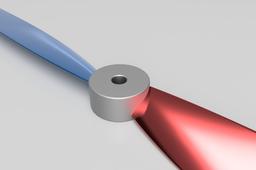
Propeller Designing Using fusion 360
VIVEK AKASH
in
Modeling
12
1
Intermediate
Designing the propeller APC 13*4 also represented as APC1304 Diameter: 13 inches Pitch: 4 inches Hub Diameter: 1 inch Hub Thickness: 1.48 inch Shaft Diameter .25 inch
Fusion 360
drone
wings
rotary
360
fusion
propeller
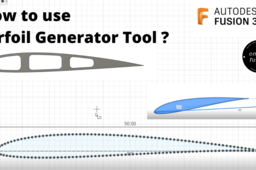
How to use the Airfoil Generator Tool in ~ Autodesk Fusion 360.
Harsh Priyanshu
in
Modeling
11
0
Beginner
Learn how to use the Airfoil Generator tool in Autodesk Fusion 360 to make approximate airplane ribs and wings. The model shown here in this video is an imaginary one just to show how the Airdoil tool works. I hope you enjoyed the designing process and the model. if you enjoyed the process and model, then hit subscribe and like the video. and don't forget to comment on your views on this model and process.
Fusion 360
autodesk
360
fusion
airplane
wings
airfoil
Winglet Design
Dono Cre'
in
Design & CAD
7
0
Beginner
Winglet Design By Solidworks
SOLIDWORKS
fiber
carbon
wings
motorcycle
winglet
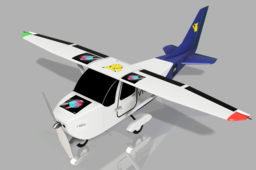
How to design a small Aircraft- using Autodesk Fusion 360
Harsh Priyanshu
in
Modeling
2
0
Beginner
Hello everyone, in this video i have demonstrated how anyone can make a fuselage structure of the aircraft with landing gears. so follow the video till last to make a fuselage structure exactly like shown in the video. Don't forget to watch second part of this video also to make aircraft wings and for final assembly. i hope you enjoyed the designing process and the model. if you enjoyed the process and model, then hit subscribe and like the video. and don't forget to comment your views on this model.
Fusion 360
truck
car
bus
fusion360
wings
cessna
aircraft
airplane
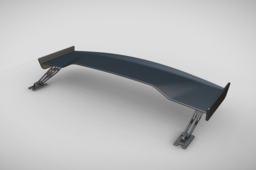
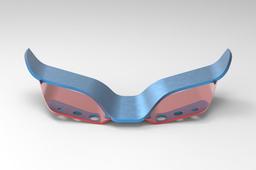
SPOILER || WINGS || 3D & SURFACE MODELING || VEHICLE BODY || NX SIEMENS
VR DESIGNER
in
Modeling
2
1
Expert
Welcome to our latest CAD tutorial! In this video, we'll walk you through the complete process of modeling a car spoiler using Siemens NX — one of the industry-leading CAD/CAM/CAE tools. From creating the initial sketches to finalizing the aerodynamic surfaces, you'll learn the professional techniques used in automotive design. Whether you're a beginner or looking to sharpen your skills, this tutorial will give you clear insights into using NX Surface Modeling, Extrude, Sweep, Loft, and Edge Blend features to create a realistic and functional spoiler. 🎯 What You'll Learn: - Setting up reference planes and curves - Sketching aerodynamic profiles -- Creating solid bodies using sweeps and lofts - Surface modeling techniques for smooth flow - Finishing touches: blends, fillets, and aesthetics - Best practices for automotive part design
NX Unigraphics
automobile engineering
asthetics
wings
spoiler
surface tutorial
cad tutorial
nx tutorial
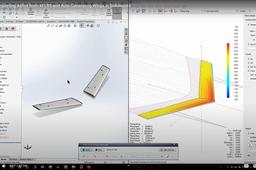
Importing Airfoil from XFLR5 and Auto-Generating Wings in Solidworks
Harvick Tang
in
Modeling
1
1
Intermediate
Video: https://www.youtube.com/watch?v=c_QEEPGUxDg In this tutorial, I will show you how to take an existing aircraft model in XFLR5 and regenerate new wings in Soildworks without editing any features. Required Software: XFLR5 Excel Solidwokrs Required Files: Example Aircraft.xfl - https://drive.google.com/open?id=1Hzz-hu-xgjX3AFN-c7iVGr3h0-pZCJxk XFLR5 to Solidworks Wing Importer.xlsx (Updated) - https://drive.google.com/open?id=1s5VodhyzljYV3vjOD-Ng-lpR-62zMSUp Wing Template.SLDPRT (Updated) - https://drive.google.com/open?id=154oFGNtYu2lWg4jG4Y9MhWufuqD4wra2 XFLR5 Tutorial - https://www.youtube.com/watch?v=P6AZTxZkojo
SOLIDWORKS
excel
solidworks
wings
generating
auto
xflr5
airfoil
tutorial