Learn about the GrabCAD Platform
Get to know GrabCAD as an open software platform for Additive Manufacturing
Visit our new homepage
Home
Control
Shop
Streamline Pro
Partner Program
Print
Community
Log in
Library
Challenges
Groups
Questions
Tutorials
Engineers
Blog
Log in
VR DESIGNER
AUTOMIBLE ENGINEER
Follow
Hire me
132
followers
PUNJAB, India
Tutorials
About
Models
56
Tutorials
49
More
Followers
132
Following
0
Likes
1
Following
0
Followers
132
Likes
1
Tutorials
Sort by:
Recent
Recent
Most liked
Most viewed
Most commented
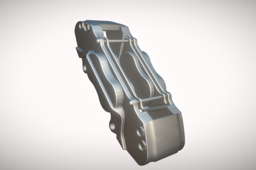
BRAKE CALLIPER || CALLIPER BODY || CALLIPER PISTON || BRAKE PADS || 3D MODELING || NX SIEMENS
VR DESIGNER
in
Modeling
1
0
Intermediate
In this tutorial, we take you through the process of creating a 3D model of a Brake Caliper using Siemens NX, a leading CAD software for precision design. Whether you're a beginner or a seasoned designer, this video will guide you in modeling one of the most crucial components of a braking system. What is a Brake Caliper? A brake caliper is a vital part of a disc braking system. It houses the brake pads and pistons, applying pressure to the rotor to create the friction needed to slow or stop a vehicle. Designed for durability and efficiency, brake calipers are commonly used in automobiles, motorcycles, and bicycles. What You’ll Learn in This Video: Basic Geometry: Sketching the brake caliper profile and creating its primary structure. Detailed Features: Modeling bolt holes, mounting brackets, piston housings, and pad slots. Design Techniques: Efficient use of extrude, revolve, shell, and pattern tools. Assembly Context: Understanding how the caliper integrates with the rotor and pads. Material Application: Applying realistic materials and textures for a professional look. Why Watch This Tutorial? Gain insight into parametric modeling for complex components. Learn tips and tricks to speed up your design process in Siemens NX. Perfect for students, automotive engineers, and mechanical designers. Don’t forget to like, comment, and subscribe for more CAD tutorials, automotive insights, and engineering design tips!
NX Unigraphics
rotor disc brake
brake
automotive part
3d model
cad tutorial
nx cad
brake pads
brake calliper
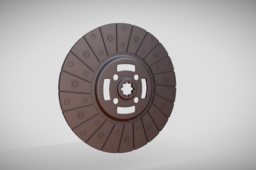
CLUTCH PLATE || RIBET || ASSEMBLY || FULL 3D MODELING || NX SEIMENS
VR DESIGNER
in
Modeling
1
0
Intermediate
In this tutorial, we’ll walk you through the 3D modeling process of a Clutch Plate using Siemens NX, one of the most powerful CAD tools for mechanical design. This video is perfect for students, designers, and professionals aiming to enhance their skills in automotive part modeling. What’s Covered in This Tutorial: Sketching the Clutch Plate Geometry: Learn how to create precise profiles for the clutch disc, friction surfaces, and inner hub. 3D Features for Complex Designs: Use tools like extrude, revolve, and pattern to build the clutch plate’s intricate details. Defining Slots and Friction Pads: Model the radial slots and evenly distribute friction pads using circular patterns. Material and Appearance Settings: Apply realistic material properties and textures to enhance the model’s visual appeal. Assembly Context: Understand how the clutch plate fits into a clutch assembly and functions in real-world applications. Key Highlights: Time-saving tips to accelerate your workflow in Siemens NX. Parametric modeling techniques for future modifications. Perfect for automotive and mechanical engineering projects. By the end of this video, you’ll have a professional-grade 3D model of a clutch plate and a deeper understanding of Siemens NX tools. Don’t forget to like, comment, and subscribe for more advanced CAD tutorials and engineering insights!
NX Unigraphics
tutorial
3d model
nx siemens
nx cad
clutch plate tutorial
cad tutorial
automotive part
clutch plate
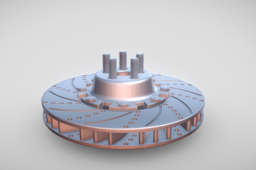
ROTOR BREAK DISC || ROTOR || ROTOR HUB || SCREW & SCREW NUT || WHEEL HUB ASSEMBLY || 3D MODEL || NX
VR DESIGNER
in
Modeling
1
0
Intermediate
Welcome to this detailed tutorial on 3D Modeling and Assembly of Rotor Disc Brake Parts in NX Siemens! 🚗💨 In this video, we’ll walk you through the complete process of designing individual components of a rotor disc brake, including: The rotor disc, Calipers, Brake pads, And other critical parts! We'll then seamlessly assemble these parts into a fully functional model, showcasing the power and precision of NX Siemens CAD software. This step-by-step guide is perfect for students, engineers, and CAD enthusiasts looking to enhance their skills in professional 3D modeling and mechanical assembly. ✅ What you'll learn: Advanced design techniques in NX Siemens Accurate dimensioning and tolerances for mechanical components Best practices for creating assemblies If you find this tutorial helpful, don’t forget to like, comment, and subscribe to stay updated on more CAD modeling and engineering content!
NX Unigraphics
cad tutorial
cad modeling
automobile engineer
wheel hub assembly
rotor
rotor disc brake
nx seimens
nx cad
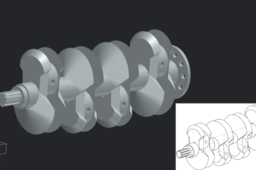
CRANKSHAFT FULL TUTORIAL || 3D CAD MODELING || NX SIEMENS
VR DESIGNER
in
Modeling
1
0
Intermediate
Dive into the fascinating process of designing a crankshaft using Siemens NX! 🚗💡 In this tutorial, I’ll guide you step-by-step through creating a detailed and precise 3D model, perfect for engineers, students, and enthusiasts looking to enhance their CAD skills. What you’ll learn: ✅ Sketching and dimensions setup ✅ Advanced use of extrude, revolve, and fillet features ✅ Symmetry and assembly-friendly modeling tips ✅ Practical techniques for high-accuracy modeling Whether you're preparing for a project, certification, or just exploring 3D modeling, this video has got you covered. Don’t forget to like, comment, and subscribe for more CAD tutorials and tips! Let me know your thoughts and what you’d like to see next.
NX Unigraphics
mechanical engineer
automobile engineer
3d modeling
crankshaft
cad tutorial
cad modeling
siemens nx
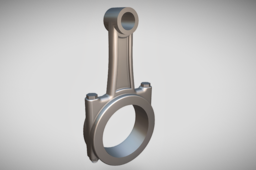
CONNECTING ROD || BEARING CAP || CONNECTING ROD ASSEMBLY || 3D MODELING || NX SIEMENS
VR DESIGNER
in
Modeling
1
0
Beginner
In this tutorial, learn step-by-step how to design a connecting rod for a piston using NX Siemens CAD software. We'll start by interpreting the engineering drawing and then move on to creating a precise 3D model. This video is perfect for beginners and professionals looking to enhance their skills in mechanical design and CAD modeling. 🎯 What you’ll learn in this video: Reading and understanding engineering drawings. Creating a parametric model of a connecting rod. Using NX tools like sketches, extrudes, fillets, and more. 👉 Whether you’re preparing for a project, an interview, or certification, this tutorial will give you a solid foundation in designing mechanical components. Don’t forget to like, comment, and subscribe for more CAD tutorials!
NX Unigraphics
engineering drawing
cadcreators
cad design
3d modeling
bearing cap
nx siemens
cad modeling
connecting rod
1
2
3
4