Learn about the GrabCAD Platform
Get to know GrabCAD as an open software platform for Additive Manufacturing
Visit our new homepage
Home
Control
Shop
Streamline Pro
Partner Program
Print
Community
Log in
Library
Challenges
Groups
Questions
Tutorials
Engineers
Blog
Log in
Auwaludin Chadafid
Always Learning & Doing With Totality
Follow
Hire me
24
followers
Indonesia
Tutorials
About
Models
18
Tutorials
3
More
Followers
24
Following
13
Likes
9
Following
13
Followers
24
Likes
9
Tutorials
Sort by:
Recent
Recent
Most liked
Most viewed
Most commented
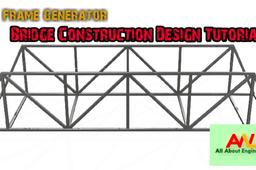
Frame Generator Tips : Fixing Your Bridge Construction - Editing Intersection Point
Auwaludin Chadafid
in
Assemblies
1
0
Intermediate
Frame Generator Tips : Fixing Your Bridge Construction - Editing Intersection Point Frame Generator to create internal frame and external frame assemblies for machines. Frame Generator is available in the assembly and weldment environments. You need a skeleton part on which to insert frame members. You can either: Create a model to use as a frame skeleton and place it in an assembly file (Place Component). Define the structure of a frame in the context of the assembly (Create Component). You can select sketch lines and edges from multiple parts to add to a skeletal part. As you select lines and edges, they are added to a skeletal part in the frame assembly. In the finished frame assembly, each frame member must have a corresponding line in the reference skeleton part. In the process to insert a frame member into an assembly, you select a Frame Member family from the Content Center. Then you define the size, material, and appearance parameters. After you select the frame member, you select one or more edges or a beginning and ending point for placement of the frame member. After you place frame members onto the structure, you add end treatments. End treatments specify the miters and cuts to join them. For a straight frame member with a miter on each end, such as an angled beam between two opposite inside corners, the correct frame length computes automatically. Frame Generator automates both the selection and placement of the standard frame members onto the skeleton or assembly components, and the addition of end treatments. For a frame member with a double miter (miter on each end), such as an angled beam between two opposite corners, the correct frame length computes automatically.
Autodesk Inventor
autodeskinventor
framegenerator
assembly
3d
autodesk
Frame Generator Autodesk Inventor : Step by Step Bridge Construction Design
Auwaludin Chadafid
in
Modeling
0
0
Intermediate
Frame Generator Autodesk Inventor : Step by Step Bridge Construction Building - Design your Construction Tutorial https://youtu.be/Mx47YGNv9Nk
Autodesk Inventor
framegenerator
inventor
construction
autodesk
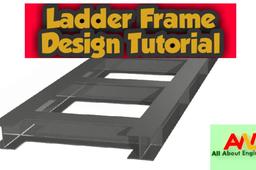
Ladder Frame Design Tutorial-Chassis Design
Auwaludin Chadafid
in
Modeling
1
0
Beginner
Autodesk Inventor 2020 Tutorial Video - basic how to designing Ladder Frame using Frame generator. step by step process.
Autodesk Inventor
structure
automotive
design