Learn about the GrabCAD Platform
Get to know GrabCAD as an open software platform for Additive Manufacturing
Visit our new homepage
Home
Control
Shop
Streamline Pro
Partner Program
Print
Community
Log in
Library
Challenges
Groups
Questions
Tutorials
Engineers
Blog
Log in
Engineering Juice
Youtube.com/c/engineeringjuice
Follow
58
followers
United States
Tutorials
About
Models
0
Tutorials
69
More
Followers
58
Following
0
Likes
1
Following
0
Followers
58
Likes
1
Tutorials
Sort by:
Recent
Recent
Most liked
Most viewed
Most commented
U.S Sheet Metal Gauge Explained
Engineering Juice
in
Manufacturing & CAM
1
0
Beginner
#sheetmetal #sheetmetalGauge #sheetmetalgauges ASTM standards for sheet metal gauge thickness and sheet metal gauge chart formula/ how to find the weight of a given gauge. Micrometers are often used (better than vernier calipers) for measuring this thickness value: https://amzn.to/2E9yZYy
metal
sheet
table
gauge
properties
steel
3D Printed MeanWell Power Supply Bracket for Creality Ender 3: Fusion 360 Tutorial in Modeling Parts
Engineering Juice
in
Modeling
4
0
Beginner
#3DPrint #3DPrinting #Ender3 (Material presented is for entertainment purposes only. I am not responsible for any injury or damage caused by installation, use or misuse of these devices.) We will model and assemble our own 3D printed brackets that allow the MeanWell power supply to be attached to the underside of the Ikea Lack table.
Fusion 360
print
printer
printing
3d
tutorial
360
fusion
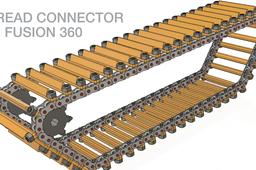
How to Model a Suspension System- Fusion 360 Tutorial (Tracked Robot Part 6)
Engineering Juice
in
Modeling
3
0
Intermediate
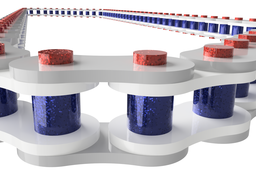
#Fusion360 #Fusion360Tutorial #AutodeskFusion360 In this series, we will design and develop a tracked, tank-like mobile robot optimized for use on sand and in desert environments. The modeling of the treads, custom sprocket, idler rollers and 3D printed suspension system will be shown in great detail. We will first create the chain links themselves and the tread pieces, then pattern them along the shape of the loop. Once we finish this, we will create the custom sprocket and motor connection followed by the idler spindle and finally the suspension system. In the end, we can mirror our entire assembly to the other side to create the right side tread. Working on only one side at a time makes it easier on our computers and allows us to work faster with less lag-time.
Fusion 360
autodesk
robot
robotics
tutorial
360
fusion
Re-Designing The Nozzle Cooling Duct on Ender 3/ Sovol SV1 in Fusion 360: Tutorial in Modeling Parts
Engineering Juice
in
Modeling
2
0
Beginner
We will be redesigning the air scoop to work more effectively.
Fusion 360
ender
print
printing
3d
modeling
tutorial
360
fusion
Fusion 360 Thermal Simulation Tutorial- Loads and Constraints Coffee Mug Part 2
Engineering Juice
in
Simulation & CAE
2
0
Beginner
#Coffee #ThermalConduction #ThermalSimulation Music is from Youtube free library. -This is a thermal load simulation.
Fusion 360
thermal
simulation
tutorial
360
fusion
Coffee Cup Thermal Load Simulation in Fusion 360
Engineering Juice
in
FEM
4
0
Beginner
#Coffee #ThermalConduction #ThermalSimulation All video clips used are under: Pixabay License, Free for commercial use, No attribution required. Music is from Youtube free library. -This is a thermal load simulation.
coffee
beginner
fem
simulation
tutorial
360
fusion
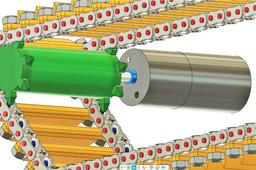
How to Make a DC Motor & Sprocket Assembly: Fusion 360 Robotics Tutorial for Beginners (Robot Part 3)
Engineering Juice
in
Assemblies
2
0
Beginner
#Fusion360 #Fusion360Tutorial #AutodeskFusion360 In this series, we will design and develop a tracked, tank-like mobile robot optimized for use on sand and in desert environments. The modeling of the treads, custom sprocket, idler rollers and 3D printed suspension system will be shown in great detail. We will first create the chain links themselves and the tread pieces, then pattern them along the shape of the loop. Once we finish this, we will create the custom sprocket and motor connection followed by the idler spindle and finally the suspension system. In the end, we can mirror our entire assembly to the other side to create the right side tread. Working on only one side at a time makes it easier on our computers and allows us to work faster with less lag-time. Buy this chain for projects: https://amzn.to/3f2FZEl
Fusion 360
project
robotics
assemblies
beginner
tutorial
360
fusion
Robotic Tank Tread Assembly- Fusion 360 Tutorial (Tracked Robot Part 2)
Engineering Juice
in
Assemblies
11
3
Beginner
#Fusion360 #Fusion360Tutorial #AutodeskFusion360 Buy this chain: https://amzn.to/3f2FZEl In this series, we will design and develop a tracked, tank-like mobile robot optimized for use on sand and in desert environments. The modeling of the treads, custom sprocket, idler rollers and 3D printed suspension system will be shown in great detail. We will first create the chain links themselves and the tread pieces, then pattern them along the shape of the loop. Once we finish this, we will create the custom sprocket and motor connection followed by the idler spindle and finally the suspension system. In the end, we can mirror our entire assembly to the other side to create the right side tread. Working on only one side at a time makes it easier on our computers and allows us to work faster with less lag-time.
Fusion 360
robotics
tutorial
360
fusion
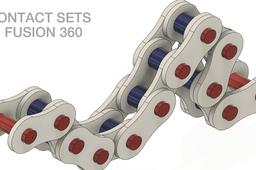
How to Set Up Contact Sets in Fusion 360
Engineering Juice
in
Modeling
1
0
Beginner
#Fusion360 #Fusion360Tutorial #AutodeskFusion360 Tutorial on how contact sets work and how to set em' up! Buy This Chain: https://amzn.to/3f2FZEl
Fusion 360
beginners
absolute
beginner
2019
sketch
modeling
tutorial
360
fusion
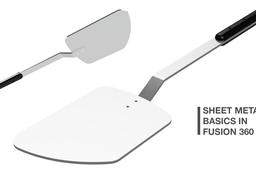
How to Use Sheet Metal in Fusion 360! Modeling Tutorial for Beginners
Engineering Juice
in
Modeling
1
0
Beginner
I'll be showing you how to use the sheet metal tool to create a spatula in Fusion 360.
Fusion 360
metal
sheet
tutorial
360
fusion
How to Pattern a Roller Chain Along a Path in Fusion 360
Engineering Juice
in
Assemblies
1
0
Beginner
#Fusion360 #Fusion360Tutorial #AutodeskFusion360 Buy Chain: https://amzn.to/3f2FZEl In this series, we will design and develop a tracked, tank-like mobile robot optimized for use on sand and in desert environments. The modeling of the treads, custom sprocket, idler rollers and 3D printed suspension system will be shown in great detail. We will first create the chain links themselves and the tread pieces, then pattern them along the shape of the loop. Once we finish this, we will create the custom sprocket and motor connection followed by the idler spindle and finally the suspension system. In the end, we can mirror our entire assembly to the other side to create the right side tread. Working on only one side at a time makes it easier on our computers and allows us to work faster with less lag-time.
Fusion 360
beginner
modeling
assemblies
tutorials
360
fusion
Model a Nitrous Oxide Tank in Solidworks! Tutorial for Beginners Exercise, Lesson in Modeling Parts
Engineering Juice
in
Design & CAD
1
0
Beginner
#SolidworksTutorial #SolidworksSimulation #Solidworks 0:00 - 7:00 Initial Sketch 7:00 - 7:50 Revolve Boss/ Base 7:50 - 9:02 Fillets 9:02 -9:55 Shell Part 9:55 - 10:10 Section View 10:10 - 11:05 Material Selection and Mass Properties 11:11 - 15:40 Create Thread using Helix and Spiral Tool 15:40 - 23:49 Thread Tooth Sketch and Sweep 23:49 - 30:10 Add Debossed Text to Part Surface Hi, in this tutorial we will be modeling a nitrous oxide bottle in Solidworks using the skills we learned in the previous lessons. Creating this part will involve adding a CGA #660 Thread to the neck of the tank. We will be creating an estimated thread using a sketch and the helix/ spiral tool (not accurate to CGA #660). Once we create the revolve and fillets, we will use the shell tool and section view to aid us in estimating correct dimensions. *Disclaimer: All information presented in this video is for entertainment purposes only.*
SOLIDWORKS
beginners
2020
modeling
lesson
tutorial
solidworks
Static Simulation in Fusion 360! Bicycle Crank Arm Tutorial
Engineering Juice
in
Simulation & CAE
5
0
Beginner
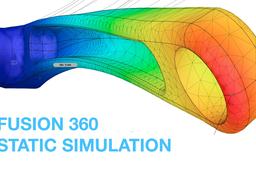
0:25 Simulation Start 0:56 Simplify 1:31 Materials 2:02 Constraints 2:58 DOF View 3:23 Loads 4:52 Solve In this tutorial, we will create a static simulation for our bicycle crank arm in Autodesk Fusion 360. We will simplify our assembly, to remove the fittings, then add a material, constraints and a load to the end of the arm. When we solve our assembly, we will end up with the amount of deformation. We will then run the simulation again once we core out the inside of our crank arm to see the difference in the analysis.
Fusion 360
static
simulation
tutorial
lesson
360
fusion
Model a Water Bottle in Fusion 360! Tutorial for Absolute Beginners/ Thread Tutorial
Engineering Juice
in
Modeling
0
0
Beginner
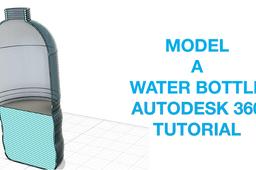
In this tutorial we will be modeling a water bottle in Autodesk Fusion 360. We will learn to use the: -Sketch tool: 0:00-5:25 -Revolve Feature: 5:25-6:15 -Fillet Feature: 6:15-8:00 -Shell Feature 8:00-9:21 -Thread Tutorial 9:21-12:08 -Section Analysis 12:08-14:00
Fusion 360
modeling
tutorial
360
fusion
Gear "Module" Explained in 1 Minute
Engineering Juice
in
Engineering Fundamentals
7
2
Beginner
#GearModule #Gears #Module https://amzn.to/3fjbhH3 Module=d/N (d is pitch diameter and N is number of teeth) Number of Teeth = Reference Diameter/ Module Reference Diameter = Module x Number of Teeth Reference Pitch = Module x Pi Like and subscribe for more!
Fusion 360
definition
formula
module
calculation
reduction
explained
ratio
gear
1
2
3
4
5