Learn about the GrabCAD Platform
Get to know GrabCAD as an open software platform for Additive Manufacturing
Visit our new homepage
Home
Control
Shop
Streamline Pro
Partner Program
Print
Community
Log in
Library
Challenges
Groups
Questions
Tutorials
Engineers
Blog
Log in
Farhan Shajahan
Mechanical Engineer specialised in Design , Manufacturing and 3D Printing.
Follow
Hire me
33
followers
Dubai, United Arab Emirates
Tutorials
About
Models
15
Tutorials
1
More
Followers
33
Following
39
Likes
18
Following
39
Followers
33
Likes
18
Tutorials
Sort by:
Recent
Recent
Most liked
Most viewed
Most commented
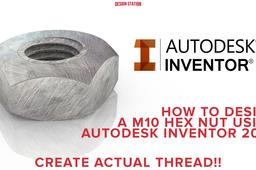
How to design a M10 Hex Nut using Autodesk Inventor 2020
Farhan Shajahan
in
Modeling
1
5
Beginner
In this tutorial i will be showing how to create a M10 Hex Nut using Autodesk Inventor 2020.Normally people create a polygon followed by extruding it and later creating a hole of 10 mm to design one, but that is not enough.We need to do the following steps of creating a polygon, extruding it, create a taper of 45 degree on the top and bottom surface followed by creating a hole and later threading it. Another issue noticed in Autodesk Inventor 2020 is that the thread created on the surface is not the real thread and is just a texture map.Hence we will show you on how to create an actual thread.
Autodesk Inventor
industrial
manufacture
manufacturing
m10
hex
nut