Learn about the GrabCAD Platform
Get to know GrabCAD as an open software platform for Additive Manufacturing
Visit our new homepage
Home
Control
Shop
Streamline Pro
Partner Program
Print
Community
Log in
Library
Challenges
Groups
Questions
Tutorials
Engineers
Blog
Log in
Hemant Sharma
I am Mechanical Engineering graduate, who loves to make designs. Along with CAD designing aeromodelling is one of my loving hobby. I can spent my maximum time in doing any aviation activity. In short I am crazy aviation enthusiastic.
Follow
Hire me
3
followers
Faridabad , India
Tutorials
About
Models
4
Tutorials
4
More
Followers
3
Following
1
Likes
0
Following
1
Followers
3
Likes
0
Tutorials
Sort by:
Recent
Recent
Most liked
Most viewed
Most commented
[VIDEO] AutoCAD Tutorial Part - 4
Hemant Sharma
in
Design & CAD
0
0
Beginner
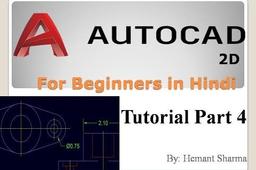
The commands discussed in this video are mentioned below along with the shortcuts. 1. Point (Po + enter) 2. Circle : 3P , 2P and TTR A. 3 point circle : c + enter + 3p B. 2 point circle: c + enter + 2p C. tangent tangent radius circle: c + enter + ttr 3. Rotate (Ro + enter) 4. Join (J + enter) 5. Explode (x + enter Links of previous lecture are mentioned below: Part 1: https://www.youtube.com/watch?v=ADIwx... Part 2: https://www.youtube.com/watch?v=rsW8V... Part 3: https://www.youtube.com/watch?v=IBZSj... If you like this video please share the video and subscribe my youtube channel. Follow me on facebook: fb.me/aviationarchive1999
AutoCAD
engineering
designing
cad
aviationarchive
[VIDEO] AutoCAD Tutorial - Part 3
Hemant Sharma
in
Design & CAD
0
0
Beginner
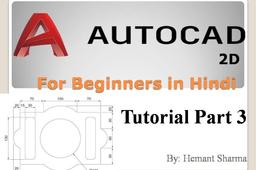
This tutorial has been made on AutoCAD 2017 version , while the previous two tutorial has been recorded on AutoCAD 2014. Although commands are same, so not worry. The commands discussed in this video are mentioned below along with the shortcuts. 1. Fillet (f + enter) 2. Chamfer (cha + enter) 3. Scale (sc + enter) 4. Arc (arc + enter) 5. Arc length dimension (dimarc + enter) Links of previous lecture are mentioned below: Part 1: https://www.youtube.com/watch?v=ADIwx... Part 2: https://www.youtube.com/watch?v=rsW8V... If you like this video please share the video and subscribe my youtube channel. Follow me facebook: fb.me/aviationarchive1999
AutoCAD
designing
cad
engineering
aviationarchive
[VIDEO] AutoCAD Tutorial - Part 2
Hemant Sharma
in
Design & CAD
0
0
Beginner
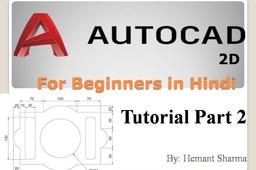
Following commands of autocad has been discussed in this part 1. Polyline: Pl + enter 2. Move: M + enter 3. Copy: Co + enter 4. Mirror: Mi + enter 5. Dimension Aligned: Dal + enter 6. Dimension Angular: Dan + enter Do watch the video for more understanding of these commands. Part 1 tutorial link: https://www.youtube.com/watch?v=ADIwx... If you like this video please share the video and subscribe my youtube channel Aviation archive. Follow on facebook: fb.me/aviationarchive1999
AutoCAD
designing
cad
engineering
aviationarchive
[VIDEO] AutoCAD Tutorial - Part 1
Hemant Sharma
in
Design & CAD
0
0
Beginner
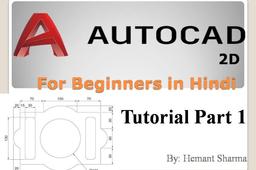
In this video I discussed about four very basic commands of AutoCAD namely- 1. Line 2. Rectangle 3. Circle 4. Trim Along with this I also discussed how can we measure the dimensions of line and circle using the dimension linear and radius / diameter command. The shortcut of all these commands are mentioned below: Line: L + enter Circle: C + enter Rectangle: Rec + enter Trim: Tr + enter + enter Dimension linear: Dli + Enter Dimension Radius: Dra + enter Dimension Diameter: Ddi + enter If you like this video please share the video and subscribe my youtube channel Aviation archive.
AutoCAD
designing
cad
engineering
aviationarchive