Learn about the GrabCAD Platform
Get to know GrabCAD as an open software platform for Additive Manufacturing
Visit our new homepage
Home
Control
Shop
Streamline Pro
Partner Program
Print
Community
Log in
Library
Challenges
Groups
Questions
Tutorials
Engineers
Blog
Log in
JordanT
ideation to creation
Follow
Hire me
25
followers
United States
Tutorials
About
Models
12
Tutorials
1
More
Followers
25
Following
0
Likes
4
Following
0
Followers
25
Likes
4
Tutorials
Sort by:
Recent
Recent
Most liked
Most viewed
Most commented
ANSYS workbench interface CREO
JordanT
in
Other
3
0
Beginner
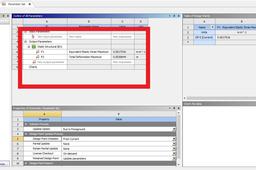
Tutorial objective outcomes: -develop skill in ANSYS workbench FEA -determine MAX stress location -define loads -define constraints - Background: FEA analysis on BAJA frame design. The Baja frame is model in CREO and surface sweeps. The frame surface is assigned a thickness in ANSYS workbench. Pre-requite- ANSYS product/CAD configuration installed. This tutorial is based on https://www.youtube.com/watch?v=5FqyNxxGzCs
creo
fea
workbench
ansys