Learn about the GrabCAD Platform
Get to know GrabCAD as an open software platform for Additive Manufacturing
Visit our new homepage
Home
Control
Shop
Streamline Pro
Partner Program
Print
Community
Log in
Library
Challenges
Groups
Questions
Tutorials
Engineers
Blog
Log in
mahdi zolfaghari
Mechanical Engineer and Industrial Designer with experience in the machinery industry and a diverse background in sectors including pharmaceutical and medical industries, steel production and etc
Follow
Hire me
121
followers
MASHHAD, Iran, Islamic Republic of
Tutorials
About
Models
24
Tutorials
0
More
Followers
121
Following
19
Likes
13
Following
19
Followers
121
Likes
13
Tutorials
Sort by:
Recent
Recent
Most liked
Most viewed
Most commented
"Complete Tutorial of the Sheet Metal Tab in SolidWorks"
mahdi zolfaghari
in
Modeling
0
0
Beginner
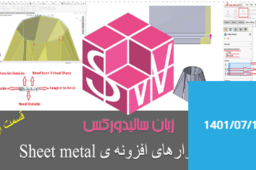
In the “Sheet Metal Add-In – Part 1” tutorial on Soonama, the instructor first introduces the key tools of this add-in — such as Lofted-Bend, Edge Flange, Miter Flange, Hem, and the Flatten tool for unfolding sheet parts. He then explains how the Lofted-Bend feature works: by creating two open sketches (on different planes) and defining parameters like sheet thickness, thickness direction, and options such as Formed or Bent, a curved sheet part can be generated. The Flatten tool is also highlighted, which is used to display the developed (unfolded) state of the sheet so that the flat pattern can be examined before or after bending. This text is in Persian.
SOLIDWORKS
httpssoonamacomblog1111solidworks-sheet-metal-part4
httpssoonamacomblog1110solidworks-sheet-metal-part3
httpssoonamacomblog1109solidworks-sheet-metal-part2
httpssoonamacomblog1108solidworks-sheet-metal-part1