

How can build in solidworks

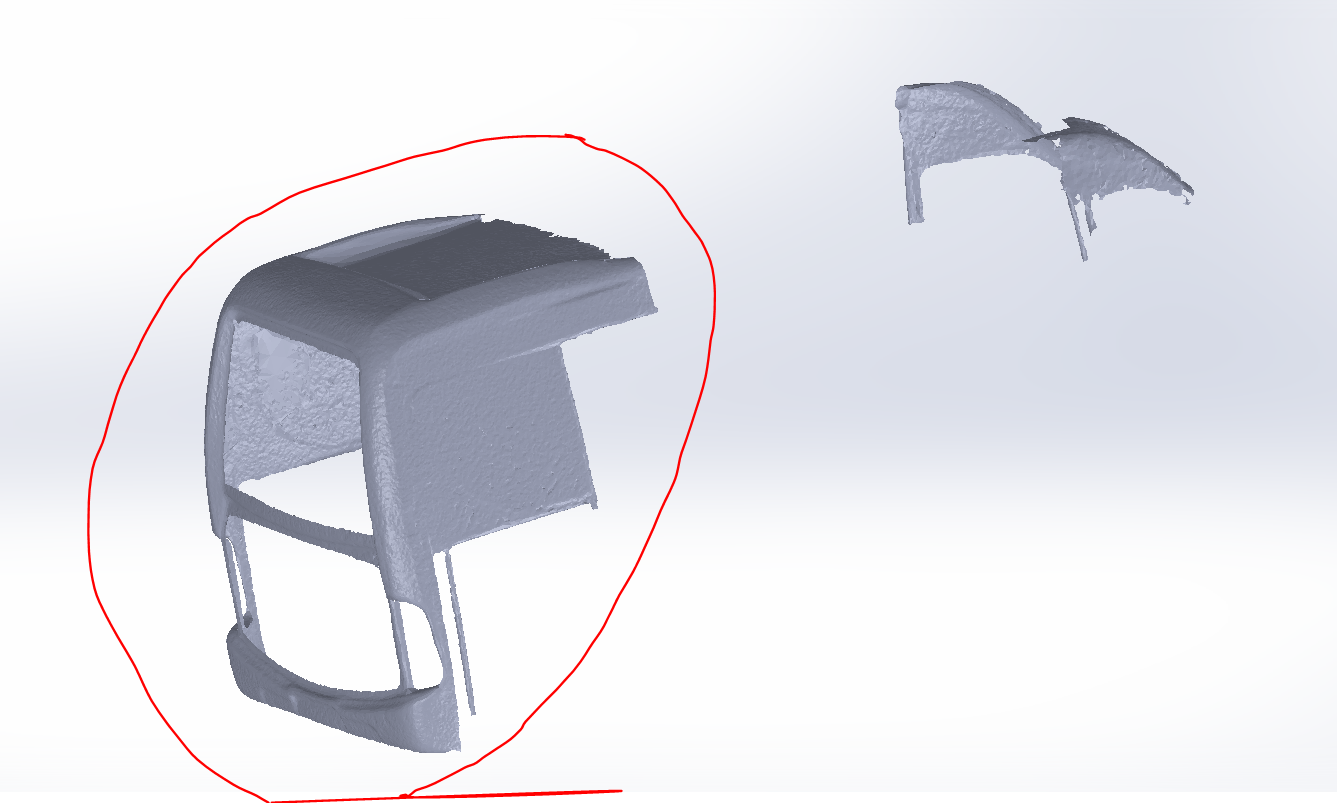
Hello everyone ! I have a problem to build a piece which is scanned and has the extension .obj or .stl (see the attach). I try to do with power surface add in in solidworks but I didn't get an exactly form like real model. I want to say I need these for to do a mold(matrix) and after I want to make the model from glass fiber.
So if you have any ideas or if you know how I can make these ,please tell me. Thank you.
3 Answer

I didn't really get what you are trying to say but I guess you are complaining about the coarse texture of the model. If that's the case I think you either have to scan the object with a higher resolution scanner ( but still there will be coarseness when you zoom in ) or build the whole geometry using Solidworks surfacing tools ( take your scanned model as the reference geometry ). I think it's bit arduous but it,s the only way you can get a smooth-surfaced product ( .obj and stl are not generic to Solidworks ).
Out of the curiosity I did a google search and found out that you can also use prower surface s' tools too. Please reffer to this video material - https://www.youtube.com/watch?v=ettAX-Fix4c

I'm not familiar with the Power Surface Add-In, but you have the right idea.
If this is going to be used with CNC equipment to make a mold, you'll need a smooth/clean NURBS model, and that will most likely only occur by rebuilding the model feature by feature, surface by surface.
There is no easy way to do this task by pressing a button. It is going to take hours of work, and some years of experience.
There is some software which will try to wrap a NURBS surface around your mesh models, but the resulting topology is often not very useful, except as a guide when rebuilding the model.
Think positive though. The model you have looks to be symmetric, so you may have just reduced the amount of work by 50%
It is very brief, but I have a mesh to SOLIDWORKS example file which shows the major steps used in the conversion process: https://grabcad.com/library/stl-to-nurbs-reverse-engineer-scan-data-1
As FredSWUG said it's hard to build surface by surface using Solidworks. If you have ever come up with a software called 'Autodesk MeshMixer' gives you a "cheap" alternative to that ( sculpting and smoothing around the base model ).
Video reference - https://www.youtube.com/watch?v=EoawJMWemLg&index=3&list=LLetUOgVQUEYHlUe7fQRQioA&t=0s

