

How to Creat Large Patterns using Inventor 2012?

I'm trying to make a large perforated pattern for a television speaker area. It consists of almost 13,000 very small holes. Inventor freezes when I array the pattern. Is there an easier way of creating this type of pattern?
I attached a photo of the TV I'm modeling, I'm referring to the small hole pattern on the bottom of the television where the speakers are located.

9 Answers

You might be able to achieve the look by using a material with hole like expanded metal. Just a thought.

I would suggest to split the whole pattern in sections it works better but it's a bit annoying to manipulate it...

Hi Cullen there is no easy way it is down to IV and the resourses the software will use from your computer. You will always get a problem with this kind of comand... 3 options, bare with it with your comp, buy a super comp, ask someone on GrabCAD that does have a super comp if there could do it for you.
:P
I've come to the same conclusion. I tried splitting the pattern into smaller sections, and it worked it just takes a lot of time. I'll try making a pattern that looks similar, otherwise I'll just skip it until I have 20K to drop on a supercomputer. Is there another program that can handle this type of command other than AutoCAD? Will solidworks handle this better?
Thanks
There maybe some software that is somewhat better than others, but bottom line 13000holes creates a lot of geometry. Try making a sheet metal part that is say 24in square. Make the part metal and apply an expanded metal surface to it. It is a very believable look with out the geometry.
With some research the correct look should be achievable.
If anyone would like to take a look Here is the model in which I need the perforation, If you need a different format please ask.
Diameter of each circle is .05", and about .1" apart from one another from center point to center point.
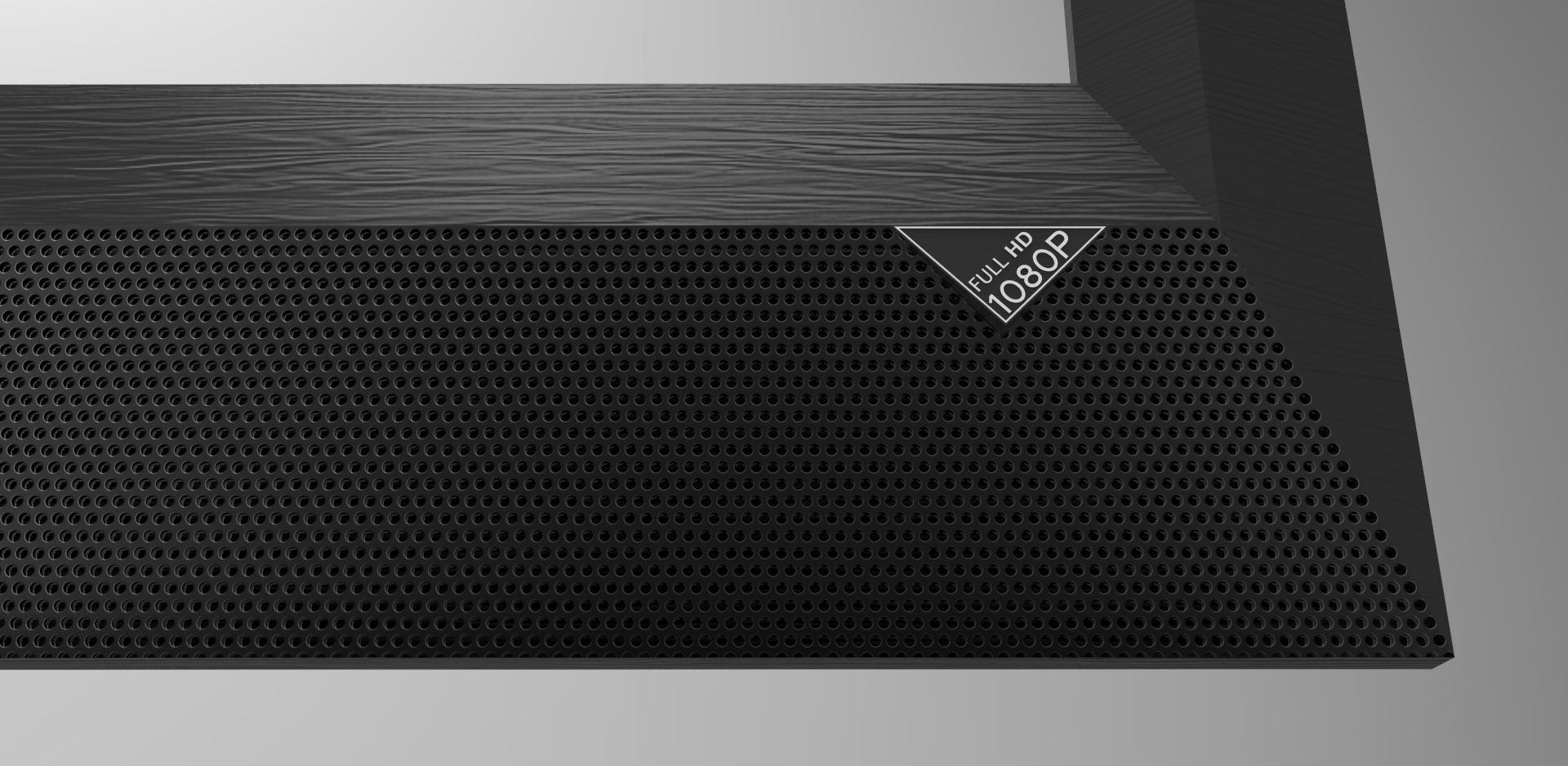
I was able to apply a material to the model in Keyshot that looks really similar. Here is a render of the pattern. Thanks for the suggestions


I wish Autodesk would do something about this issue, because its a major barrier for my process. I drew this wall with 4500+ holes and it took forever for inventor to figure out the geometry. Every small correction took about 5 minutes to recalculate. The most frustrating part is that my computer was only running about 15% in processing power and i also had lots of ram left. Inventor should at least use the power available.
Here's my wall: http://www.behance.net/gallery/CPH-Urban-Toilet/5826687
Anyways, i'm happy that keyshot could help you out.
- Morten

