Learn about the GrabCAD Platform
Get to know GrabCAD as an open software platform for Additive Manufacturing
Visit our new homepage
Home
Control
Shop
Streamline Pro
Partner Program
Print
Community
Log in
Library
Challenges
Groups
Questions
Tutorials
Engineers
Blog
Log in
sumithkarun
Follow
Hire me
80
followers
Chennai, India
Tutorials
About
Models
25
Tutorials
10
More
Followers
80
Following
3
Likes
390
Following
3
Followers
80
Likes
390
Tutorials
Sort by:
Recent
Recent
Most liked
Most viewed
Most commented
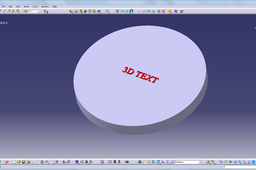
how to make the 3d text on the model in catia?
sumithkarun
in
Design & CAD
1
4
Beginner
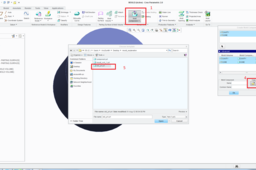
There are actually 2 methods of creating a 3d text on the model 1- Importing a dxf file of the text 2- Using a 3rd party software-Type 3
CATIA
how to use graph feature in proe
sumithkarun
in
Design & CAD
0
0
Beginner
Please go through the tutorial
Pro/Engineer Wildfire
could anyone explain me about make flexible option in Pro E assembly ??
sumithkarun
in
Design & CAD
1
0
Beginner
Please see the tutorial
PTC Creo Elements
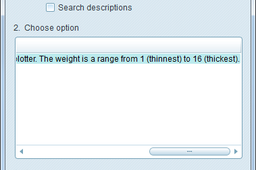
how to adjust the lineweight in proe?
sumithkarun
in
Design & CAD
0
0
Beginner
step-1. Go to Tools > Options step-2. In the option text bar type "pen*_line_weight" and hit find step-3. Set the values of the different lines from 1 (thinnest) to 16 (thickest) step-4. Click Add/Change, then Apply
Pro/Engineer Wildfire
printing
proe
how to create bom in pro-e 5.0
sumithkarun
in
Design & CAD
1
0
Beginner
Creating bom in pro e 5 is easy. Manual creation of bom is shown is the tutorial.
PTC Creo Elements
pro-e
how can i show cut section in drafting of pro e wildfire 5
sumithkarun
in
Design & CAD
0
0
Beginner
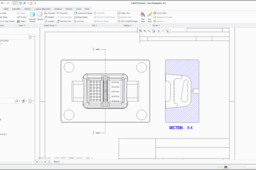
To show cut section in drafting of pro e , we generally create "X" sections in the part level and call those "X" sections in projected views. This tutorial may help you .
Pro/Engineer Wildfire
ANYONE KNOW PATTERN USING TABLE IN PRO-ENGINEER
sumithkarun
in
Design & CAD
0
0
Beginner
Pattern using table is very easy. I have uploaded a tutorial please follow it
Pro/Engineer Wildfire
ProE mold cavity shelhoutte curve and option
sumithkarun
in
Design & CAD
0
0
Beginner
Shelhoutte curve is a curve formed on outline of a part when viewed in particular direction. I am not going to explain the entire core cavity split because we already discussed it in previous tutorial . Please go through following steps
PTC Creo Elements
can anybody help me for to spilit core cavity in unigraphics or pro/e
sumithkarun
in
Design & CAD
1
0
Beginner
I am not that comfortable with Unigraphics, but i could help you with Creo parameteric(Latest version of Pro E), I took a simple component to explain the procedure but it needs a good understanding of moulding process to become a real expert in Core Cavity split. should understand the concepts of different parting surfaces. Dont worry! it is not a rocket science ,
NX Unigraphics
core
part
mold
cavity
by
wizard
mode
spilit
How to pattern linear and circular at the same time?
sumithkarun
in
Design & CAD
0
0
Beginner
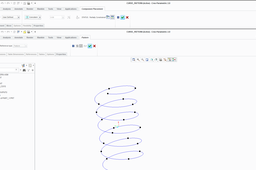
This type of pattern could be solved creating a 3D curve (Helix) and patterning datum point on the curve,as I have explained below
SOLIDWORKS
circular
linear
pattern