Learn about the GrabCAD Platform
Get to know GrabCAD as an open software platform for Additive Manufacturing
Visit our new homepage
Home
Control
Shop
Streamline Pro
Partner Program
Print
Community
Log in
Library
Challenges
Groups
Questions
Tutorials
Engineers
Blog
Log in
Learn from thousands of free Tutorials.
New user?
Join the community
or
log in.
Tutorials
Most liked all time
Recent
Most liked
Most viewed
Most commented
This week
This month
All time
Category
Design & CAD
Modeling
Drafting
Assemblies
BOM
Dimensioning / Tolerancing
Translations
Manufacturing & CAM
3D Printing
Tooling
NC Machining
Composites
Measurement / Inspection
Simulation & CAE
FEM
CFD
Kinematics
Process Simulation
Engineering Fundamentals
Theory
Process
Standards
Other
Software
Snagit
Alibre Design
ArchiCAD
AutoCAD
AutoCAD Electrical
Autodesk 3ds Max
Autodesk Alias
Autodesk Inventor
Autodesk Maya
Autodesk Revit
Autodesk 123D
BricsCAD
Bentley MicroStation
BlenderCAD
BobCAD-CAM
CATIA
Delmia
DraftSight
FreeCAD
Femap
Fusion 360
Geomagic Design
IronCAD
JT
Kompas-3D
KeyCreator
KeyShot
Lagoa
Luxology
Mastercam
Moi3D
NX Unigraphics
OBJ
Onshape
OpenSCAD
Parasolid
Powermill
Powershape
Pro/Engineer Wildfire
PTC Creo Parametric
PTC Creo Elements
Rhino
SpaceClaim
SOLIDWORKS
solidThinking Evolve
Solid Edge
SolidFace
STEP / IGES
SketchUp
STL
TopSolid
TinkerCAD
T-Flex CAD
TurboCAD
VectorWorks
ViaCAD 3D
VRML / WRL
ZW3D
GrabCAD Print
Rendering
GrabCAD Community
GrabCAD Workbench
Text file
3D Manufacturing Format
Cinema 4D
Other
Skill level
All levels
Beginner
Intermediate
Expert
Drafting
×
Process Simulation
×
AutoCAD Tutorial : How to Create Wall Sketch with Dynamic Block Feature
Dono Cre'
in
Drafting
0
0
Beginner
In this tutorial I will share about how to create a Wall Sketch with Dynamic Block Feature design using the Autodesk AutoCAD software with various features.
AutoCAD
tips
block
dynamic
sketch
autodesk
autocad
Autocad Tutorial in Hindi , Limits lesson-3
Engineering Hacks
in
Drafting
0
0
Beginner
Hey Guys welcome back to the new video of autocad tutorial series In this video you will learn about the limits ,limits command in autocad is used to work in limited area by the use of this command we can justify a rectangular area in which we can draw any drawing and we can not draw any drawing outside this area, this is useful to work quickly and effectively.
AutoCAD
basic
2020
limits
tutorials
advance
hindi
autocad
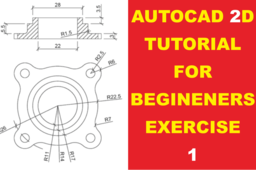
Autocad 2D Tutorial for Beginners Exercise 1
Abdul Azis
in
Drafting
0
0
Beginner
Bearing 2D https://youtu.be/wQcyDN8MwhI Autocad 2D Shaft https://youtu.be/TCEyZhdJD5o Mur / Nut https://youtu.be/Brf_ND0WaCg Ikuti Juga ! Facebook : https://web.facebook.com/pg/JagoAutoC... Instagram : https://www.instagram.com/jagoautocad/ Brlogger : https://jagoautocad.blogspot.com/ #JagoAutoCAD #AutoCAD
AutoCAD
jagoautocad
autocad
How to select Working Directory in Creo|Tutorial form Basic for Beginner|in Hindi|DesignWale GuruG
Perfect Cad service
in
Drafting
0
0
Beginner
In this video we can discuss about the working directory in creo. How to use Line, Circle, Ellipse tool in Creo|Creo Tutorial form Basic for Beginner|DesignWale GuruG video link:- https://youtu.be/rOvyOZ2AhAY Related Quare:- what is a working Directory?
PTC Creo Parametric
hub
hindi
gurug
designwale
beginner
basic
form
tutorial
ptc
directory
working
creo
How to use Arc tool in creo|Rho|Creo Tutorial form Basic for Beginner|in Hindi|DesignWale GuruG
Perfect Cad service
in
Drafting
0
0
Beginner
In this video we can discuss about the arc tool and its type in creo. Rho mean in creo. Rho value are less then to 0.5 at that condition this shape are Ellipse. Rho value are Equal to 0.5 at that condition this shape are Parabola. Rho value are greater then to 0.5 at that condition this shape are Hyperbola.
PTC Creo Parametric
cero
ptc
beginner
basic
form
tutorial
types
mean
rho
gurug
designwale
hindi
creo
tool
sketch
arc
[S-6] How to use Fillet, Chemfer and Text tool in creo | Creo Tutorial form Basic for Beginner
Perfect Cad service
in
Drafting
0
0
Beginner
In this video we can learn about use of Fillet Chamfer and Text tool.
PTC Creo Parametric
ptc
gurug
designwale
use
how
text
chamfer
fillet
creo
AutoCAD - Complete Tutorial for Beginners - Exercises 2
MRCAD
in
Drafting
0
0
Intermediate
COMPLET COUESH FOR 100 EXERCISEC FUNCTION KEY:- Ø ESC : To cancel Command Ø F1 : Autocad Help Ø F2 : Text Window on/off To see recently used command, options, Points. Ø F3 : Osnap button on/off. Ø F4 : Tablet on/off (Autocad 2010 & Prior Versions) 3DOSNAP ON/OFF (Autocad 2011 & Autocad 2012) Ø F5 : To change isoplane in isometric drawing. Ø F6 : DUCS (Dynamic user co-ordinate system) button on/off. Ø F7 : Grid button on/off. By default grid spacing is 0.5 inch in X- direction and Y direction. Ø F8 : Ortho button on/off. Ø F9 : Snap button on/off If snap button is on mode from status bar than cursor will be Jump on the graphic one dot to another dot. Ø F10 : Polar button on/off. (Alternate off ortho button) Ø F11 : Otrack button on/off. (object snap tracking) Ø F12 : DYN button on/off. (Dynamic input) Short cut keys:- Ø Ctrl+A : select all Ø Ctrl+B : Snap on/off Ø Ctrl+C : Copy objects to clipboard Ø Ctrl+D : Dynamic UCS (DUCS) on/off Ø Ctrl+E : To change isoplane in isometric Ø Ctrl+F : Osnap on/off Ø Ctrl+G : Grid on/off Ø Ctrl+H : Set variable Ø Ctrl+I : Co-ordinate on/off Ø Ctrl+J : Repeat Last Command Ø Ctrl+K : Hyperlink Command Ø Ctrl+L : Ortho on/off Ø Ctrl+M : Repeat Last Command Ø Ctrl+N : To create new autocad file Ø Ctrl+O : To open autocad file Ø Ctrl+P : To print/plot autocad file Ø Ctrl+Q : To Quit/Exit from autocad Ø Ctrl+R : To cycle between viewports Ø Ctrl+S : To save autocad file Ø Ctrl+T : Tablet on/off Ø Ctrl+U : Polar on/off Ø Ctrl+V : Paste objects from clipboard Ø Ctrl+W : Otrack on/off (Autocad 2010 & prior ver.) Ø Ctrl+W : Selection cycling on/off (New Autocad 2011) Ø Ctrl+X : Cut objects to clipboard Ø Ctrl+Y : Redo Ø Ctrl+Z : Undo Ø Ctrl+0 : Clean Screen Ø Ctrl+1 : Properties Ø Ctrl+2 : Autocad design center Ø Ctrl+3 : Tool Palettes Ø Ctrl+4 : Sheet set Manager Ø Ctrl+5 : Info palette ( not working from Acad2008) Ø Ctrl+6 : Database Connect Ø Ctrl+7 : Markup set manager Ø Ctrl+8 : Quick calculator Ø Ctrl+9 : Show /Hide Commandline Window Ø Ctrl+Shift+C : Copy objects With basepoint Ø Ctrl+Shift+E : Presspull Command Ø Ctrl+Shift+H : Show /Hide Commandline window Ø Ctrl+shift+P : Quick properties Ø Ctrl+Shift+S : Save as Autocad file Ø Ctrl+Shift+V : Paste as block - SolidWorks Beginners Tutorials - SolidWorks Sketching - SolidWorks Surface - SolidWorks Weldments - SolidWorks Assembly - SolidWorks Drawing - SolidWorks Sheet Metal - SolidWorks Mold Design - SolidWorks Simulation - SolidWorks Motion please subscribe our channel for more videos & projects in solidworks & dont forget to hit like & share the videos, thanks for watching.
AutoCAD
beginners
tutorial
complete
autocad
AutoCAD tutorial|Units setting in AutoCAD
G.Ajithkumar
in
Drafting
0
0
Beginner
In this video, unit settings for the auto CAD drawings have been clearly covered and some basic types of units widely used in various industries are covered. Watch the below video for the easy and quick understanding of unit setting options in AutoCAD.
AutoCAD
beginners
learn
how
learning
setting
unit
autocad
AutoCAD - Complete Tutorial for Beginners - Exercises 7
MRCAD
in
Drafting
0
0
Intermediate
COMPLET COUESH FOR 100 EXERCISEC FUNCTION KEY:- Ø ESC : To cancel Command Ø F1 : Autocad Help Ø F2 : Text Window on/off To see recently used command, options, Points. Ø F3 : Osnap button on/off. Ø F4 : Tablet on/off (Autocad 2010 & Prior Versions) 3DOSNAP ON/OFF (Autocad 2011 & Autocad 2012) Ø F5 : To change isoplane in isometric drawing. Ø F6 : DUCS (Dynamic user co-ordinate system) button on/off. Ø F7 : Grid button on/off. By default grid spacing is 0.5 inch in X- direction and Y direction. Ø F8 : Ortho button on/off. Ø F9 : Snap button on/off If snap button is on mode from status bar than cursor will be Jump on the graphic one dot to another dot. Ø F10 : Polar button on/off. (Alternate off ortho button) Ø F11 : Otrack button on/off. (object snap tracking) Ø F12 : DYN button on/off. (Dynamic input) Short cut keys:- Ø Ctrl+A : select all Ø Ctrl+B : Snap on/off Ø Ctrl+C : Copy objects to clipboard Ø Ctrl+D : Dynamic UCS (DUCS) on/off Ø Ctrl+E : To change isoplane in isometric Ø Ctrl+F : Osnap on/off Ø Ctrl+G : Grid on/off Ø Ctrl+H : Set variable Ø Ctrl+I : Co-ordinate on/off Ø Ctrl+J : Repeat Last Command Ø Ctrl+K : Hyperlink Command Ø Ctrl+L : Ortho on/off Ø Ctrl+M : Repeat Last Command Ø Ctrl+N : To create new autocad file Ø Ctrl+O : To open autocad file Ø Ctrl+P : To print/plot autocad file Ø Ctrl+Q : To Quit/Exit from autocad Ø Ctrl+R : To cycle between viewports Ø Ctrl+S : To save autocad file Ø Ctrl+T : Tablet on/off Ø Ctrl+U : Polar on/off Ø Ctrl+V : Paste objects from clipboard Ø Ctrl+W : Otrack on/off (Autocad 2010 & prior ver.) Ø Ctrl+W : Selection cycling on/off (New Autocad 2011) Ø Ctrl+X : Cut objects to clipboard Ø Ctrl+Y : Redo Ø Ctrl+Z : Undo Ø Ctrl+0 : Clean Screen Ø Ctrl+1 : Properties Ø Ctrl+2 : Autocad design center Ø Ctrl+3 : Tool Palettes Ø Ctrl+4 : Sheet set Manager Ø Ctrl+5 : Info palette ( not working from Acad2008) Ø Ctrl+6 : Database Connect Ø Ctrl+7 : Markup set manager Ø Ctrl+8 : Quick calculator Ø Ctrl+9 : Show /Hide Commandline Window Ø Ctrl+Shift+C : Copy objects With basepoint Ø Ctrl+Shift+E : Presspull Command Ø Ctrl+Shift+H : Show /Hide Commandline window Ø Ctrl+shift+P : Quick properties Ø Ctrl+Shift+S : Save as Autocad file Ø Ctrl+Shift+V : Paste as block #Complete Tutorial for Beginners #AutoCAD - SolidWorks Beginners Tutorials - SolidWorks Sketching - SolidWorks Surface - SolidWorks Weldments - SolidWorks Assembly - SolidWorks Drawing - SolidWorks Sheet Metal - SolidWorks Mold Design - SolidWorks Simulation - SolidWorks Motion please subscribe our channel for more videos & projects in solidworks & dont forget to hit like & share the videos, thanks for watching.
AutoCAD
beginners
tutorial
complete
autocad
AutoCAD - Complete Tutorial for Beginners - Exercises 8
MRCAD
in
Drafting
0
0
Intermediate
COMPLET COUESH FOR 100 EXERCISEC FUNCTION KEY:- Ø ESC : To cancel Command Ø F1 : Autocad Help Ø F2 : Text Window on/off To see recently used command, options, Points. Ø F3 : Osnap button on/off. Ø F4 : Tablet on/off (Autocad 2010 & Prior Versions) 3DOSNAP ON/OFF (Autocad 2011 & Autocad 2012) Ø F5 : To change isoplane in isometric drawing. Ø F6 : DUCS (Dynamic user co-ordinate system) button on/off. Ø F7 : Grid button on/off. By default grid spacing is 0.5 inch in X- direction and Y direction. Ø F8 : Ortho button on/off. Ø F9 : Snap button on/off If snap button is on mode from status bar than cursor will be Jump on the graphic one dot to another dot. Ø F10 : Polar button on/off. (Alternate off ortho button) Ø F11 : Otrack button on/off. (object snap tracking) Ø F12 : DYN button on/off. (Dynamic input) Short cut keys:- Ø Ctrl+A : select all Ø Ctrl+B : Snap on/off Ø Ctrl+C : Copy objects to clipboard Ø Ctrl+D : Dynamic UCS (DUCS) on/off Ø Ctrl+E : To change isoplane in isometric Ø Ctrl+F : Osnap on/off Ø Ctrl+G : Grid on/off Ø Ctrl+H : Set variable Ø Ctrl+I : Co-ordinate on/off Ø Ctrl+J : Repeat Last Command Ø Ctrl+K : Hyperlink Command Ø Ctrl+L : Ortho on/off Ø Ctrl+M : Repeat Last Command Ø Ctrl+N : To create new autocad file Ø Ctrl+O : To open autocad file Ø Ctrl+P : To print/plot autocad file Ø Ctrl+Q : To Quit/Exit from autocad Ø Ctrl+R : To cycle between viewports Ø Ctrl+S : To save autocad file Ø Ctrl+T : Tablet on/off Ø Ctrl+U : Polar on/off Ø Ctrl+V : Paste objects from clipboard Ø Ctrl+W : Otrack on/off (Autocad 2010 & prior ver.) Ø Ctrl+W : Selection cycling on/off (New Autocad 2011) Ø Ctrl+X : Cut objects to clipboard Ø Ctrl+Y : Redo Ø Ctrl+Z : Undo Ø Ctrl+0 : Clean Screen Ø Ctrl+1 : Properties Ø Ctrl+2 : Autocad design center Ø Ctrl+3 : Tool Palettes Ø Ctrl+4 : Sheet set Manager Ø Ctrl+5 : Info palette ( not working from Acad2008) Ø Ctrl+6 : Database Connect Ø Ctrl+7 : Markup set manager Ø Ctrl+8 : Quick calculator Ø Ctrl+9 : Show /Hide Commandline Window Ø Ctrl+Shift+C : Copy objects With basepoint Ø Ctrl+Shift+E : Presspull Command Ø Ctrl+Shift+H : Show /Hide Commandline window Ø Ctrl+shift+P : Quick properties Ø Ctrl+Shift+S : Save as Autocad file Ø Ctrl+Shift+V : Paste as block #Complete Tutorial for Beginners #AutoCAD - SolidWorks Beginners Tutorials - SolidWorks Sketching - SolidWorks Surface - SolidWorks Weldments - SolidWorks Assembly - SolidWorks Drawing - SolidWorks Sheet Metal - SolidWorks Mold Design - SolidWorks Simulation - SolidWorks Motion please subscribe our channel for more videos & projects in solidworks & dont forget to hit like & share the videos, thanks for watching.
AutoCAD
beginners
tutorial
complete
autocad
Engine Animation in UNIGRAPHICS
MANIKANTHA P
in
Process Simulation
0
0
Intermediate
Subscribe to learn mechanism & automation for FREE https://www.youtube.com/c/BeCreative666?sub_confirmation=1
lambhorghini
v12
nx
animation
engine
unigraphics
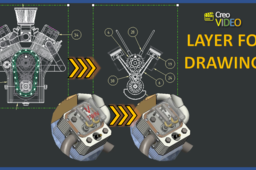
LAYER FOR DRAWINGS
Kulbir Sandhu
in
Drafting
0
0
Intermediate
In the large Assembly, when you need to simplify your drawing view, the layer technique is the best option to deal with component visibility. Find out more in the below video. If you find it useful, Hit "Like" and share with your colleagues and friends. I will look forward for your comments, Thanks. https://youtu.be/-TciwB_hhjc
PTC Creo Parametric
views
simplified
annotations
3d
definitions
based
visibility
component
drawing
components
hiding
assembly
large
representation
model
parametric
creo
Trim and extend in AutoCAD
Karajko CAD
in
Drafting
0
0
Beginner
This tutorial will feature Trim and extend tools in AutoCAD.
AutoCAD
extend
trim
autocad
Auto-cad ALTERNATIVE DIMENSION MULTIPLICATION FACTORS - Tamil
Dharan A
in
Drafting
0
0
Expert
In This Video To Be Cover Auto-cad ALTERNATIVE DIMENSION MULTIPLICATION FACTORS - Tamil https://youtu.be/WoLkP52szjY
AutoCAD
https-youtu-be-wolkp52szjy
autocad
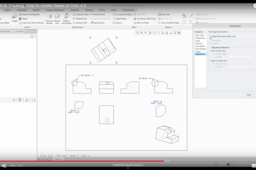
How to create Views in Creo 4.0
Vladimir Palffy
in
Drafting
0
0
Beginner
Do you need to create Creo drawings view? You do not know HOW? Here is the video for you.
PTC Creo Parametric
view
1
…
29
30
31
…
45