Learn about the GrabCAD Platform
Get to know GrabCAD as an open software platform for Additive Manufacturing
Visit our new homepage
Home
Control
Shop
Streamline Pro
Partner Program
Print
Community
Log in
Library
Challenges
Groups
Questions
Tutorials
Engineers
Blog
Log in
Learn from thousands of free Tutorials.
New user?
Join the community
or
log in.
Tutorials
Most liked all time
Recent
Most liked
Most viewed
Most commented
This week
This month
All time
Category
Design & CAD
Modeling
Drafting
Assemblies
BOM
Dimensioning / Tolerancing
Translations
Manufacturing & CAM
3D Printing
Tooling
NC Machining
Composites
Measurement / Inspection
Simulation & CAE
FEM
CFD
Kinematics
Process Simulation
Engineering Fundamentals
Theory
Process
Standards
Other
Software
Snagit
Alibre Design
ArchiCAD
AutoCAD
AutoCAD Electrical
Autodesk 3ds Max
Autodesk Alias
Autodesk Inventor
Autodesk Maya
Autodesk Revit
Autodesk 123D
BricsCAD
Bentley MicroStation
BlenderCAD
BobCAD-CAM
CATIA
Delmia
DraftSight
FreeCAD
Femap
Fusion 360
Geomagic Design
IronCAD
JT
Kompas-3D
KeyCreator
KeyShot
Lagoa
Luxology
Mastercam
Moi3D
NX Unigraphics
OBJ
Onshape
OpenSCAD
Parasolid
Powermill
Powershape
Pro/Engineer Wildfire
PTC Creo Parametric
PTC Creo Elements
Rhino
SpaceClaim
SOLIDWORKS
solidThinking Evolve
Solid Edge
SolidFace
STEP / IGES
SketchUp
STL
TopSolid
TinkerCAD
T-Flex CAD
TurboCAD
VectorWorks
ViaCAD 3D
VRML / WRL
ZW3D
GrabCAD Print
Rendering
GrabCAD Community
GrabCAD Workbench
Text file
3D Manufacturing Format
Cinema 4D
Other
Skill level
All levels
Beginner
Intermediate
Expert
BOM
×
Process Simulation
×
SKID CIP
Med Techno Conception
in
Process Simulation
3
1
Beginner
SKID CIP
cip
skid
Mechanical Mechanism Animation playlist
CAD CAM Learning
in
Process Simulation
3
0
Intermediate
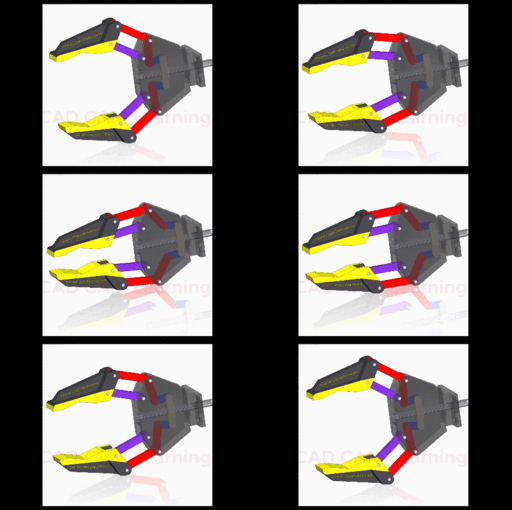
The most of popular mechanical mechanisms, Animation video playlist If you want to know how to animate the mechanism, please watch the instructions in the video description
mechanismanimation
mechanicalmechanism
SolidWorks Simulation Tutorial to Check how much weight can this sheet hold FOS
Usman Akhtar
in
Process Simulation
3
0
Beginner
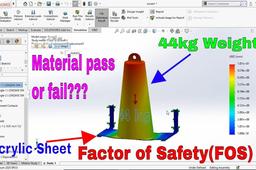
In this SolidWorks analyses tutorial I will tell you how to find the stress, how to perform displacement simulation and how to calculate the Factor of safety or FOS for the materials to find if the part is pass for manufacturing or fails.
simulation
solidworks
motion study
taufik .
in
Process Simulation
3
0
Beginner
solidworks motion study
motion
study
solidworks
CATIA V5
ALAN PAISANO
in
Process Simulation
3
1
Beginner
SISTEMA DE MANUFACTURA FLEXIBLE
v5
catia
delmia
Organize & productive design of a machine
Erkan
in
BOM
3
1
Expert
Generally machines are formed of standard components, weldment, routing, manufacturing parts and sheetmetals. Solidworks BOM table provides whole list of the components which needs to be processed. Separating and sorting of the components to topics will ease the work, reduce the mistakes and accelerate the manufacturing process. In these videos you will see the first step we do at AkayGAM Ltd. after a project design is completed.
SOLIDWORKS
solidworks mate controller
taufik .
in
Process Simulation
3
0
Expert
solidworks mate controller
tutorials
2017
controller
mate
solidworks
SolidWorks Tutorial: Car Offroad Motion Analysis Study Animation
SOLIDWORKS TUTORIAL BY HB
in
Process Simulation
2
0
Beginner
This SolidWorks tutorial is designed to teach users how to perform a motion analysis study on a car off-road motion. Through step-by-step instructions and real-world examples, users will learn the essential techniques and tools needed to create a realistic animation of a car navigating rough and uneven terrain. SolidWorks Tutorial: Car Offroad Motion Analysis Study Animation
solidworks
car motion study
assembly desigm
motion study
solidworks tutorial car offroad motion analysis study anima
this solidworks tutorial is designed to teach users how to p
Making an Animation
Alex Gröger
in
Process Simulation
2
2
Beginner
I know this isn't as much of a tutorial as it is shameless self promotion but hey, everybody's gotta start somewhere.
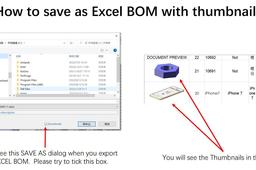
How to save as Excel BOM with thumbnails?
Will Ruan
in
BOM
2
0
Beginner
How to save as Excel BOM with thumbnails?
SOLIDWORKS
Inventor VBA to control sheet metal property
JJ Automation
in
BOM
2
0
Beginner
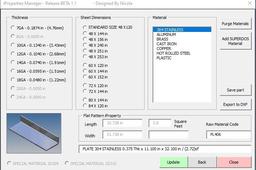
This is a short part#1 video of a VBA program I made to control iProperty in inventor.
Autodesk Inventor
plate
sheet metal
drawing
iproperty
drafting
bom
inventor
vba
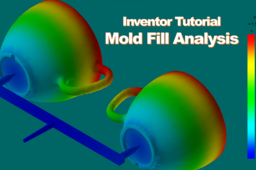
Autodesk Inventor | Mold Fill Analysis
Muhammad Yunus
in
Process Simulation
2
0
Intermediate
How to create mold fill analysis (Mold Flow) with Autodesk Inventor. Please subscribe https://www.youtube.com/c/KurauPlastics
injection molding
mold flow
mold fill analysis
autodesk inventor
NX Fan Model and Simulation
Jay Raj
in
Process Simulation
2
0
Intermediate
NX Fan Model and Simulation
fan
motor
motion
simulation
unigraphics
nx
dust collector plan design
taufik .
in
Process Simulation
2
0
Expert
dust collector plan design
design
industries
dust
calculation
solidworks
[VIDEO]Custom Attributes and BOM Drawing - CATIA & ENOVIA R19x
Maxime Chagnot
in
BOM
2
0
Beginner
Hello all, In this new tutorial you will learn how to create custom attributes to your 3DExperience Platform and you will see how to create a Bill of Material in a drawing. To create a new attribute you need to have administrator rights. When logged on web interface, you can open the Collaborative Spaces Control app (North Quadrant of compass). There click on attributes management and select Physical Product. You can add extra attributes to your 3DExperience rich client. When this is done, you can create a part and fill in the new custom attributes. You can reach these new attributes in the Bill of Material feature in Drafting application. When creating the "default BOM" you need to replace the attributes by the custom attributes you just created. *** To reuse this new BOM as a template, you need to log on rich client on the Default Collaborative Space as Admin. Clicking on your icon, you can modify the standards of your Platform - Before doing it, it is highly recommended to copy the ISO file and make a new one like "PLM_ISO.xml" (C:\ProgramData\DassaultSystemes\CATCollectionStandard\drafting) - Then go to Drafting/Styles/BOM and you will be able to modify the reported properties.
CATIA
plm
drafting
enovia
bom
attributes
custom
3dexperience
catia
1
2
3
…
6