

Surfacing With SolidWorks 11

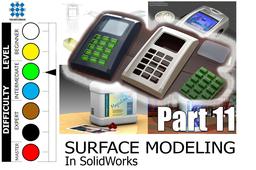
Chapter 11 of the mini course.
This time we will do another practice exercise (Nr. 3).
A cover for an electronic device with its button panel.
In it we will learn how to use Hybrid Modeling, a combination of solid modeling techniques and surface modeling techniques.
We recommend downloading the SLDPRT file from here:
HOUSING FOR ELECTRONIC DEVICE
So you can follow the tutorial with the file opened in SolidWorks.
-
Step 1: What are we going to model...

-
Step 2: Device Components...

-
Step 3: Main Body & Upper Face Cut...

-
Step 4: Upper Central Channel...

-
Step 5: Chamfering Bottom...

-
Step 6: Chamfering Top & Preparing for Shell......

-
Step 7: Shelling & LCD Window Cutting...

-
Step 8: Nest for LCD Screen...

-
Step 9: Holes for Buttons...

-
Step 10: Buttons & Pad Preparatin...

-
Step 11: Finishing Keyboard...

-
Step 12: LCD Screen & Final Touches...

-
Step 13: The end... Some Renderings!


