Learn about the GrabCAD Platform
Get to know GrabCAD as an open software platform for Additive Manufacturing
Visit our new homepage
Home
Control
Shop
Streamline Pro
Partner Program
Print
Community
Log in
Library
Challenges
Groups
Questions
Tutorials
Engineers
Blog
Log in
Learn from thousands of free Tutorials.
New user?
Join the community
or
log in.
Tutorials
Most liked all time
Recent
Most liked
Most viewed
Most commented
This week
This month
All time
Category
Design & CAD
Modeling
Drafting
Assemblies
BOM
Dimensioning / Tolerancing
Translations
Manufacturing & CAM
3D Printing
Tooling
NC Machining
Composites
Measurement / Inspection
Simulation & CAE
FEM
CFD
Kinematics
Process Simulation
Engineering Fundamentals
Theory
Process
Standards
Other
Software
Snagit
Alibre Design
ArchiCAD
AutoCAD
AutoCAD Electrical
Autodesk 3ds Max
Autodesk Alias
Autodesk Inventor
Autodesk Maya
Autodesk Revit
Autodesk 123D
BricsCAD
Bentley MicroStation
BlenderCAD
BobCAD-CAM
CATIA
Delmia
DraftSight
FreeCAD
Femap
Fusion 360
Geomagic Design
IronCAD
JT
Kompas-3D
KeyCreator
KeyShot
Lagoa
Luxology
Mastercam
Moi3D
NX Unigraphics
OBJ
Onshape
OpenSCAD
Parasolid
Powermill
Powershape
Pro/Engineer Wildfire
PTC Creo Parametric
PTC Creo Elements
Rhino
SpaceClaim
SOLIDWORKS
solidThinking Evolve
Solid Edge
SolidFace
STEP / IGES
SketchUp
STL
TopSolid
TinkerCAD
T-Flex CAD
TurboCAD
VectorWorks
ViaCAD 3D
VRML / WRL
ZW3D
GrabCAD Print
Rendering
GrabCAD Community
GrabCAD Workbench
Text file
3D Manufacturing Format
Cinema 4D
Other
Beginner
All levels
Beginner
Intermediate
Expert
Tooling
×
Process Simulation
×
Process
×
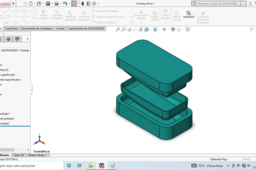
How to Create a Mold Using SolidWorks
Sérgio CAD CAM
in
Tooling
17
0
Beginner
How to Create a very, very simple Mold Using SolidWorks, step by step.
3d
cad
solidworks
injecao
injection
molde
mould
mold
TUTORIAL MOLD 01
Sérgio CAD CAM
in
Tooling
16
0
Beginner
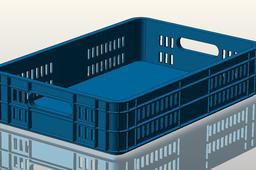
TUTORIAL HOW TO CREATE A MOLD IN SOLIDWORKS, STEP 1: SCALE AND DRAFT ANALYSIS; TUTORIAL DE COMO CRIAR UM MOLDE NO SOLIDWORKS, PRIMEIRO PASSO, DEFINIR A CONTRAÇÃO (ESCALA) E ANÁLISE DE INCLINAÇÃO DO PRODUTO. CREDITS TO https://grabcad.com/library/plastic-tray-9 BY https://grabcad.com/ashok.kumar-64
solidworks
molde
mould
injection
mold
tutorial
Keyshot Animation Tutorial Using Simple Model Of High Bypass Turbojet Engine
Anuj Kaushal
in
Process Simulation
15
2
Beginner
In this tutorial i have used keyshot software for animation purpose. I have used a 3D model of a High Bypass Turbojet Engine for denomsration. It took couple of hours to create the animation video that's why i have skipped that part from the video.
blades
compressor
jet
turbine
turbojet
engine
bypass
high
tutorial
animation
keyshot
How to Create the Perfect GrabCAD Tutorial
Sylvia Daly
in
Process
14
0
Beginner
GrabCAD Tutorials have some exciting new features I want to make sure you're aware of. I'll also recap a few overall best practices for creating and publishing a Tutorial so you get the most out of sharing your Tutorial.
tutorials
grabcad
How to Convert 2D Images into 3D STL Files
GrabCAD Tutorials
in
Process
14
0
Beginner
There are several ways to create 3D models from BMP images. This tutorial explains how to do this by converting a BMP file to an STL file. The following content was taken from Stratasys' Resources Center
modeling
3d
2d
software
bmp
stl
SolidWorks Flow Simulation Tutorial with Rotating Region on Cross Flow Turbine
Usman Akhtar
in
Process Simulation
10
0
Beginner
In this Video tutorial i will tell you how to do flow simulation in solidworks on turbine with rotating region. we will analyze flow trajectories also.
solidworks
simulation
flow
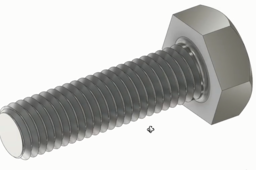
Learn to create simple BOLT in AutoDesk Inventor
sherwin reforsado
in
Tooling
9
0
Beginner
This video is not mine, copyright to the owner CAD CAM TUTORIAL
coil
chamfer
fillet
intersect
join
extrude
sketch
part
new
create
how
learn
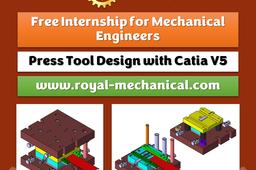
Free Internship for Mechanical Engineers
PRASANNAKUMAR SHANKAR
in
Tooling
8
4
Beginner
Dear mechanical engineers, Greetings! Sub: Free Internship for Mechanical Engineers. If you are a fresher and looking out for jobs, this online internship course is a must. Prefinal and Final year mechanical engineering students interested in internships, this course is also for you. You need to study the videos, prepare an internship report, and submit it to us. We will check your report and approve it. Once the report is approved, you will get a soft copy of the certificate.
free internship for mechanical engineers
design
mechanical engineering
internship
catia v5
catia
press tool design
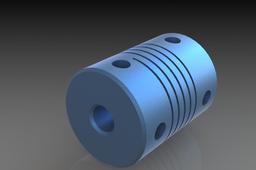
Coupler 5x8mm
Edson Joao
in
Tooling
8
0
Beginner
5x8 coupling for nema motor
Injection Mold Design
Murali K
in
Tooling
8
0
Beginner
Most of the products we design are now a days made of plastics and majority of the plastics parts are only injection molded. So why not we understand the injection molding process and know about the injection mold design before we attempt to design products. (Any comments, suggestions and questions are always welcome.) Murali. K (Injection Mold Designer) (murali.molddes@ gmail.com)
SIMPLE TIPS FOR MAKING MOTION STUDY
kiran
in
Process Simulation
7
0
Beginner
here you can find simple tips to make a motion study using fusion360
mechanism
fusion360
best
how
joints
revolute
simulation
Reverse Engineering Process
Henry Berry
in
Process
6
0
Beginner
How to reverse engineer a broken part.
PLASTIC BOX: SolidWorks / KeyCreator
Manolo Valenzuela
in
Tooling
6
1
Beginner
See video: https://www.youtube.com/watch?v=wO9Oajq64UM&ab_channel=ManuelValenzuela
mold
box
plastic
nx
catia
inventor
solidworks
keycreator
How to Use the New 3D Printing Cost Calculator in GrabCAD Shop
Stratasys
in
Process
5
0
Beginner
The new 3D printing cost calculator in GrabCAD Shop gives you the ability to communicate and manage costs per work order. In this tutorial, we’ll teach you how to set it up and use it so you can provide accurate 3D printing price estimates.
print
pricing
cost
software
printing
3d
shop
grabcad
Feeding System of an Injection Mold
Murali K
in
Tooling
4
0
Beginner
The function of the mold feed system is to make the high temperature melt under high pressure go into the mold cavity to fulfill that. The style and quantity of gate and feed style often determine the specifications of plastic mold base. Whether the design of the gate system is reasonable will directly affect the appearance, internal quality, dimension precision and molding cycle of the molded plastic parts. Concept and classification of feed system The feed system of the mold is a section of the melt flowing passage from the nozzle of the injection molding machine to the cavity; it can be divided into two main types: cold runner system and hot runner system. Ordinary the cold runner system is also divided into the side gate system and point gate system. The gate system is composed of the main runner, sub-branch runner, the cold material well and the gate. The hot runner system has no main runner and sub-branch runner. The melt passes through the manifold plate and the hot nozzle directly from the gate into the cavity. Design principle of feed system The design of feed system should follow the principles. (1) Ensure the appearance quality of the products.Any gate will leave traces on the surface of the product, thus it will affect the surface quality. In order to not affect the appearance of the product, design should try to set the gate in the invisible parts of the product. If it is impossible, the gate should be easily removed, and after the removal, the left traces should be the minimum. (2) Ensure the quality of the product.The style and quantity of the gate should be reasonable, which need ensure that the plastic melt quickly fill the cavity and the pressure and heat loss are reduced. The internal organization of products is fine. The design of the gate system should prevent the defects of the products, like the shrinkage mark, short filling, flash, poor weld line, residual stress, deformation, uneven shrinkage, jetting, drooling, resin degradation and other defects. The gate system should be able to smoothly guide the molten plastic to fill cavity in every corner, so that the gas can be discharged, avoiding the bubbles by trapped air. The feed system should collect the melt material of the low temperature, prevent its entering the cavity and affect the quality of the products. The gate and runner system are arranged balanced possibly. Melt plastic can be evenly filled in each cavity, so that the shrinkage rate of each cavity is uniform. The good feed system design could improve the size accuracy of the plastic parts, and ensure the injection part to be interchangeable. (3) The minimum flow resistance.Flow path of the melt plastic should be as short as possible, turning should be reduced and the cross-sectional area of the runner should be reasonably. the appropriate cross-sectional area should be small. The reason is; increasing the small to the big is simple, but the contrary is hard; The small runner reduces the proportion of waste material.; The circular melt can fill the cavity in the shortest time to shorten the molding cycle and improve the productivity of the mold; The less air in the feed system would reduce the venting burden of the plastic mold If The temperature and pressure loss of the melt in the flow channel are small, the molding quality of the product is easy to guarantee. (4)Not affect the automatic production.If the mold is designed for the automatic production, the feed system (runner and gate) should be able to fall off automatically. Contents and steps of the feed system design The design procedure and content are as follows. (1) The type of the gate system. According to the structure, shape and size of the product, they would decide its filling process, like the side gate system, the point gate system or the system without runner, and then determine the adoption of mold base. (2) The design of the gate.According to the structure, size and appearance of the product, determine the form, location, quantity and the size of the gate. (3) The dimensions and locations of the main runner (4) Design of branch runner.According to the structure, size and variety of the products, the shape and cross-section of the branch runner are determined. (5) Design of assistant runner.According to the follow-up process or the structure of the product, determine whether to design the assistant runner, and its Shape and size: (6) Design of cold material well.According to the length of the sub runner and the structure of the product, determine the location and size of the cold material well.
1
2
3
…
7