Learn about the GrabCAD Platform
Get to know GrabCAD as an open software platform for Additive Manufacturing
Visit our new homepage
Home
Control
Shop
Streamline Pro
Partner Program
Print
Community
登录
Library
Challenges
Groups
Questions
Tutorials
Engineers
Blog
登录
Learn from thousands of free Tutorials.
New user?
Join the community
or
log in.
Tutorials
Most liked all time
Recent
Most liked
Most viewed
Most commented
This week
This month
All time
Category
Design & CAD
Modeling
Drafting
Assemblies
BOM
Dimensioning / Tolerancing
Translations
Manufacturing & CAM
3D Printing
Tooling
NC Machining
Composites
Measurement / Inspection
Simulation & CAE
FEM
CFD
Kinematics
Process Simulation
Engineering Fundamentals
Theory
Process
Standards
Other
Software
Snagit
Alibre Design
ArchiCAD
AutoCAD
AutoCAD Electrical
Autodesk 3ds Max
Autodesk Alias
Autodesk Inventor
Autodesk Maya
Autodesk Revit
Autodesk 123D
BricsCAD
Bentley MicroStation
BlenderCAD
BobCAD-CAM
CATIA
Delmia
DraftSight
FreeCAD
Femap
Fusion 360
Geomagic Design
IronCAD
JT
Kompas-3D
KeyCreator
KeyShot
Lagoa
Luxology
Mastercam
Moi3D
NX Unigraphics
OBJ
Onshape
OpenSCAD
Parasolid
Powermill
Powershape
Pro/Engineer Wildfire
PTC Creo Parametric
PTC Creo Elements
Rhino
SpaceClaim
SOLIDWORKS
solidThinking Evolve
Solid Edge
SolidFace
STEP / IGES
SketchUp
STL
TopSolid
TinkerCAD
T-Flex CAD
TurboCAD
VectorWorks
ViaCAD 3D
VRML / WRL
ZW3D
GrabCAD Print
Rendering
GrabCAD Community
GrabCAD Workbench
Text file
3D Manufacturing Format
Cinema 4D
Other
Intermediate
All levels
Beginner
Intermediate
Expert
fdm
×
Variable Density FDM parts with Advanced FDM in GrabCAD Print
Dave
in
3D Printing
23
1
Intermediate
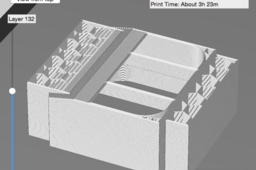
A tutorial on how to create an FDM part with discrete zones with different infill patterns & densities. This is a great but simple tactic for reducing the print time and cost of your designs as well as making them both stiff and lightweight.
multibody
print
grabcad
infill
fdm
advanced
stratasys
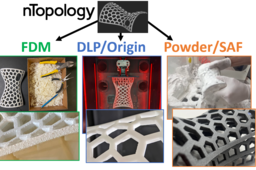
How to create complex Voronoi lattices in nTopology for printing in FDM, DLP and Powderbed!
Shuvom Ghose
in
3D Printing
14
2
Intermediate
We cover how to create complex, strong, organic, yet lightweight shapes for 3D printing using a powerful next-generation generative software, called nTopology, and then compare the results on three different 3D printing methods- FDM, DLP (P3) and Powderbed (SAF)!
voronoi
saf
sls
dlp
fdm
stratasys
lattice
ntopology
How to FDM Print for Part Sliding Clearance
GrabCAD Tutorials
in
Assemblies
13
4
Intermediate
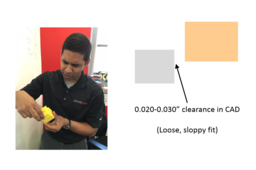
If you are 3D printing parts that have to fit/slide together after printing, you will need to put some sort of clearance between those parts in your CAD system. A good starting place is a clearance 2x the layer height you are going to print at, but you should make a few smaller test prints at different clearances to see if the 2x layer height rule holds for your particular situation and orientation. Have fun and happy printing!
GrabCAD Print
sliding
clearance
printing
3d
fdm
How to Insert a Z Pause in a Stratasys Printer
Anirudh Krishnakumar
in
3D Printing
13
0
Intermediate
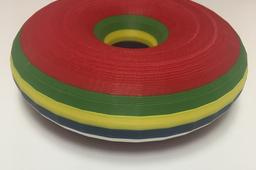
How do I use a Stratasys printer with multiple materials? Multiple colors? How do I add metal inserts in my 3D printed part? This tutorial explains how to use Stratasys software to insert pauses (Z-pause) during an FDM print job, to change materials, colors or to add metal inserts. Go to Step 1 for some documentation and examples of parts printed with Z Pause.
multi-material
multi-color
pause
stratasys
printing
3d
fdm
How to Paint an FDM Printed Part
GrabCAD Tutorials
in
3D Printing
12
2
Intermediate
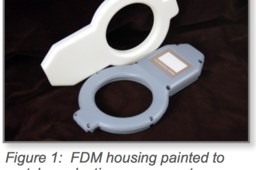
This tutorial will teach you how to paint FDM parts. There are many reasons to paint 3D printed parts, whether it’s for UV protection, sealing or just to make them aesthetically pleasing.
printing
3d
post-processing
painting
fdm
How to Remove FDM Support Material
Stratasys
in
3D Printing
9
0
Intermediate
FDM (fused deposition modeling) Technology lets you 3D print parts in a broad range of well tested plastics. FDM materials offer specialized properties like toughness, electrostatic dissipation, translucence, biocompatibility, UV resistance, VO flammability and FST ratings. This makes them perfect for demanding designers and engineers in aerospace, automotive, manufacturing, medical and other industries.
parts
3d
stratasys
removal
support
fdm
How to Give Your 3D Printed FDM Part the Smoothness of Injection Molding
Stratasys
in
3D Printing
6
1
Intermediate
This tutorial will demonstrate how you can give your FDM printed part the finishing smoothness of injection molding. The Finishing Touch Smoothing Station can dramatically improve the surface finish of ABS parts that are built using FDM technology. The semi-automated smoothing process is compatible with FDM’s entire line of ABS plastics.
parts
3d
finishing
fdm
molding
injection
How to Paint FDM Parts
Stratasys
in
3D Printing
5
1
Intermediate
There are many reasons for coating FDM parts. These include UV protection, sealing, shielding, or surface modification, but painting FDM parts for an aesthetically pleasing finish is the most common. Painting brings a product to life by adding depth, contrast and character. This is true for concept models, marketing samples, and finished goods. For product development and many production applications, paint completes the desired look and feel. With a little know-how and a touch of patience, models, prototypes, and parts can look like production parts. The following instructions are for creating top-quality painted parts. For applications that do not require this level of finishing, skip any unneeded steps. A good paint finish traditionally starts with sanding and filling.
printing
3d
finishing
parts
stratasys
fdm
paint
How to design your own support structures for FDM printing
Andreas Bastian
in
Design & CAD
4
1
Intermediate
See below for a method to manually model support structures.
Fusion 360
fff
structures
fdm
dfm
printing
support
design
3d
How To Properly Sterilize FDM Parts
Stratasys
in
Other
4
0
Intermediate
Fused Deposition Modeling (FDM) is an additive manufacturing technology that is used in industry for development of three-dimensional models. Because of its ability to provide highly accurate models, FDM may offer many benefits to those wishing to use it for a range of medical applications. FDM can be used to build models that aid physicians in the surgical planning process or in the production of a surgical implant. It can be used to achieve a patient’s agreement prior to surgery by providing a preoperative simulation device. During surgery, an FDM model can act as an orienting aid or a template for resection. FDM can also be used to directly manufacture medical implants out of bioimplantable materials. However, such surgical devices and implants will come into direct contact with sterile body tissues and fluids, and therefore, must be manufactured out of sterilizable materials.
medical
printing
3d
stratasys
fdm
sterilize
How to Create Variable Density Parts
GrabCAD Tutorials
in
3D Printing
4
0
Intermediate
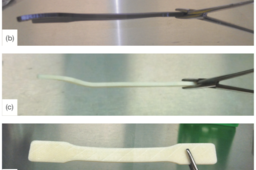
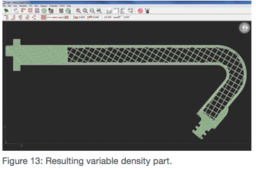
FDM technology enables you to print a part with variable densities. Following the best practices can save you time and money when building your part with variable densities. The following is brought to you by Stratasys.
3dprinting
density
fdm
3D Printing: Tip Selection FDM Best Practices
Stratasys
in
3D Printing
3
0
Intermediate
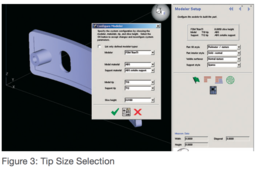
To minimize build time and ensure feature details are built, it is important to select the correct tip size for each part. Using too small a tip on a part can significantly increase build times. Example: a part with a 5” z-axis dimension will have 500 layers using a T16 tip, 715 layers using a T12 tip, and 1000 layers using a T10 tip. The following tutorial is brought to you by Stratasys.
fdm
tip
stratasys
3dprinting
Stacking Your Parts in Z for FDM
Stratasys
in
Assemblies
2
0
Intermediate
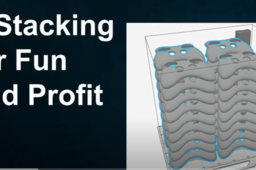
Have long thin flat parts you’ve always wanted to print right on top of each other in FDM but the slicer never allowed you to? Learn how to use this exclusive new feature in GrabCAD Print Pro!
GrabCAD Print
fdm
stacking
stratasys
3d printing software
grabcad print pro
How to Media Blast FDM Parts
GrabCAD Tutorials
in
3D Printing
1
0
Intermediate
The normal surface finish of FDM parts is suitable for most purposes, but in applications where a different finish is required, media blasting is an inexpensive and quick solution. Following the best practices helps reduce the risk of damaging or breaking a part when media blasting. The following is brought to you by Stratasys.
finish
surface
post-processing
3dprinting
blasting
media
fdm
How to Prepare a 3D Printed Composite Tool for Use
GrabCAD Tutorials
in
3D Printing
0
0
Intermediate
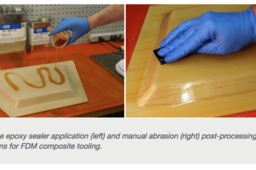
FDM composite tooling, similar to traditional tooling technologies, typically requires some level of post-processing depending on the size, application, and complexity of the tool. The most common post-processing operation for FDM composite tooling is sealing. The following is brought to you by Stratasys.
composites
3d
sealing
post-processing
tooling
fdm
1
2